

How Does Online Booking Software Work: From Setup to Success
Here’s something interesting – businesses see their revenue jump by 37% after setting up online booking systems. This boost makes sense since 7 out of 10 customers would rather book and change their appointments online. Online booking software creates a digital system that streamlines your scheduling and enhances your customers’ experience.
The digital world demands online booking systems as an essential business tool. These platforms handle everything – from scheduling appointments to processing payments. The real value shows in the numbers: 42% of bookings happen after business hours. Your business keeps making sales even when you’re away. These systems also cut down the resources needed to manage reservations. The booking process through these digital platforms works in a simple yet effective way that connects your business to customers right when they’re ready to book.
What is an online booking system?
A booking system is software that lets customers book and pay through your website and other channels. It works as a central hub to manage everything in your business, from marketing to distribution to operations, all in one place.
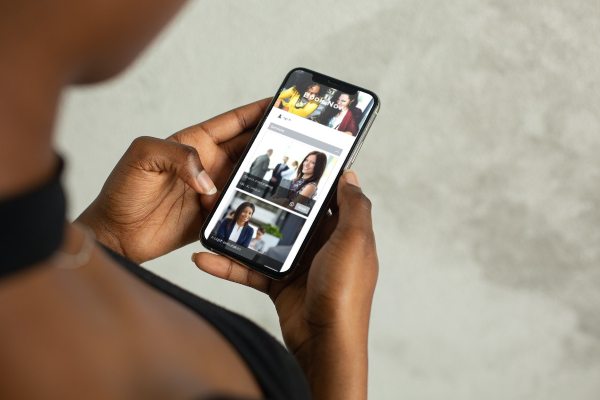
Paper appointment books and endless phone calls are history. Modern booking software has evolved into a complete digital platform that connects your services directly with customers. Research shows that 90% of customers prefer booking their appointments online. This technology has become crucial for businesses to stay competitive.
These systems work 24/7 like your tireless digital assistant. Your business stays open for reservations around the clock instead of limiting bookings to business hours. The data shows 35% of clients schedule appointments outside business hours. This helps you capture sales opportunities you would miss otherwise.
The system has two main parts. The customer-facing interface shows what clients see when making reservations. You’ll typically see this as a “Book Now” button on your website or a dedicated booking page. The business dashboard lets you manage appointments, client data, and system settings.
The system does much more than simple scheduling:
- Real-time availability management – Automatically syncs staff calendars to prevent double bookings
- Payment processing – Securely collects deposits or full payments during booking
- Automated notifications – Sends confirmation emails and reminders to reduce no-shows
- Customer management – Stores client information for personalized service
- Reporting and analytics – Tracks booking patterns to optimize your business

You can choose from desktop applications or web-based platforms for on-the-go management.
Customers find the software easy to use. They visit your booking page, pick an available date and time, fill out their information, and complete their reservation, often with payment. This streamlined process needs no staff intervention, which frees your team from manual scheduling.
The online booking system connects your scheduling, payment processing, and client communication seamlessly. This integration removes the need for multiple separate tools, which reduces administrative work and potential errors.
An online booking system changes how businesses handle appointments by automating administrative tasks. It delivers a professional experience to customers while making operations smoother, benefiting both clients and businesses.
How does online booking software work?
Online booking software works through simple steps that make scheduling easy for customers and businesses. The process runs automatically without phone calls or manual scheduling. Here’s how these systems work from start to finish.
Step 1: Customer selects service and time
Your customer’s experience starts on your website or booking page. They look through available services and pick what they want to book. A good system shows your full service catalog with descriptions, durations, and pricing. Customers see a calendar with available time slots after choosing a service. The calendar shows your up-to-the-minute availability so they can pick a convenient date and time. Most customers complete their selection in under a minute.

Step 2: System checks availability
Customers pick their preferred time. Advanced systems sync with your existing calendars (like Google Calendar) to block personal events and keep availability current. The system can check the schedules of all staff members or let customers pick specific providers if multiple people offer the same service.
Step 3: Customer enters details and pays
Customers fill out their contact information in a custom booking form. They add their name, email address, and phone number. The system first gathers specific information such as personal preferences, health-related questions, or selected add-ons. Payment is processed afterward.
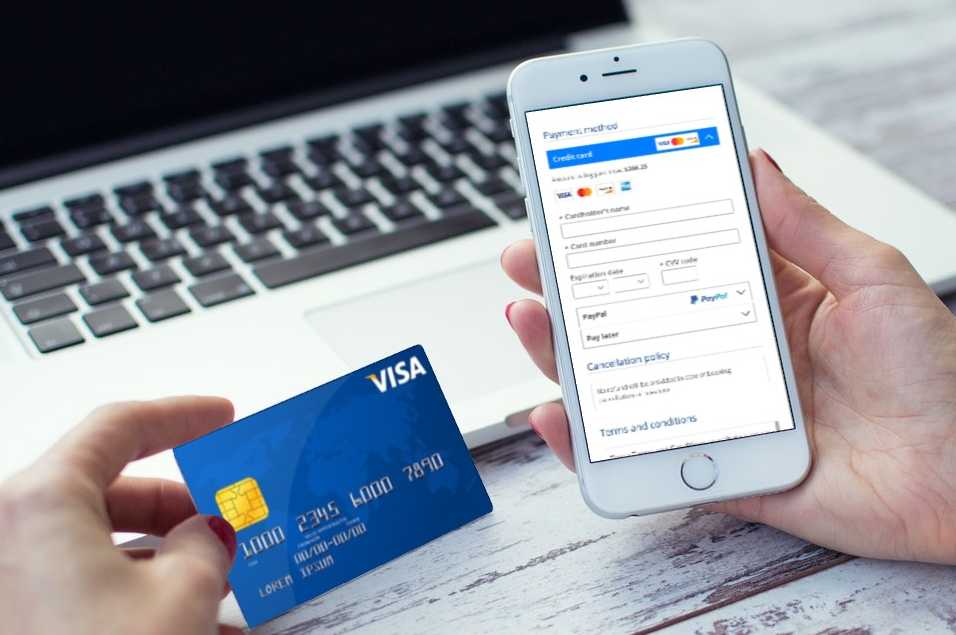
The software processes credit cards, digital wallets, or other payment methods through secure payment gateways. Your settings determine if customers pay deposits, full amounts, or just save their booking with card details.
Step 4: Confirmation and reminders are sent
The system sends a confirmation email or text message right after the payment goes through. This message lists all booking details: service type, date, time, location, and payment information. Modern systems also send automatic reminders as the appointment gets closer. These notifications cut no-shows by up to 90%. You can set when these reminders go out, for example, from three days to just an hour before the appointment.
Step 5: The Business manages bookings in the dashboard
Business owners see all booking information in a detailed dashboard. This control center shows your daily schedule, customer details, and payment status. You can add walk-in appointments, change existing bookings, or block time for personal events. The dashboard helps you track booking patterns, busy periods, and revenue with reports.
The best part about online booking software is automation. The system captures appointments 24/7, even outside business hours, once you set it up. Studies show 35% of appointments are booked after standard working hours, which makes automated systems perfect for maximizing bookings.
Key features of a modern booking system
Modern booking systems use resilient features that work behind the scenes to create smooth experiences for businesses and customers alike. Research shows these core capabilities directly affect business success. Systems that businesses implement properly can reduce no-shows by up to 75%. Let’s explore the features that make booking software truly effective.
Calendar and schedule management
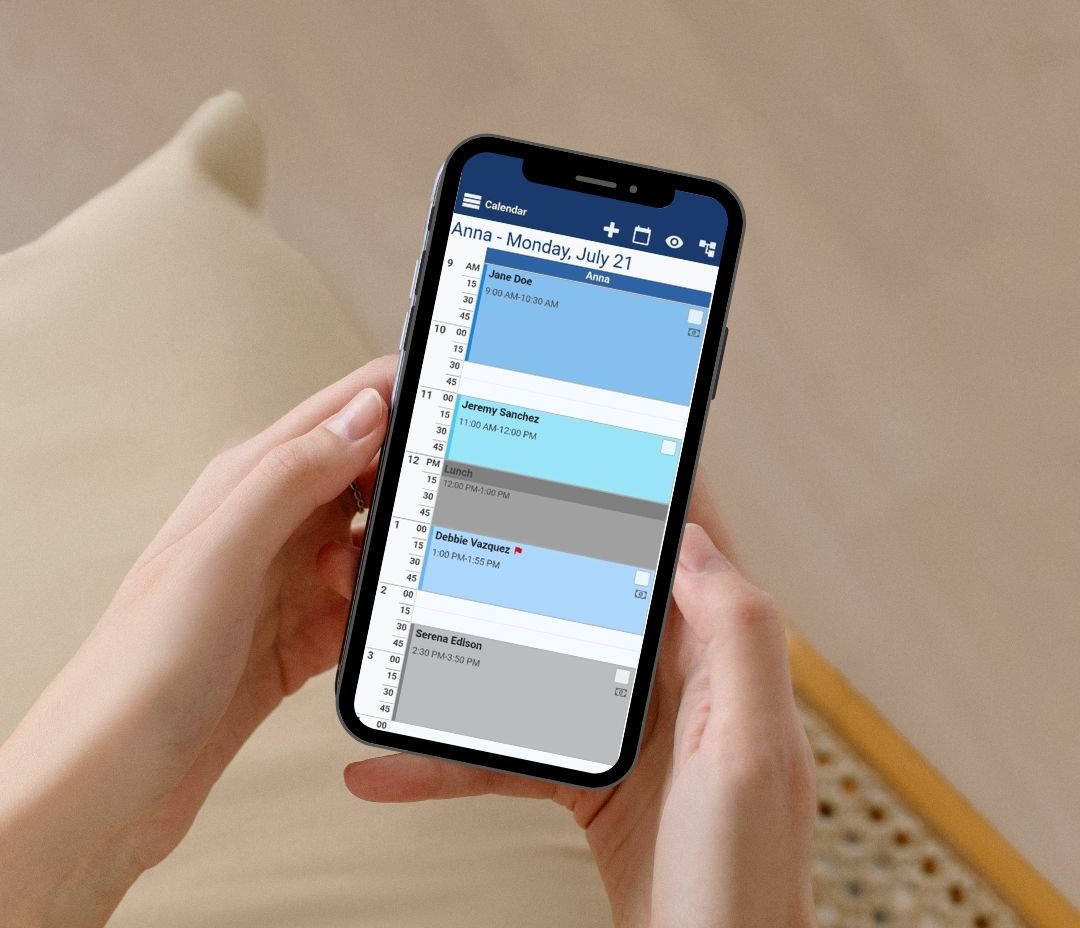
Calendar functionality forms the foundation of any booking system. Advanced systems show rooms, bookings, and availability in a clear, color-coded format. Staff members can maintain a good overview through this visual approach, especially during peak times.
Up-to-the-minute calendar updates prevent scheduling conflicts. Time slots disappear instantly from all booking channels when someone makes a reservation through your website. Many platforms integrate with Google Calendar or Outlook.
Team members control their own schedules through individual staff calendars. They set breaks and block time off directly in the system. Administrators see all calendars 24/7, and appointments are assigned based on staff availability.
Online payments and invoicing
Quality booking solutions have secure payment processing capabilities. Modern systems enable customers to pay during booking or when they arrive for service. This removes the need to switch between different scheduling platforms and payment processors.
Quality booking systems provide various payment methods:
- Credit cards and digital wallets
- Prepayments through booking pages
- Payment links for mobile transactions
- Tap-to-pay functionality
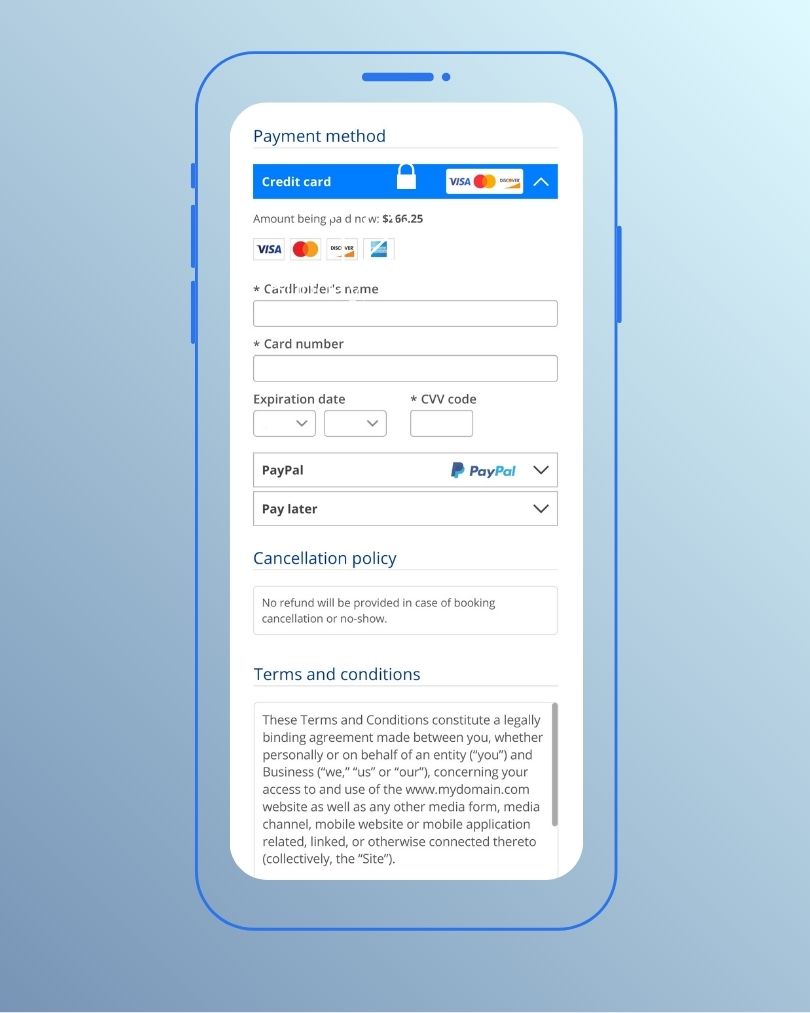
Security remains essential for payments. Reliable systems ensure safe electronic transactions through encrypted processing and fraud prevention. The system handles cards securely, manages taxes, and deposits money automatically when connected to payment processors like Stripe.
Automated reminders and notifications
Automated communication saves the most time in modern booking systems. Booking systems send pre-filled emails with booking details, payment reminders, and arrival information requests. Studies indicate automated reminders can reduce missed bookings by up to 75%.
The system lets you choose when to send these reminders, from one week before an appointment to just an hour prior. Messages include the client’s name, appointment details, and location information for mobile service providers.
SMS reminders have grown more important than email notifications. Text messages achieve a 98% read rate, and people read 90% within three minutes. About 60% of clients prefer SMS reminders to email communications.
Client and staff management
Booking systems organize customer data securely and create complete client profiles with past bookings and personal information. Some systems store additional items like documents, images, and files.
Staff profiles come with different access levels. Each team member gets their own calendar and can manage their appointments independently. Everyone stays informed when appointments change or get canceled.
Customizable booking forms
Collecting specific information helps provide excellent service. Custom intake forms gather essential details about customers, reservation dates, special requests, and service requirements.

Businesses can match these forms to their brand identity and specific needs. Healthcare providers might collect insurance details, while activity providers ask about equipment needs. This tailored approach creates a consistent experience that makes customers feel comfortable sharing their information.
Benefits for businesses and customers
Online booking systems offer much more than just convenience. This technology creates a perfect win-win situation where both businesses and customers benefit greatly.
24/7 booking access
Your business can take reservations even while you sleep. Online booking systems work non-stop and let customers book appointments at any time they want. Studies show that nearly 40% of online sales happen between 6 pm and 9 am, outside normal business hours. This round-the-clock service becomes extra valuable for companies with international clients across time zones.

Your business becomes an “always open” operation with a booking system. This reflects modern customer priorities – 83% of Gen-Z and Millennials book their travel services online instead of traditional methods. Your business captures extra revenue that would be lost when your office closes.
Reduced no-shows
Missed appointments drain money across industries. Each no-show costs healthcare practices about $185, which adds up fast with multiple patients. The good news? Online booking systems cut these expensive absences dramatically.
Automated communication makes all the difference. Text messages and email reminders can cut no-shows by up to 75%. These digital nudges work better because customers feel more committed to appointments they book online. Many systems also let you set cancelation policies or take deposits to protect your revenue.
Improved customer experience
Modern customers want convenience and control. Online booking gives them both through self-service options. Clients love picking their own appointment times without phone calls or waiting for emails.
Booking services anytime boosts satisfaction greatly. About 38% of people like scheduling appointments after hours, and 25% of millennials won’t even make phone appointments. Your booking system meets these priorities while gathering key information through custom intake forms.
Easy payment options make things even better. Modern systems handle secure transactions during booking, so there’s no need for in-person payments. Customers can focus on their service instead of payment logistics when they arrive.
Streamlined operations
Administrative work eats up valuable business time. Manual booking needs phone answering, email responses, and spreadsheet updates, all prone to mistakes. Online booking systems handle these tasks automatically.
Your whole business runs smoother. Staff get automatic alerts about upcoming appointments, and everyone stays informed if clients reschedule. Teams can focus on giving excellent service instead of paperwork, while avoiding double-bookings and schedule conflicts.

These systems help manage staff schedules, room availability, and equipment use efficiently. Your business wastes less time and gets more productive.
Better data and reporting
The real power comes from analytics features. Online booking systems collect valuable information that turns into applicable business insights. Your dashboard shows:
- Services that make the most money
- Best booking times for staff planning
- Customer booking habits and priorities
These insights help adjust pricing, create targeted promotions, and improve your services. You can spot trends in occupancy and revenue to make smart decisions that match market needs.
Industries that benefit most from booking software
Many businesses have found that online booking software revolutionizes their operations. Let’s get into which sectors benefit most from this technology.
Fitness and personal training
Fitness studios employ booking software to make class management smooth. Their clients book classes, private sessions, and events online without endless messages. Trainers manage schedules easily and set up recurring classes. They can also handle schedule changes without hassle.

The software helps create recurring classes, handle payments, and send reminders to keep attendance high. Advanced features let fitness businesses offer live-stream classes through Zoom. Some platforms create group exercise programs that keep members engaged and coming back.
Tourism and travel
Tour providers were quick to adopt online booking technology. Tour operators get more bookings and grow revenue by using these platforms. They manage capacity better and show real-time availability.
Tour reservation systems give businesses tools to:
- Handle bookings for tours and activities
- Integrates with OTAS
- Process payments quickly
- Create reports for smart business decisions
Businesses collect customer contact details and send them promotions directly. This brings in more repeat bookings.
Beauty and salons
Booking technology makes salon operations run smoothly. Online systems keep staff schedules full with bookings while making room for walk-ins.

Salons see a big jump in online appointments after adding booking systems. Clients love the convenience. Customers pick their favorite stylists and exactly what services they want. This makes everyone happier and more efficient.
How to set up an online booking system
You might find setting up your first online booking system challenging. Breaking it down into smaller steps makes everything much simpler. The right approach will get your system up and running quickly.
Choose the right platform
The right booking software creates the foundation of your online scheduling system. Your business services and your customers’ booking preferences should guide your choice. A zipline park running hourly trips needs different features compared to a private chef teaching one-on-one classes.
These questions will help you decide:
- Will you collect payments upfront?
- Do you want automated emails or review requests?
- How much flexibility do you need for pricing?
Your tool should grow with your business.
Customize your booking page
The next step is making your booking experience unique. Add your business details like name, address, and contact information. Create listings for each service with prices and availability.

Your brand should shine through your booking page with your logo, colors, and background images. These elements help customers trust you when they book appointments. A custom welcome message can explain what customers need to know before they book.
Integrate with your website
Adding bookings to your website is easier than you might think. The quickest way is to link your booking platform to your site – you just need simple HTML knowledge.
Most systems give you widgets or “Book Now” buttons that blend naturally with your pages. Just copy the code from your booking software and add it to your website. Make sure to test everything on computers, phones, and tablets.
Set up payment and calendar sync
Payment processing helps collect deposits or full payments during booking. This cuts down on no-shows and makes managing money simpler. Popular payment systems like Square or PayPal handle transactions safely.
Your calendars need to stay in sync to avoid double-bookings. Link your booking system with Google Calendar or other tools you use.
Test the system before launch
Good testing prevents problems later. Book test appointments using different devices and browsers to see what your customers will experience. Look carefully at:
- How fast calendars load, slow loading hurts bookings
- Phone-friendly design, most people book from phones
- Payment processing, transactions should work perfectly
- Automated emails, check if confirmations and reminders work
What to look for when choosing a booking system
The right booking system can make a huge difference to your business. A 2023 survey shows that 90% of businesses became more efficient after finding the perfect scheduling platform. Let’s get into what matters most when you make this choice.
Ease of use and setup
Your success depends on how simple the booking system is. The best solutions come with accessible interfaces that work well for you and your customers. Most businesses prefer software that they can set up without being tech experts. Good platforms let you install them through website widgets or code snippets that require simple HTML knowledge. The system should also let you customize it to fit your business needs.
Mobile responsiveness
People make more than half of all bookings on their phones, so mobile design matters. Good booking systems adapt their layout to work on smaller screens.

This makes booking simple for customers who are on the move. Your booking pages and forms should look great on all devices. This helps you catch bookings right when customers want to book. You won’t lose potential clients who browse on their phones or tablets.
Integration with other tools
One booking system alone rarely does everything you need. Look for platforms that work naturally with your current tools. The most useful connections include:
- Calendar syncing (Google Calendar, Outlook)
- Payment processors (Stripe, PayPal)
- Video conferencing (Zoom, Google Meet)
- CRM systems and email marketing tools
These connections help you avoid entering data twice and create a smooth workflow across your systems.
Security and compliance
Booking data needs strong protection. Good systems use encryption standards (minimum AES-256) to protect stored information. They should offer two-factor authentication and detailed access controls for team members. Your industry might require GDPR compliance. The best systems help you collect only the data you need, which reduces risk.
Customer support and training
Even the most user-friendly system needs help sometimes. The quality and availability of customer support should influence your choice. Think over whether support works in your time zone and speaks your language. Users say that quick support teams make their experience better with booking platforms. Look for providers that offer detailed documentation.
Why Bookeo is the best choice for your business
Bookeo distinguishes itself among online scheduling platforms. The platform doesn’t follow a one-size-fits-all approach but delivers specialized products that match specific business requirements.
All-in-one solution for industries of all types
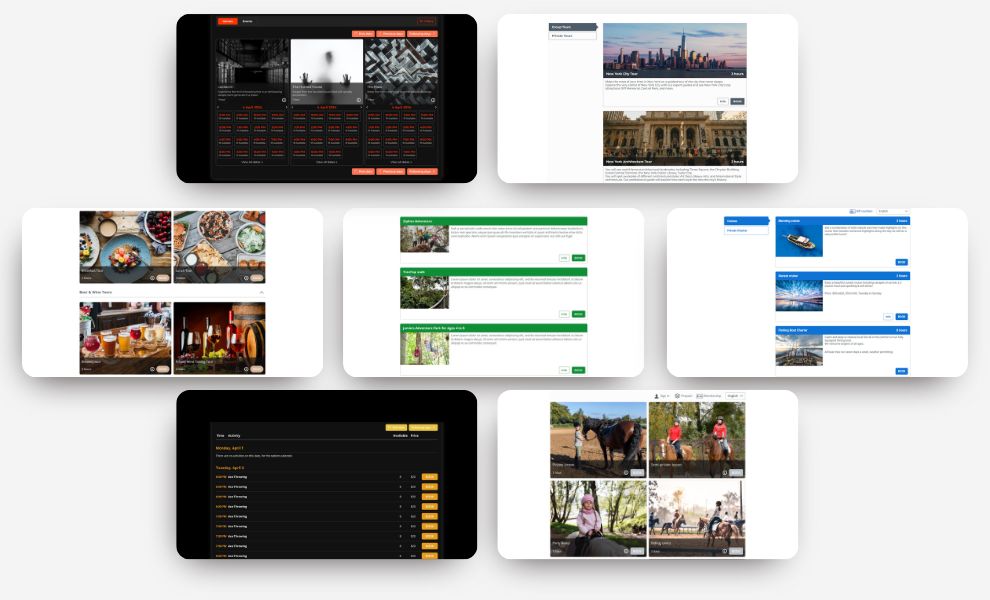
Bookeo features three distinct booking systems that match different business needs: Bookeo’s appointment scheduling software serves service providers like salons and photographers, Bookeo’s class scheduling software helps studios and schools, and Bookeo’s tour booking software supports activity providers and tour companies. This targeted approach ensures your business gets the right features.
Easy setup and customization
You can set up Bookeo quickly. Add your business details, services, and team information. The platform allows complete customization of your booking page with your brand elements and layout templates to create a professional look. Your clients can make bookings directly through your website using Bookeo’s booking widget without any popups or overlays.
Conclusion
Online booking software has reshaped how businesses manage appointments and reservations. This piece explores these powerful systems’ inner workings – from the original setup to successful implementation. These digital tools never stop working. They capture appointments while you sleep and substantially reduce administrative tasks.
The results speak for themselves. Businesses see higher revenue, fewer no-shows, and more satisfied customers with online booking solutions. Automated reminders alone reduce missed appointments by up to 75%. This saves thousands in potential lost revenue. The core team gets valuable time back to focus on delivering exceptional service instead of managing schedules.
Your own booking system setup doesn’t need technical expertise. The process is straightforward – choose a platform, customize your booking page, add it to your website, and connect payment processing. With the right software, you can launch within hours.
Bookeo proves to be an outstanding choice for businesses of any size. Bookeo’s specialized solutions for appointments, classes, and tours meet specific industry needs at remarkable prices. Unlike competitors who charge high commissions, Bookeo’s transparent monthly pricing helps businesses keep more earnings.
The digital world moves steadily toward online booking. Modern customers want 24/7 booking access, self-service options, and instant confirmations. Companies that adapt to these priorities gain competitive advantages while making their operations smoother.
A booking system isn’t just a tech upgrade – it’s a business investment that makes sense. The right platform helps you cut down administrative work, book more appointments, and create a professional experience your customers will love.