Online Booking system for Driving Schools

Whether you are a solo driving instructor, manage a small school, or a franchise, Bookeo handles your bookings and helps your business grow.
For 30 days. No credit card required.
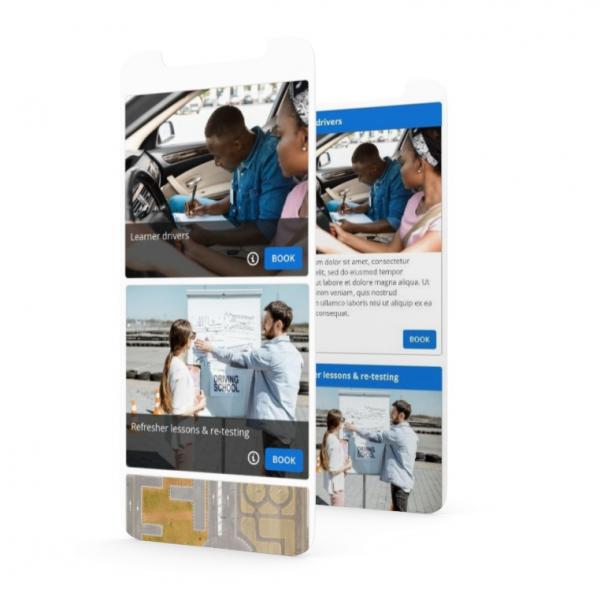
Bookeo is your all-in-one 24/7 driving school booking system. We’ll handle online booking, scheduling, reminders, payments, marketing, and driving instructor management.

Get bookings and payments 24/7

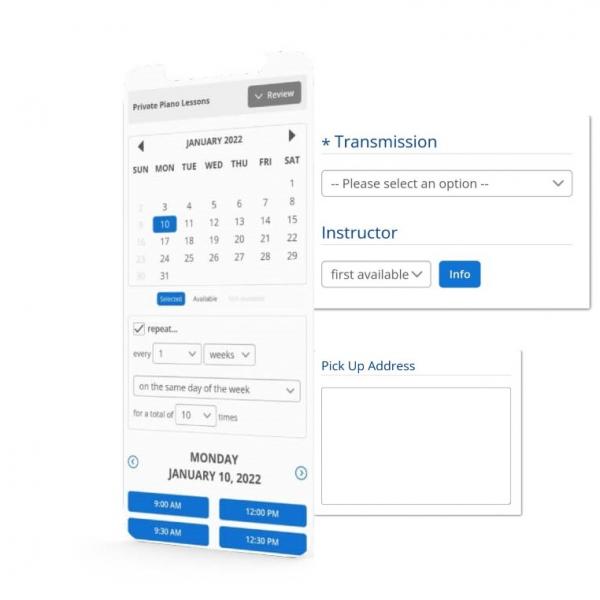
Let students view your real-time availability, book their driving lessons and make payments anytime, anywhere, on any device with our driving school scheduling software.

Boost your conversion rates with an elegant booking page designed from one of our customizable layouts. Select colors and styles that seamlessly align with your brand.

Website-integrated or standalone

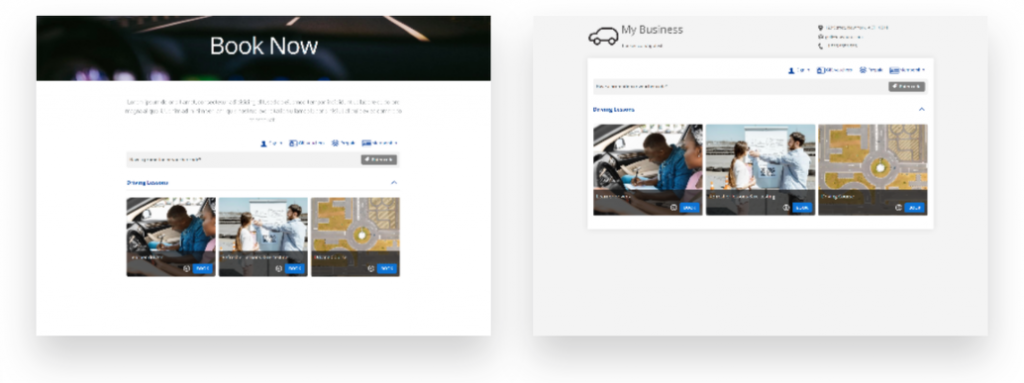
Embed Bookeo’s widget into your website, to let students book driving lessons without leaving your website, and without pop-up windows or overlays.

Alternatively, you can utilize the standalone, brandable booking page offered by Bookeo. Simply copy and paste your booking page URL into your email signature, business card, and online accounts.

Offer driving school services that will get you more clients

Streamline and automate your operations

  • BOOKING CONFIRMATIONS
    Automatically send branded and customized booking confirmation emails to your students.
  • REMINDERS
    Reduce costly no-shows with automatic email and text reminders before your driving lessons.
  • FOLLOWUPS
    Automatically follow up with students to collect their feedback or reviews on third-party sites such as Facebook or Google.
  • ONLINE RESCHEDULING
    Let customers reschedule and cancel their bookings online with our driving school booking software.
Even though I was really small at the start, Bookeo was affordable and easy to use. It met my needs but also allowed me to grow.
Nichole Churchill

View all your bookings and payments in one place

online payments
Online bookings and payments
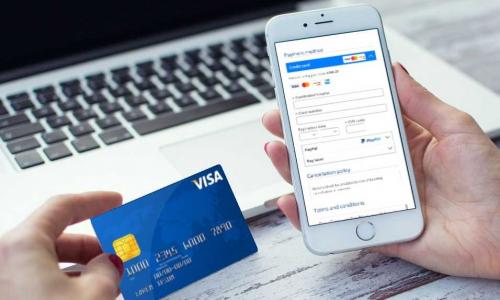
Whenever customers book and pay for their driving lessons online, your Bookeo calendar automatically updates with all the booking and payment details.
pos payment
In-person bookings and payments
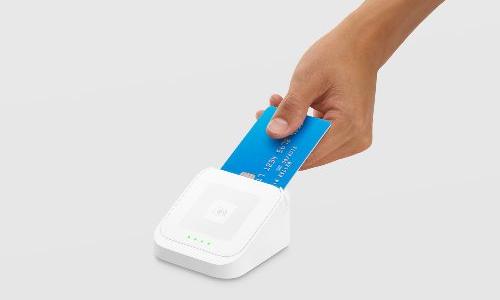
In-store, on-the-go tap and swipe payments are automatically displayed in your dashboard with our integrated POS payment system. Easily record walk-in or phone bookings and payments in our driving school booking software.

Maximize profit with online reviews

Save time with automatic follow-up emails after your driving lessons and ask your students to rate their experience, or publish positive reviews on your website, social media profiles, or an online review aggregator.

Offer discounts to customers who refer your driving school services to their friends and family.

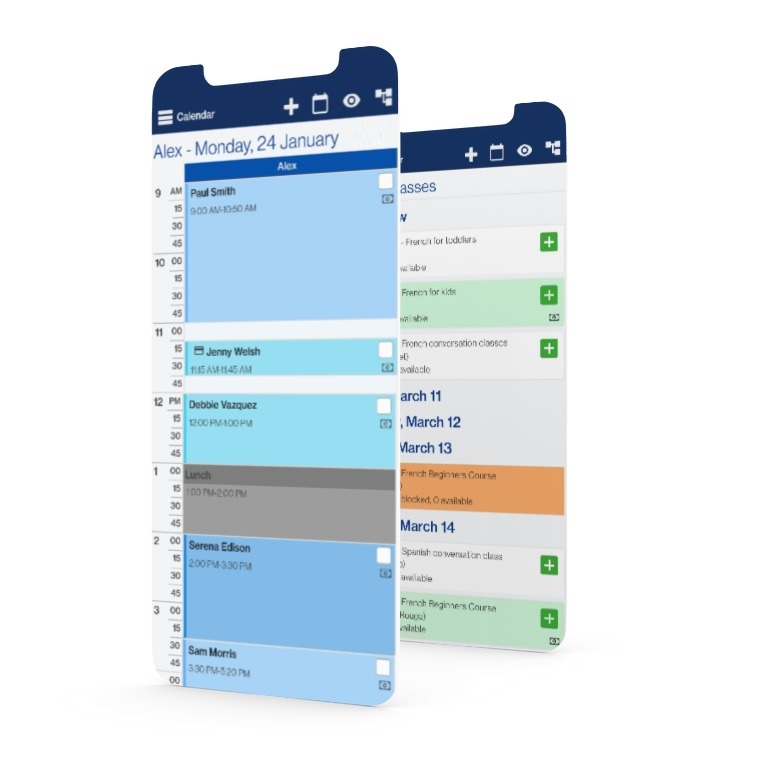
Welcome to your organized calendar

No more double bookings or costly no-shows with Bookeo’s driving school scheduling software. Check your lesson schedule, bookings and mark attendance anywhere, anytime.

Get notified whenever a lesson is booked, changed, or cancelled. Stay informed with the latest updates on your personal Google Calendar, iCal, Outlook, or Office 365 calendar.

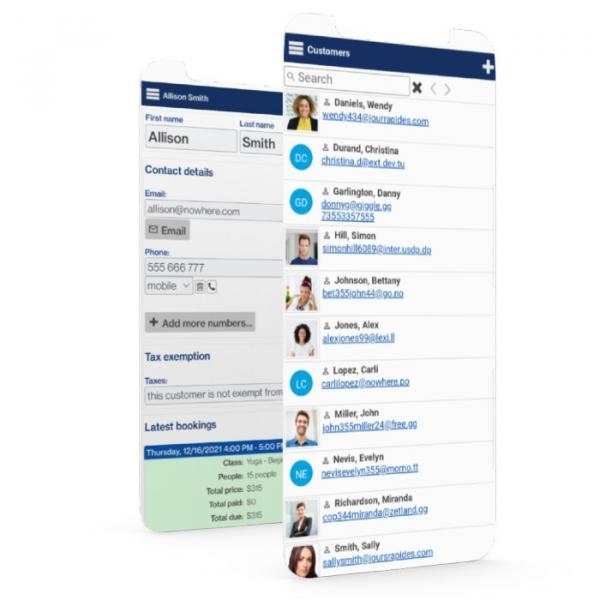
Finally, an organized student database

All of your student information is always organized and up-to-date with Bookeo’s driving school booking software. View students’ bookings, class passes, and memberships from anywhere, at any time.

Streamline your processes by going paperless with integrated intake forms. Let students save their details to speed online checkout for future driving lessons.

Maximize profits

Let customers easily book recurring driving lessons – for the same or varying days and times of the week. Let them select their preferred instructor.

Allow students to register for multiple lessons using the integrated booking cart. Provide waiting lists when courses and programs are fully booked.

Solidify student loyalty

SELL PREPAID PACKAGES

Earn upfront by selling lesson passes. Your customers will appreciate saving on the cost of casual lessons.

OFFER MEMBERSHIPS

Earn recurring income with memberships. Set special prices for members and members-only driving lessons.

launch PROMOTIONS

Boost registrations with targeted promotions during slower periods or when launching a new driving class.

Solidify student loyalty

prepaid icon

SELL PREPAID PACKAGES

Earn upfront by selling lesson passes. Your customers will appreciate saving on the cost of casual lessons.

sale icon

launch PROMOTIONS

Boost registrations with targeted promotions during slower periods or when launching a new driving class.

membership icon

OFFER MEMBERSHIPS

Earn recurring income with memberships. Set special prices for members and members-only driving lessons.

Try a live demo now

See how Bookeo can simplify your life with scheduling lessons, payments, rescheduling, client reminders and more.

Powering scheduling for thousands of businesses

We’ve been working closely with our clients to build Bookeo’s powerful yet user-friendly driving school booking software for businesses like yours. Since then, we’ve grown to serve thousands of businesses in more than 120 countries in over 35 languages.

37 billion

client booking revenue

104 million

bookings processed

42 thousand

active users

Connect the tools you already love

Bookeo’s driving school scheduling software connects seamlessly with the software and solutions tailored to your business. Here are just a few examples.

We’re here to help you

Outstanding Customer Service

Our customer service representatives are the best in the industry. We want you to get the most out of our driving school booking system. We’re here to help whenever you need it.

Bookeo scales with you

No matter how big or small your business, our driving school scheduling software scales to your needs comfortably. Bookeo’s driving lessons booking software is perfect for driving instructors, driving schools and academies, franchises, and everything in between.

Bookeo Rocks!

Check out these unsolicited industry reviews of our driving lesson booking system.

Start your free 30-day trial today

Take a test drive and see for yourself how our driving school scheduling software can help you organize, automate and grow your driving lesson business.
For 30 days. No credit card required.
FAQ

The driving school booking software is a specialized software designed to assist driving schools in managing their bookings and schedules optimally.

Here’s how the software works:

  1. Online Booking: Students can schedule driving lessons directly through your website or social media platforms. They have the option to select the form of lesson, preferable date and time, and any specific requirements.
  2. Automated Scheduling: The software automatically schedules lessons, which reduces the likelihood of double bookings and guarantees seamless operation. All bookings are displayed on a unified calendar for easy management.
  3. Instructor Management: Assign lessons to instructors based on their availability and expertise. In this way, we can be confident that each student will have an optimal learning experience.
  4. Payment Processing: Streamline your booking procedure and improve your cash flow by securely accepting payments online.
  5. Reminders and Notifications: Send automated reminders to students about their upcoming lessons, reducing no-shows and last-minute cancellations.
  6. Student Database: Document and retrieve student data, including past grades, course details, and progress. This paves the way for more precise monitoring of student growth and more tailored lessons.
  7. Reporting and Analytics: Insights into business performance, consumer preferences, and booking trends can be acquired. Use these insights to make informed decisions.

Through the utilization of booking software, driving school businesses streamline the booking process, as well as enhance student satisfaction.

Driving school booking software offers several advantages for both driving schools and their students:

  • 24/7 Online Booking: Students can book lessons at any time, including outside business hours. This can boost the number of possible bookings.
  • Automated Scheduling: The software handles scheduling, reducing the risk of double bookings and ensuring smooth operations.
  • Efficient Instructor Management: Assign lessons to instructors in accordance with their availability and expertise. This can help ensure that students are matched appropriately.
  • Secure Payment Processing: Streamline the invoicing process and enhance cash flow by securely accepting payments online.
  • Automated Reminders: Send reminders to students about upcoming lessons, reducing no-shows and last-minute cancellations.
  • User-Friendly Interface: Utilizing an intuitive and straightforward registration system motivates an increased number of students to reserve courses, thereby improving their overall experience.
  • Marketing Tools: Utilize promotions, discounts, and email marketing integrations to attract new students and encourage repeat business.
  • Mobile Accessibility: Students can book driving lessons from their smartphones or tablets, making it easy for them to schedule on the go.
  • Reporting and Analytics: Access information regarding business performance, consumer preferences, and booking trends. Utilize these insights to enhance your services and expand your business.

As we can see, driving school booking software can help streamline business processes and enhance client satisfaction, ultimately increasing the number of bookings.

The flexible booking software from Bookeo is ideal for a wide range of driving schools, such as:

  • Traditional Driving Courses: Oversee the scheduling and distribution of resources for a variety of classes, from basic to advanced.
  • Defensive Driving Courses: Help students improve their driving safety by streamlining scheduling for specialist courses that concentrate on defensive driving practices.
  • Truck and Commercial Vehicle Training: Coordinate registration for classes designed specifically for professional drivers who are looking to upgrade their skillset or get certification to operate heavy vehicles.
  • Motorcycle Training Schools: Make it easier to sign up for motorcycle riding instruction, from beginner to expert.
  • Specialized Driving Instruction: Catering to schools that provide instruction tailored to special requirements, such as those of handicapped drivers, older drivers, or those in need of a refresher course.

Thanks to Bookeo’s software, an Acuity Scheduling alternative, a wide variety of driving schools are able to streamline their operations and successfully handle their reservations.

To start using online scheduling for driving lessons with Bookeo, follow these steps:

  1. Create a Bookeo Account: Sign up for a free trial. While registering, be sure to provide all of the information about your driving school that is required.
  2. Set Up Lesson Types: Specify the different driving classes you provide (for beginner, intermediate, advanced, specialized courses, etc.) Provide details on every aspect of each lesson like duration, pricing, and so on.
  3. Configure Instructor Availability: Decide on the days and hours that your teachers will be accessible and organize their calendars accordingly. This limits the availability of classes to times when teachers are available.
  4. Customize Booking Settings: Tailor the booking system according to your company’s requirements. This includes setting booking lead times, cancellation policies, and the necessary student information.
  5. Integrate Booking System: Share your availability on social media and your website with the Bookeo booking widget. Students may book courses online, making the booking process easy and simple.
  6. Promote Online Booking: Get the word out to your current students and potential new ones about the online booking system. Prompt students to take advantage of the time and effort saved by using the online method.
  7. Manage Appointments and Instructors: Take advantage of Bookeo’s scheduling features to keep tabs on appointments, distribute classes among teachers, and monitor reservations. The centralized calendar is useful for keeping things in order.
  8. Monitor and Optimize: Use Bookeo’s reporting and analytics features to gain insights into your business performance and make informed decisions to improve your services.

Following these steps will help you set up and manage your driving lessons online schedule easily. This will improve your students’ experience and make your company operations run more smoothly.

Bookeo can enhance your driving lesson bookings through several effective features:

  • 24/7 Accessibility: More bookings may result from students being able to book sessions whenever it is most convenient for them.
  • Streamlined Booking Process: A user-friendly interface facilitates the selection of students’ preferred course types, dates, and times, thereby increasing the number of reservations.
  • Automated Reminders: Bookeo sends automated reminders to students about their upcoming appointments. As a result, there is a more consistent flow of reservations and revenue, as no-shows and last-minute cancellations are reduced.
  • Promotional Tools: Implement special offers, discounts, and packages to attract new students and incentivize repeat bookings.
  • Website and Social Media Integration: Install the booking widget on your website and social media pages to facilitate the direct appointment of lessons for visitors.
  • Mobile-Friendly: The software is designed to be user-friendly on mobile devices, enabling pupils to schedule sessions from their smartphones or tablets, thereby accommodating clients who are constantly on the move.
  • Customer Reviews and Ratings: Your booking page can feature positive client reviews and testimonials. This can help foster trust and encourage potential customers to book your classes.
  • Email Marketing Integration: Keep students informed about new courses, special promotions, and important updates through integrated email marketing campaigns.
  • Detailed Analytics: Utilize Bookeo’s reporting and analytics tools to acquire a deeper understanding of customer preferences, prime times, and booking patterns.

Using these capabilities, Bookeo may simplify the booking process, increase customer happiness, and grow your driving lesson bookings via smart marketing techniques.

FAQ

The driving school booking software is a specialized software designed to assist driving schools in managing their bookings and schedules optimally.

Here’s how the software works:

  1. Online Booking: Students can schedule driving lessons directly through your website or social media platforms. They have the option to select the form of lesson, preferable date and time, and any specific requirements.
  2. Automated Scheduling: The software automatically schedules lessons, which reduces the likelihood of double bookings and guarantees seamless operation. All bookings are displayed on a unified calendar for easy management.
  3. Instructor Management: Assign lessons to instructors based on their availability and expertise. In this way, we can be confident that each student will have an optimal learning experience.
  4. Payment Processing: Streamline your booking procedure and improve your cash flow by securely accepting payments online.
  5. Reminders and Notifications: Send automated reminders to students about their upcoming lessons, reducing no-shows and last-minute cancellations.
  6. Student Database: Document and retrieve student data, including past grades, course details, and progress. This paves the way for more precise monitoring of student growth and more tailored lessons.
  7. Reporting and Analytics: Insights into business performance, consumer preferences, and booking trends can be acquired. Use these insights to make informed decisions.

Through the utilization of booking software, driving school businesses streamline the booking process, as well as enhance student satisfaction.

Driving school booking software offers several advantages for both driving schools and their students:

  • 24/7 Online Booking: Students can book lessons at any time, including outside business hours. This can boost the number of possible bookings.
  • Automated Scheduling: The software handles scheduling, reducing the risk of double bookings and ensuring smooth operations.
  • Efficient Instructor Management: Assign lessons to instructors in accordance with their availability and expertise. This can help ensure that students are matched appropriately.
  • Secure Payment Processing: Streamline the invoicing process and enhance cash flow by securely accepting payments online.
  • Automated Reminders: Send reminders to students about upcoming lessons, reducing no-shows and last-minute cancellations.
  • User-Friendly Interface: Utilizing an intuitive and straightforward registration system motivates an increased number of students to reserve courses, thereby improving their overall experience.
  • Marketing Tools: Utilize promotions, discounts, and email marketing integrations to attract new students and encourage repeat business.
  • Mobile Accessibility: Students can book driving lessons from their smartphones or tablets, making it easy for them to schedule on the go.
  • Reporting and Analytics: Access information regarding business performance, consumer preferences, and booking trends. Utilize these insights to enhance your services and expand your business.

As we can see, driving school booking software can help streamline business processes and enhance client satisfaction, ultimately increasing the number of bookings.

The flexible booking software from Bookeo is ideal for a wide range of driving schools, such as:

  • Traditional Driving Courses: Oversee the scheduling and distribution of resources for a variety of classes, from basic to advanced.
  • Defensive Driving Courses: Help students improve their driving safety by streamlining scheduling for specialist courses that concentrate on defensive driving practices.
  • Truck and Commercial Vehicle Training: Coordinate registration for classes designed specifically for professional drivers who are looking to upgrade their skillset or get certification to operate heavy vehicles.
  • Motorcycle Training Schools: Make it easier to sign up for motorcycle riding instruction, from beginner to expert.
  • Specialized Driving Instruction: Catering to schools that provide instruction tailored to special requirements, such as those of handicapped drivers, older drivers, or those in need of a refresher course.

Thanks to Bookeo’s software, an Acuity Scheduling alternative, a wide variety of driving schools are able to streamline their operations and successfully handle their reservations.

To start using online scheduling for driving lessons with Bookeo, follow these steps:

  1. Create a Bookeo Account: Sign up for a free trial. While registering, be sure to provide all of the information about your driving school that is required.
  2. Set Up Lesson Types: Specify the different driving classes you provide (for beginner, intermediate, advanced, specialized courses, etc.) Provide details on every aspect of each lesson like duration, pricing, and so on.
  3. Configure Instructor Availability: Decide on the days and hours that your teachers will be accessible and organize their calendars accordingly. This limits the availability of classes to times when teachers are available.
  4. Customize Booking Settings: Tailor the booking system according to your company’s requirements. This includes setting booking lead times, cancellation policies, and the necessary student information.
  5. Integrate Booking System: Share your availability on social media and your website with the Bookeo booking widget. Students may book courses online, making the booking process easy and simple.
  6. Promote Online Booking: Get the word out to your current students and potential new ones about the online booking system. Prompt students to take advantage of the time and effort saved by using the online method.
  7. Manage Appointments and Instructors: Take advantage of Bookeo’s scheduling features to keep tabs on appointments, distribute classes among teachers, and monitor reservations. The centralized calendar is useful for keeping things in order.
  8. Monitor and Optimize: Use Bookeo’s reporting and analytics features to gain insights into your business performance and make informed decisions to improve your services.

Following these steps will help you set up and manage your driving lessons online schedule easily. This will improve your students’ experience and make your company operations run more smoothly.

Bookeo can enhance your driving lesson bookings through several effective features:

  • 24/7 Accessibility: More bookings may result from students being able to book sessions whenever it is most convenient for them.
  • Streamlined Booking Process: A user-friendly interface facilitates the selection of students’ preferred course types, dates, and times, thereby increasing the number of reservations.
  • Automated Reminders: Bookeo sends automated reminders to students about their upcoming appointments. As a result, there is a more consistent flow of reservations and revenue, as no-shows and last-minute cancellations are reduced.
  • Promotional Tools: Implement special offers, discounts, and packages to attract new students and incentivize repeat bookings.
  • Website and Social Media Integration: Install the booking widget on your website and social media pages to facilitate the direct appointment of lessons for visitors.
  • Mobile-Friendly: The software is designed to be user-friendly on mobile devices, enabling pupils to schedule sessions from their smartphones or tablets, thereby accommodating clients who are constantly on the move.
  • Customer Reviews and Ratings: Your booking page can feature positive client reviews and testimonials. This can help foster trust and encourage potential customers to book your classes.
  • Email Marketing Integration: Keep students informed about new courses, special promotions, and important updates through integrated email marketing campaigns.
  • Detailed Analytics: Utilize Bookeo’s reporting and analytics tools to acquire a deeper understanding of customer preferences, prime times, and booking patterns.

Using these capabilities, Bookeo may simplify the booking process, increase customer happiness, and grow your driving lesson bookings via smart marketing techniques.

Yes. Bookeo’s driving school scheduling software is built to support online payments and deposits directly within the lesson booking process. The system allows students to check real-time driving lesson availability, book sessions, and complete payments online from any device, whether they’re booking a single lesson or a full driving course. All payment activity, including online and in-person transactions, is centralized in one dashboard for easy tracking and real-time reconciliation.

To accept online payments, driving schools simply connect Bookeo to a supported payment provider. Bookeo integrates with trusted gateways such as Stripe, Square, and PayPal, enabling secure card payments during checkout. This ensures a smooth booking experience for students while keeping payment data protected and compliant.

For deposits and upfront payments, Bookeo’s driving school booking system offers flexible payment controls at the lesson or class level. In the payment and deposit settings, you can require full payment at booking, collect a partial deposit, store a card to secure a driving lesson, or allow bookings without immediate payment. Additional options such as “pay later” (deferred payment) and an online pay balance feature make it easy for students to settle remaining fees before their lessons. Depending on the selected gateway, payments can be completed directly on Bookeo’s checkout page or through the provider’s secure hosted checkout.

If your driving school also accepts on-site payments, Bookeo integrates with Square POS to support tap-and-swipe card payments at your office or training location. These in-person transactions automatically sync with online payments in the same dashboard, keeping financial records accurate and up to date.

Importantly, Bookeo does not charge any additional commission on online payments processed through the system. You only pay the standard transaction fees set by your chosen payment gateway, helping driving schools maximize revenue while simplifying lesson scheduling and payment management in one powerful platform.

Yes. Bookeo’s driving school scheduling software includes powerful automated reminders and notification tools designed to minimize no-shows and keep both students and instructors fully informed. As soon as a driving lesson or class is booked, the system sends an instant confirmation, followed by scheduled email or SMS/text reminders before the lesson. These notifications help students remember their sessions, arrive prepared, and on time.

Driving school administrators can manage all notification settings from the Settings > Reminders section of their Bookeo account. From there, they can enable email reminders, choose how far in advance messages are sent. Emails can include your driving school’s logo, contact details, lesson instructions, custom text, and helpful links. SMS/text reminders can be activated in the same area, with flexible timing options to match your scheduling needs.

Bookeo’s driving school booking system also automatically keeps instructors and staff in the loop. Whenever a driving lesson is booked, updated, rescheduled, or canceled, the platform can notify assigned instructors or administrators via email or text, based on your notification rules. This real-time visibility ensures instructors always know their upcoming schedules and any last-minute changes.

In addition, Bookeo allows full branding and message customization for reminder notifications. You can tailor layouts, colors, and messaging for different lesson types or training programs, ensuring every communication reflects your driving school’s identity and professionalism.

Together, these automated reminders and staff alerts help reduce missed lessons and last-minute cancellations. By keeping students informed and instructors up to date, Bookeo’s driving school scheduling system supports more efficient lesson planning, better use of instructor time, and more consistent revenue for driving schools.

Bookeo’s driving school scheduling software is built on a robust, multi-layered security framework to protect student data, instructor information, and payment details throughout the booking process. The platform operates on a PCI-DSS–compliant infrastructure designed for high reliability, featuring redundant servers, automated data replication, and globally distributed data centers to keep driving lesson scheduling available even during unexpected outages.

To ensure data protection and recoverability, Bookeo continuously mirrors information in real time across multiple backup servers. In addition to live replication, several independent backup snapshots are created each day and stored in separate cloud environments. This approach helps driving schools maintain consistent access to schedules, student records, and payment history without disruption.

All data exchanged between your driving school and the Bookeo booking system is secured using SSL/TLS encryption at 128-bit or 256-bit levels, the same standards used by financial institutions. This encryption protects sensitive information when students browse lessons, register for classes, or complete online payments.

For payments, Bookeo’s driving school booking software allows driving schools to process secure, encrypted online transactions via integrations with leading payment gateways, without forcing them to use a proprietary processor. Bookeo remains fully PCI-DSS compliant and is reviewed daily by an independent, PCI-approved security provider, helping reduce exposure and compliance burden for driving schools. Based on your configuration, you can require full payment at booking, collect deposits, or store a card to reserve a driving lesson. Where supported, saved payment details can streamline future bookings.

Bookeo also offers advanced administrative security controls. Driving schools can enable multi-factor authentication (MFA) for staff access, enforce password complexity and expiration policies, and activate anti-phishing measures such as branded security images in automated emails. These tools help prevent unauthorized access, account misuse, and fraudulent communications.

Together, these protections make Bookeo a reliable driving school booking system, designed to safeguard sensitive data throughout lesson scheduling, payment processing, and account management.

Yes. Bookeo’s driving school scheduling software includes features that help prevent double bookings and avoid scheduling conflicts. When students book driving lessons or classes, Bookeo updates your schedule in real time so that once a time slot is taken, it’s no longer available for another booking, helping you avoid unintentional overlaps and confusion in your calendar.

For even stronger control, Bookeo can be configured to block double bookings for the same student in the same time slot. When this option is enabled by Bookeo support, if a student (identified by email) or a staff member tries to schedule the same individual into two lessons at the same time, the system displays an error and prevents the second booking from being confirmed. This helps ensure clean lesson rosters and avoids the logistical headaches that come with overlapping bookings.

In addition to preventing duplicate lessons for a single student, the platform’s real-time availability and automatic calendar updates keep your entire driving school team on the same page. Whether bookings are made online by students through your website widget or directly by front-desk staff, the interactive calendar instantly reflects new reservations, cancellations, and reschedules, so your instructors always see the current schedule and can avoid conflicts across multiple vehicles, instructors, or lesson types.

Together, these tools make Bookeo a reliable driving school scheduling system that reduces the risk of double bookings, improves operational efficiency, and helps ensure a smooth, professional scheduling experience for both students and staff.


Yes. Bookeo’s driving school scheduling software includes integrated marketing and sales tools that allow driving schools to sell prepaid lesson packages, student memberships, and gift vouchers directly within the same booking system. These features help driving schools increase upfront revenue while making lesson booking simple and convenient for students.

With Bookeo, driving schools can create prepaid driving lesson packages that work like digital passes or virtual punch cards. Students can purchase a set number of lessons in advance, such as “5 driving lessons at a discounted rate”, and automatically redeem lesson credits when booking online or when an instructor records attendance. This setup works well for beginner programs, refresher courses, or multi-lesson training plans.

Bookeo’s driving school scheduling software also supports membership-style programs. You can configure one-time or recurring memberships, apply exclusive pricing for members, limit certain lessons or courses to members, and allow learners to sign up and manage their memberships through the self-service student portal. By keeping enrollment, billing, and scheduling in one system, Bookeo helps build long-term student relationships and more predictable income.

In addition, Bookeo offers a complete gift voucher solution for driving lesson bookings. Driving schools can sell vouchers both online and in person, customize the voucher design and instructions, and track vouchers by code or student name. These vouchers can be redeemed directly during the booking process, making them ideal for gift purchases or promotions.

Together, these tools make Bookeo a powerful driving school booking and scheduling system, combining lesson management with built-in marketing features that support growth, student retention, and steady revenue.

Yes. Bookeo’s driving school scheduling software is built to work seamlessly across smartphones, tablets, and desktop computers, giving both students and instructors a smooth, consistent booking experience. From the student side, the driving school booking system displays real-time lesson and class availability, allowing learners to schedule driving sessions anytime, from any device, whether they’re using a mobile browser or a full-size screen.

Driving schools can integrate Bookeo’s booking widget directly into their website or use a dedicated hosted booking page. In both cases, the interface automatically adapts to smaller screens, delivering a clean, branded booking flow that’s easy to navigate on mobile devices without sacrificing functionality.

Bookeo also provides a fully mobile-optimized experience without requiring a separate app download. The driving school scheduling system intelligently recognizes mobile devices and adjusts the layout to match screen size and touch interaction. For administrators and instructors, the mobile interface offers the same core tools as the desktop version. You can view lesson schedules, manage student records, and update settings directly from a smartphone or tablet, keeping daily operations running smoothly, even while on the move.

This responsive, device-aware design enables mobile driving lesson bookings by default and ensures a consistent user experience across all devices. As a result, Bookeo helps driving schools capture more bookings, streamline scheduling, and manage classes efficiently, wherever users choose to access the system.