

How to Choose Class Booking Software: The Ultimate Guide for Business Owners
A class booking software could save your business an average of 15 hours monthly in administrative work. That’s two full workdays back in your schedule.
Manual booking processes drain your time and energy. That’s why choosing class booking software becomes a strategic decision. The right platform can slash no-shows by up to 66% through automated reminders. It streamlines student registrations, manages payments, and keeps your schedule well-arranged.
This piece walks you through everything you need to review when selecting class booking software for your business.
What is Class Booking Software?
Class booking software operates as a specialized management system built for group-based appointments and events. This platform focuses on scheduling classes where multiple participants register for the same time slot. Tools that handle individual appointments work differently. Fitness studios, training providers, educational institutions, and wellness centers rely on these systems to coordinate instructor-led sessions.
The software creates, organizes, and adjusts class schedules while managing instructor assignments and student enrollments. A yoga studio can coordinate multiple class types across different instructors throughout the week, to name just one example. The system tracks who teaches what, when rooms are available, and how many students have registered. This centralized approach eliminates spreadsheet chaos and prevents scheduling conflicts before they happen.
Key features of class booking systems
The architecture of class booking software is fundamentally different from standard scheduling tools through several interconnected modules:
- Capacity management systems track available spots and prevent overbooking across all sessions
- Up-to-the-minute availability displays show clients exactly how many spaces remain in each class
- Automated waitlist functionality fills cancelations without manual intervention or phone calls
- Batch notification engines send updates to all registered participants at once
- Recurring event templates simplify the creation of regular group sessions

Waitlist automation handles complex workflows without human touch. Clients add themselves to waitlists through the booking interface. The system notifies the next waitlisted person when space becomes available. Time-limited holds, ranging from two to four hours, prevent indefinite reservation holding. The system moves to the next candidate if the first waitlisted person doesn’t claim the spot.
Resource management capabilities extend beyond simple scheduling. The software allocates and manages training rooms, equipment, and materials. Administrators can create tasks and attach them to classes to track them. The system accounts for these requirements when a boxing class needs specific gloves or a cooking workshop requires certain ingredients.
Group booking capabilities handle complex registration relationships that individual appointment systems cannot. The software calculates group discounts when threshold quantities are met. Coordinated scheduling features keep all participants booking into the same session, while split payment options divide costs among multiple parties.
How it is different from regular appointment scheduling
The difference between bookings and appointments reveals a fundamental difference in tracking methodology. Appointments represent what appears on the books during a specific time period. Bookings track when appointments are made, whether by the client or staff. An appointment booked today that’s three weeks from now counts as a booking this week, but an appointment three weeks out.
Regular appointment scheduling handles one-on-one sessions where each client occupies a dedicated time slot. Class booking software manages group capacity where dozens of people share the same session. This requires different logic around availability, cancelations, and communications.
Batch communication separates class systems from appointment platforms. The system notifies all 25 registered participants at once when a fitness instructor falls ill and cancels morning yoga. Appointment systems send individual notifications. This difference becomes critical as class sizes grow.
Class booking software provides transparency in scheduling that allows students to view available classes and instructors with up-to-the-minute information.
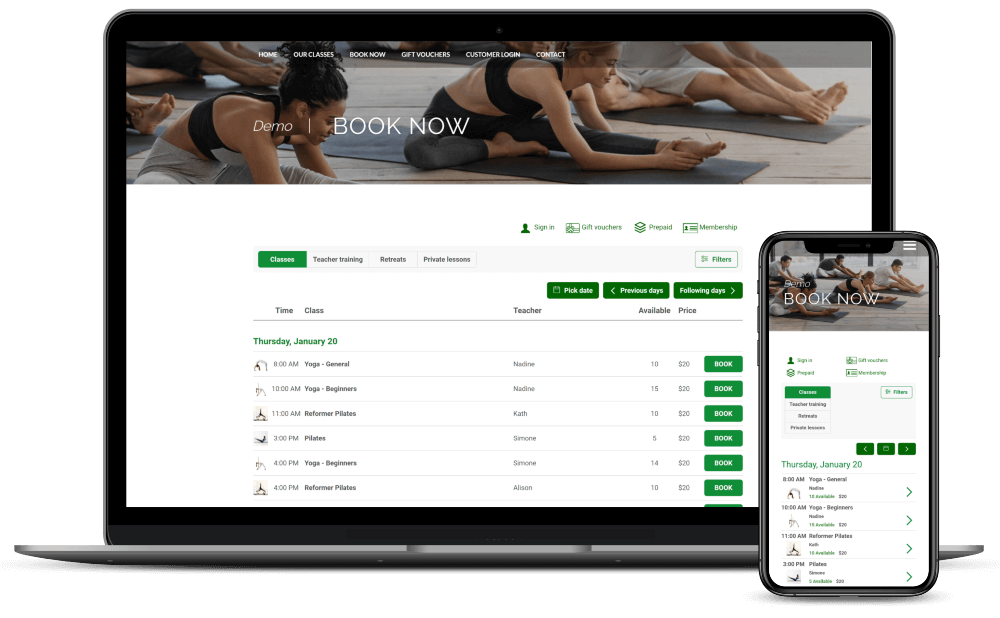
This visibility helps participants make informed decisions about their course selections. The reduction in administrative workload makes it possible for staff to focus on curriculum development or student support rather than managing registration spreadsheets.
Why Your Business Needs Class Booking Software
Choosing class booking software addresses operational challenges that directly affect your bottom line. The decision between manual processes and automated systems determines whether you spend hours on paperwork or focus on growing your business.
Save time on administrative tasks
Administrative burden consumes resources that could propel business growth. Club owners using class booking systems reclaim over 15 hours weekly that previously went to manual scheduling. That translates to more than 60 hours of monthly freed-up time for strategic work.
The software handles tasks that pile up throughout the day. Online bookings and payment processes without phone calls or email exchanges. Up-to-the-minute attendance registers maintain themselves and capture everything from participation records to allergy information. Centralized financial tracking organizes bookings and payments in formats ready for reporting periods.

Manual appointment juggling creates opportunities for errors. Double bookings disrupt operations and frustrate clients. Schedule conflicts waste staff time on issues that automated systems prevent entirely. Automated reminders go out without anyone needing to draft messages or make calls. Students receive confirmation upon booking immediately, which keeps everyone lined up without back-and-forth communication.
Reduce no-shows and cancelations
Missed appointments represent dual losses: wasted time slots and lost revenue. Late payments and cancelations cost UK small businesses an average of £22,000 annually. They contribute to 50,000 business closures each year across the country.
Automated reminder systems cut no-show rates by up to 36% in service-based businesses. The timing matters. Reminders sent 24 to 48 hours before scheduled classes produce maximum effectiveness. Text and email notifications work better than phone calls because clients can confirm or reschedule at their convenience quickly.

A yoga studio that implemented class booking software reported a 20% increase in attendance within three months. The improvement stemmed from easy booking access combined with timely reminders that kept classes top of mind for registered students.
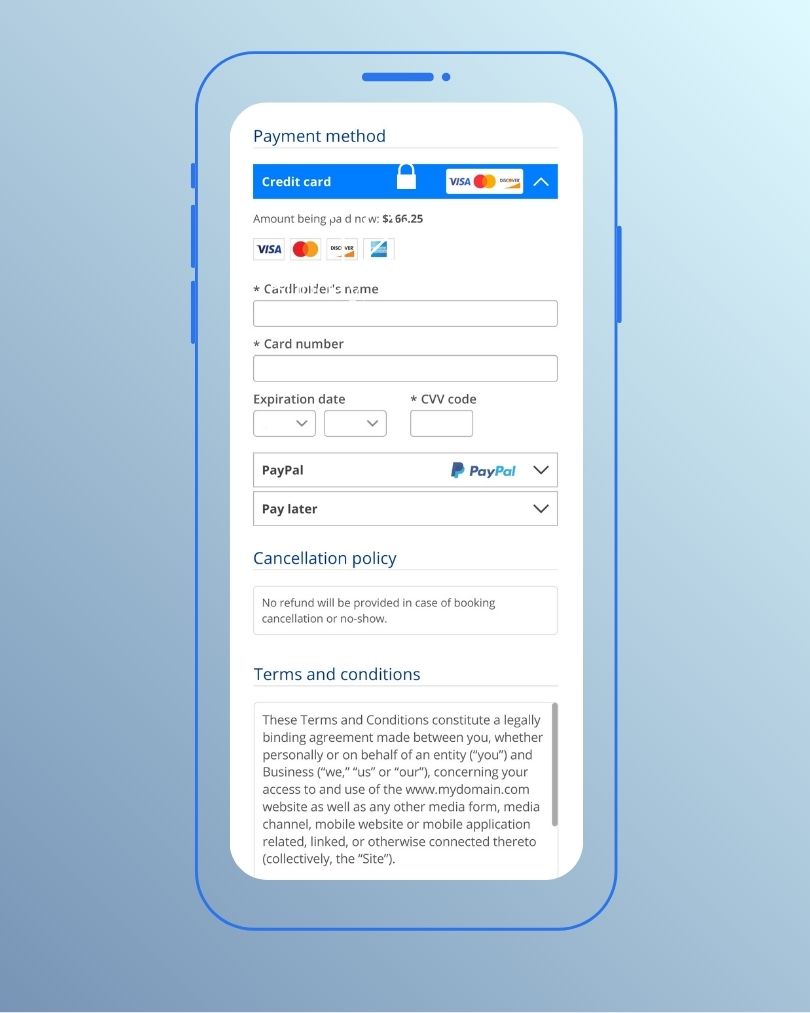
Cancellation policies become easier to enforce through automated systems. Clear terms display at checkout and set expectations upfront. Waitlist features notify the next person in line automatically when cancelations occur with adequate notice. Time-limited holds prevent spots from remaining unfilled while someone considers. The system moves to the next candidate without staff intervention if the first waitlisted student doesn’t claim the opening.
Deposits or prepayments create financial commitment that reduces no-shows. Clients who invest money upfront show up more consistently. Automated deposit collection at booking time protects your schedule from last-minute cancelations.
Improve customer experience
Client priorities have moved decisively toward self-service options. Research shows 94% of people are more likely to choose a service provider offering online booking capabilities. Round-the-clock availability removes friction from the registration process. Students book classes at midnight if that suits their schedule, rather than waiting for business hours to call.
Mobile compatibility expands accessibility further. Clients make bookings while commuting, during lunch breaks, or whenever they have a free moment. Confirmations provide peace of mind that their spot is secured instantly. This immediacy builds trust and reliability that phone bookings cannot match.
Smooth payment processes remove another potential barrier. Multiple payment options accommodate different priorities. Secure gateways address concerns about sharing financial information online. Clients complete registrations without hesitation when payments process easily at booking time.
Increase revenue opportunities
Payment automation protects revenue streams. Automated invoicing through email and SMS arrives after booking immediately. This prompt billing reduces delays and improves cash flow. Clients can prepay for classes and eliminate late payment issues before they start.
Empty slots cost money. Waitlist management fills cancelations and recovers revenue that would otherwise disappear automatically. The system contacts waitlisted clients immediately when someone cancels with notice. This rapid response maximizes class capacity utilization.
The booking interface creates natural upselling opportunities. Package deals, membership plans, and add-on services present themselves at purchase time.

Sibling discounts are configured within the system and apply when conditions are met automatically. These promotional tools attract new clients while rewarding existing ones, both contributing to revenue growth.
Assess Your Business Requirements
You need to understand your specific business needs before choosing class booking software. This prevents mismatches between features and requirements that can get pricey. The perfect system depends on how you run your classes.
Identify your class types and formats
Different teaching formats need different system capabilities. One-on-one sessions provide individual attention to students. Group sessions accommodate multiple participants at once. Collective sessions support collaboration between instructors, such as when you assess a staff member’s teaching approach. Hybrid formats blend online and offline delivery methods and require video conferencing integration.
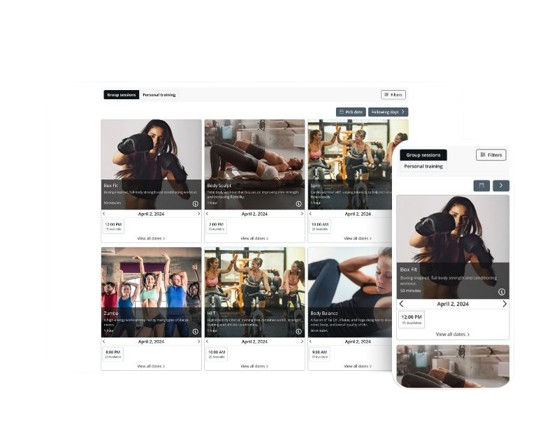
Your schedule complexity determines system requirements. Straightforward operations with consistent weekly classes need simple booking, cancelation and reminder functionality. Businesses running multiple class types benefit from all-in-one platforms that include client management and payment processing. Multi-part programs spanning several weeks require systems flexible enough to handle one-off courses alongside recurring sessions.
Determine student capacity needs
Capacity settings function differently depending on your service model. Individual capacity allows overlapping bookings in different time slots. To name just one example, four tennis courts with hour-long appointments can accommodate staggered start times at 10 AM, 10:15 AM, 10:30 AM, and 10:45 AM. Each booking operates on its own until the total capacity fills.
Group capacity restricts bookings to similar start times. A yoga class scheduled for 1 PM cannot accept registrations at 1:30 PM. The time slot remains open until it reaches maximum capacity. This prevents partial attendance and maintains group cohesion.
Advanced systems employ dual-limit controls for precision. Maximum guests per time slot caps total attendance, supporting up to 500 participants. The maximum guests per booking limits how many spots one person can reserve. A bike tour might set 20 total participants, with individual bookings capped at 5. This allows families to book together while preventing any single group from taking over the session. Wine tasting experiences could limit total attendance to 8, with individual bookings restricted to 4, which works well when couples and small groups attend.
Think over your location setup
Single-location operations require straightforward scheduling tools. Multiple venues introduce exponential complexity rather than linear growth. One branch may turn away students while another location nearby has empty rooms if you lack unified management. This fragmentation represents direct revenue loss.

Multi-location software provides centralized dashboards that control all sites at once. Administrators assign staff schedules in different locations and reduce booking errors. They also clarify where team members need to be. You can boost enrollment capacity by 15-20% without signing new leases when you optimize space utilization in your entire network.
Assess your team size
Team capacity calculations vary based on appointment structure. Individual capacity settings equal the number of team members selected. Each instructor accepts one appointment. Group capacity multiplies the set number by the total team members available. A class with a 20-person capacity and 3 instructors could accommodate 60 participants across separate sessions.
Staff management features become critical as teams expand. Unlimited staff calendars prevent growth barriers. Custom permission settings restrict information access to relevant personnel only. You can assign team members to specific classes and link their personal calendars. This prevents scheduling conflicts.
Must-Have Features in Class Booking Software
Features are the foundations of learning how to choose class booking software. The capabilities you select determine whether the system solves your operational challenges or creates new ones.
Online self-booking for students
Self-service booking operates around the clock and lets students view schedules and register at their convenience. This accessibility matters because around two-thirds of class bookings now occur on mobile devices. Your software must deliver a responsive design that functions naturally on smartphones and tablets.
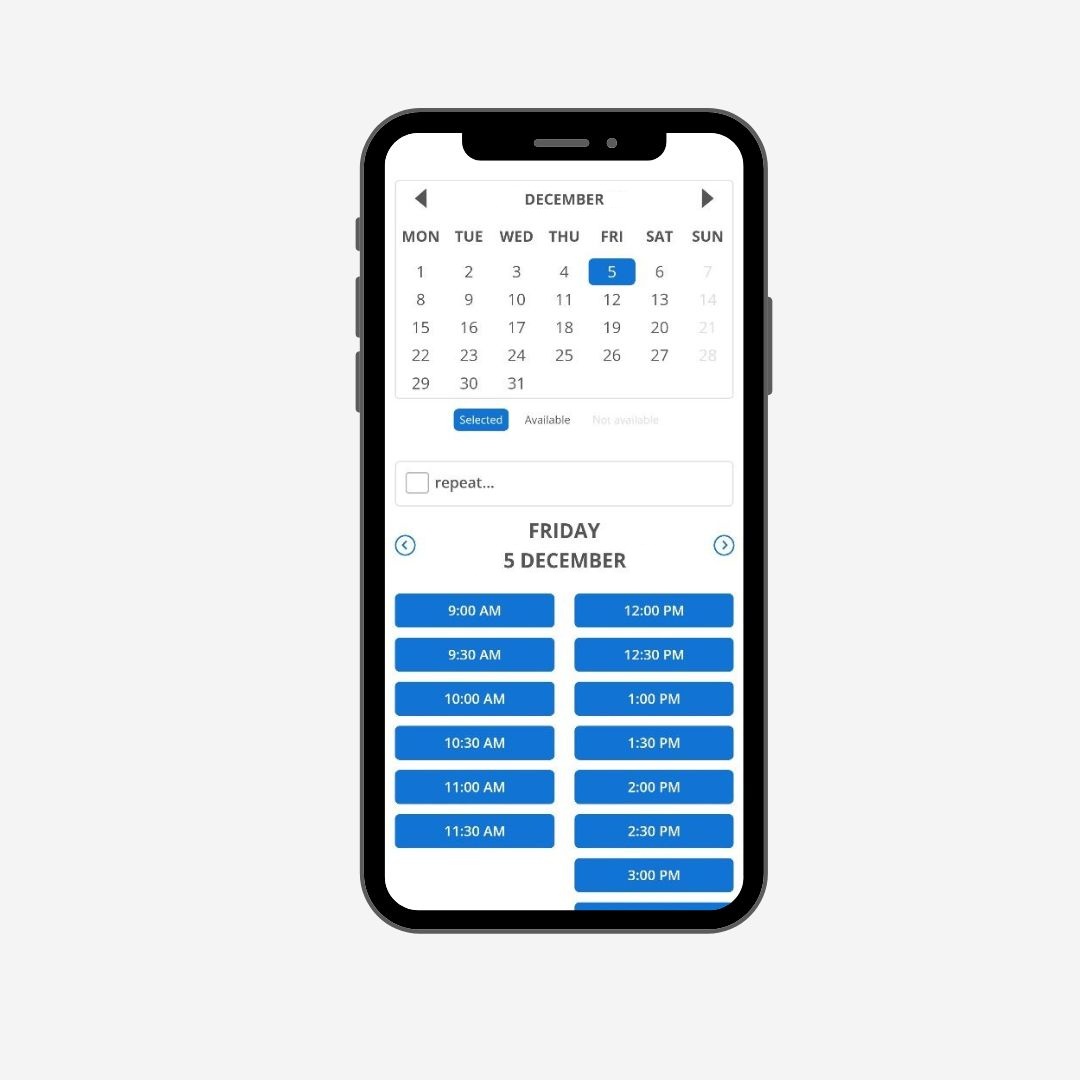
Students who access your booking interface should see instructor schedules, class descriptions, and available time slots without needing to contact your office. The system updates enrollment counts as participants sign up. This transparency prevents confusion about whether spots remain available.
Immediate availability updates
User-friendly calendars eliminate the need to maintain confusing spreadsheets and let you view your schedule at a glance. Your roster updates as attendees sign up for a class. Students see exactly how many spaces remain before committing to registration.
Last-minute registrations fill empty seats with a click. Manual systems just need phone calls and coordination, but automated platforms accommodate these bookings instantly. Staff members and students stay synchronized without constant communication back and forth.
Recurring class scheduling
Weekly yoga sessions, monthly workshops, and ongoing training programs all need recurring schedule templates. Setting up one-time or recurring group classes takes just minutes when your software handles the repetition logic. You create the pattern once, and the system generates all future sessions.
Buffer time management between classes prevents instructor burnout and room conflicts. These transition periods give staff time to prepare materials, reset equipment, or catch their breath before the next group arrives.
Group booking capabilities
Group capacity restricts bookings to similar start times and maintains session cohesion. Setting and managing class limits prevents you from operating over capacity. The system closes enrollment as your class reaches its maximum capacity.
Different class types warrant different pricing approaches. Full payment at booking works for lower-priced workshops and single sessions. Deposit requirements secure spots while deferring full payment until closer to the event. Offering deposits or payment plans is linked to higher booking conversion rates compared to those requiring full upfront payment for all services.
Waitlist management
Automated waitlist systems handle processes without human intervention. Clients add themselves to waitlists through the booking interface. The system notifies the next waitlisted person when space becomes available.
Payment processing
Integrated payment processing allows students to pay online for single sessions, packages, or membership plans through the booking page. Accept full, part, or fixed amount prepayments to enforce cancelation policies and avoid casual bookings.
Multiple payment methods reduce friction and increase conversions. Offering Apple Pay and Google Pay as payment options can decrease abandoned carts by an average of 18%. Secure gateways process transactions while storing client card details for future bookings and simplify repeat purchases.
Look for Automation and Communication Tools
Automation tools separate simple scheduling platforms from systems that manage communication workflows actively. The automation capabilities determine how much manual follow-up your team handles daily when you choose class booking software.
Automated email and SMS reminders
Text messages achieve 98% read rates, making SMS reminders more effective than email alone. Students see the notifications you send. Timing has a significant impact on response rates. Sending reminders 24 to 48 hours before scheduled classes produces optimal results.
Your software should deliver notifications through multiple channels s. Some clients prefer email, while others respond better to text messages. Systems that check daily schedules, identify upcoming sessions, and send customized reminders through the preferred channel eliminate manual coordination.
Message content matters as much as delivery timing. Effective reminders include the student’s name, class name, start time, room location, and any special instructions.
Dual-channel delivery streamlines batch processing. When 25 students register for a morning yoga class, the system automatically sends 25 individual notifications—no manual drafting required. Activity logs monitor delivery status, prevent duplicate messages, and confirm receipt.
Customizable confirmation messages
Confirmations sent right after booking set expectations from the start. Students receive instant acknowledgment that their registration succeeded. This removes uncertainty and builds confidence in your booking process.
Template customization allows different messages for different class types. A high-intensity bootcamp confirmation might include arrival instructions about showing up 10 minutes early to set up equipment. A meditation class confirmation could mention bringing a personal mat. Systems supporting template variations per service, location, or instructor enable this specificity.
Customization extends beyond inserting names. Including instructor names and difficulty levels helps students prepare mentally for what they’ve signed up for. Social proof elements like “15 of 20 spots filled” create urgency while informing participants about expected class size.
Cancelation policies belong in confirmation messages, not buried in website fine print. Clear terms displayed at the point of booking prevent disputes later. Four to twelve hours represents standard cancelation windows, with high-demand classes benefiting from longer notice periods to allow waitlist backfill.
Follow-up communication features
Post-class communication extends the relationship beyond the session itself. Structured follow-up sequences keep your business relevant without manual effort. Send a thank-you message right after class concludes. Include a review request while the experience remains fresh in students’ minds.

Smart upselling follows naturally. A student completing beginner yoga receives an automated message about intermediate sessions. Someone finishing a cooking basics class gets information about advanced knife skills workshops. These suggestions arrive at the moment interest peaks.
Check Integration Capabilities
Integration capabilities determine whether your class booking software operates in isolation or connects naturally with tools already powering your business. Choosing class booking software with strong integration options prevents data silos and duplicate data entry across multiple platforms.
Payment gateway connections
Payment gateway integration connects your scheduling system with financial processing services. Customers can make payments when booking appointments directly through your platform. Popular payment processors include Stripe, PayPal, and Square. You can monetize video sessions and collect payment ahead of time through these gateways.
The integration supports multiple transaction types. You can accept full payments, partial deposits, or fixed amounts at booking time. Bookeo allows you to take additional information from attendees during registration using intake forms and streamlines the payment and data collection process at once.
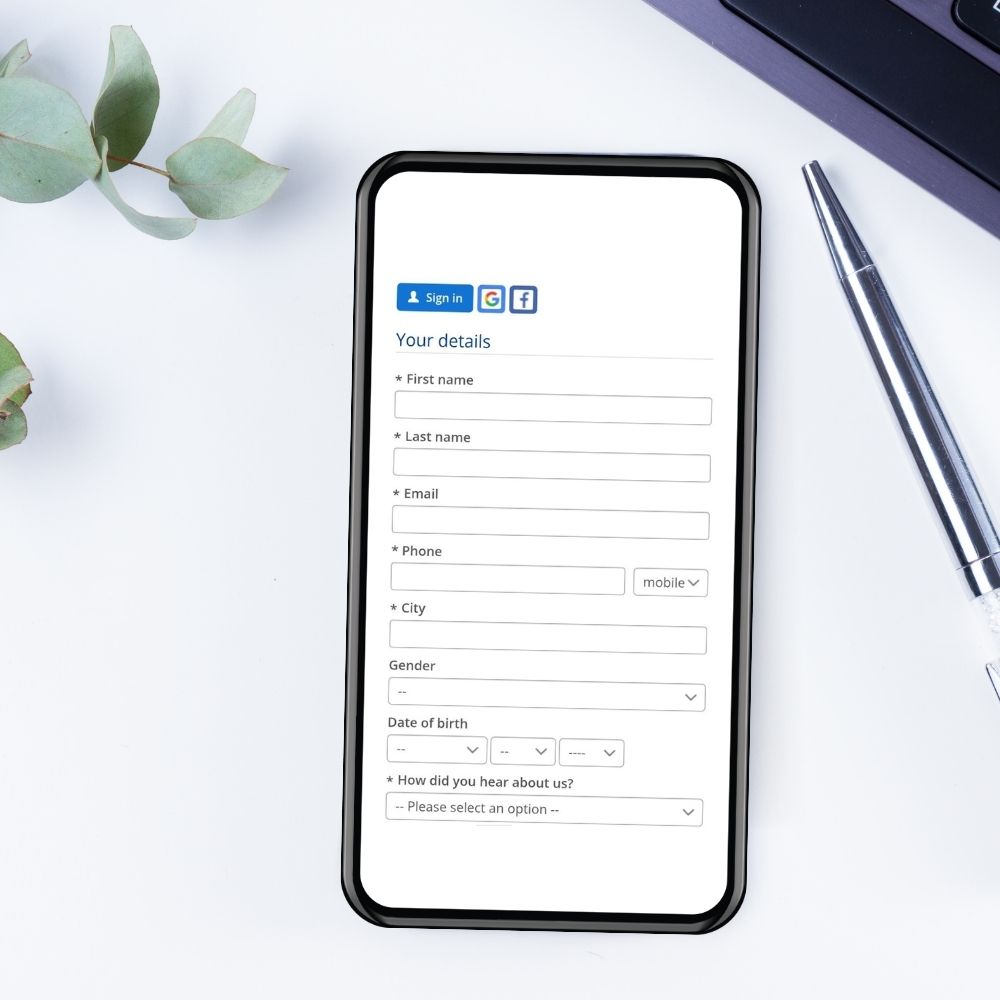
Deposits reduce no-shows by creating a financial commitment before class day arrives.
Video conferencing tools
Virtual class delivery requires video conferencing integration that generates meeting links on the fly. Zoom, Google Meet, Microsoft Teams, GoToMeeting, and Jitsi Meet represent the most common platforms that class booking systems connect with. These integrations work by creating unique meeting URLs automatically once students book online sessions.
Pro-level plans typically unlock video conferencing capabilities. The software manages virtual meetings and classes directly from the scheduling interface. Students receive meeting links in confirmation messages and eliminate manual email distribution. Reminders include direct access to virtual classrooms and cut down on lateness.

Marketing and email platforms
Marketing integrations increase class promotion without switching between multiple tools. Built-in marketing features allow businesses to run targeted campaigns and offer discounts through the booking platform itself. Reserve with Google listings increases discoverability for potential students who search for classes nearby.
Calendar synchronization
Calendar integrations eliminate double-bookings by keeping appointments synced across systems. Google Calendar, Outlook, iCal, and Office 365 connections maintain live scheduling updates. The time block appears immediately on your connected calendars once a student books a class. Personal appointments you add to Google Calendar show as unavailable in your booking system. This two-way synchronization prevents scheduling conflicts between classes and administrative calls that sit on the same calendar.
Evaluate User Experience and Accessibility
User interface quality shapes whether students complete bookings or abandon them halfway through. A mobile-friendly scheduling system enables students and faculty to access the schedule from anywhere, at any time. This convenience matters, especially when you have busy students and working professionals managing packed schedules.
Mobile-friendly interface
Scheduling solutions must meet users where they are because of the increasing reliance on mobile technology in everyday life. Mobile access keeps you and your staff on top of upcoming classes and schedule changes. Administrators and instructors manage registrant details, record attendance, check payments, and handle administrative tasks without being desk-bound.
Easy navigation for students
Software providers must prioritize accessible designs that simplify the scheduling process because user experience has become important. A fitness center benefits from a scheduling platform that is easy to use, allowing clients to book classes without frustration. Complicated interfaces drive potential students away before they complete registration.
Students view up-to-the-minute availability, book their classes, and make payments on any device. The interface displays class descriptions, instructor profiles, and available time slots in formats that require no technical knowledge. Clear information architecture reduces confusion before sessions begin.
Self-service student portals
Student portals provide a secure place to manage enrollment, payments, documents, and communication while reducing manual coordination. Students update personal details, contact information, and priorities without staff intervention. On top of that, they access enrollment status, history, and program records in one centralized view.

The portal handles document management by allowing students to view, download, and manage forms and required submissions securely. Students track account activity, updates, and interactions for full transparency. They complete enrollment and registration steps through guided, self-service workflows. Financial visibility extends to balances, payments, and billing schedules, with students supporting tuition and fee payments online through secure, optimized experiences.
Consider Reporting and Growth Features
Data visibility separates businesses that guess from those that grow strategically. Reporting features built into class booking software transform raw booking activity into useful information about what drives revenue and what drains resources.
Track enrollment trends
Reports that track course attendance, registration trends, and waiting lists reveal patterns hidden in daily operations. You spot which classes fill consistently versus those struggling to attract participants. These insights inform scheduling decisions with precision rather than intuition.
Class attendance trends and peak booking times guide resource allocation. A Tuesday evening yoga class that fills three weeks in advance signals demand for additional sessions. A Saturday morning workshop with chronic vacancies suggests timing issues rather than concept problems. Analytical insights optimize your entire schedule.

Completion rates indicate student satisfaction and program effectiveness. High dropout rates in multi-week courses flag curriculum issues or instructor mismatches before reputation suffers. Strong completion patterns validate successful program design.
Monitor revenue per class
Financial reports show revenue generated over time and by individual courses. You identify your profit centers right away. That $35 beginner class generating $700 weekly with minimal prep outperforms the $120 advanced workshop attracting four participants monthly.
Businesses using analytics report 3x revenue increases. This jump stems from eliminating guesswork around pricing and scheduling decisions. Immediate data access makes faster decisions and improved operational efficiency possible.
Staff performance metrics
Immediate data for each location includes staff performance and client behavior. You track which instructors drive registrations. Performance visibility supports fair compensation structures tied to measurable outcomes.
Scalability for multiple locations
Centralized dashboards provide key performance metrics at all sites at once. You monitor booking trends and resource utilization without toggling between separate systems. Analytics reveal how different locations perform against each other and identify expansion opportunities and underperforming sites that need attention.
Compare Pricing and Support Options
Pricing structures vary widely across platforms and affect your long-term costs. Monthly subscriptions represent the most common model, ranging from $9.00 to over $240.00 depending on features and capacity. Transaction-based pricing charges a percentage of each booking, between 1% and 6%, with or without monthly fees. Hybrid models combine both approaches. One provider charges $95.00 monthly plus 2% per transaction.
Free plans exist but come with major restrictions. These plans cap monthly bookings between 50 and 100 appointments. Paid tiers realize the full potential of unlimited bookings, multiple staff members, and advanced features. Per-seat pricing models multiply costs as teams grow. A solo instructor paying $12.00 monthly faces $120.00 for a ten-person team.
Hidden expenses surface after signup. Ask vendors for complete pricing breakdowns that include all potential charges.
Check customer support availability
Support quality separates frustrating experiences from smooth operations. Verify support hours match your business schedule. Same-day responses matter more than 24-hour ticket systems when classes start in hours.

Test the software before committing
Free trials let you assess functionality before a financial commitment. Fourteen-day trial periods provide enough testing time. Process actual bookings, test reminder systems, and verify integrations work as advertised during trials.
Conclusion
You now have a complete roadmap for selecting class booking software that fits your business perfectly. The right platform will reclaim those 15 hours monthly while slashing no-shows and streamlining student registrations. Assess your specific requirements around class types, capacity needs, and location setup first. Focus on features that matter most to your operations, especially automation and integration capabilities. Pricing structures vary substantially, so compare options really well and take advantage of free trials. Test the software with actual bookings before you commit. Your perfect solution balances functionality, ease of use, and budget. The time you invest in choosing wisely pays dividends through smoother operations and happier students.