

How to Choose Massage Scheduling Software That Actually Works for Your Business
The right massage scheduling software can reshape your practice operations. Picking the right system matters. Booking software isn’t just about going digital. You need a solution that handles your specific massage practice needs, from client intake forms to recurring appointments.
This piece walks you through everything you need to review when choosing appointment booking software that works for your business.
Why Massage Therapists Need Online Scheduling Software
Manual appointment books drain hours from your week. Scheduling tools help reduce operational inefficiencies caused by complex daily demands such as room-based services, varying session lengths, therapist coordination, last-minute cancellations, high no-show rates, and manual calendar management.
Save time on appointment management
Phone tag consumes time you could spend treating clients. Traditional methods using paper appointment books or spreadsheets make scheduling time-consuming and prone to errors.
A scheduling software connects every step from booking to checkout. This efficient workflow improves treatment room utilization, creates more predictable revenue, and delivers a faster client experience. Real-time visibility across therapists and rooms eliminates double-booking risks.
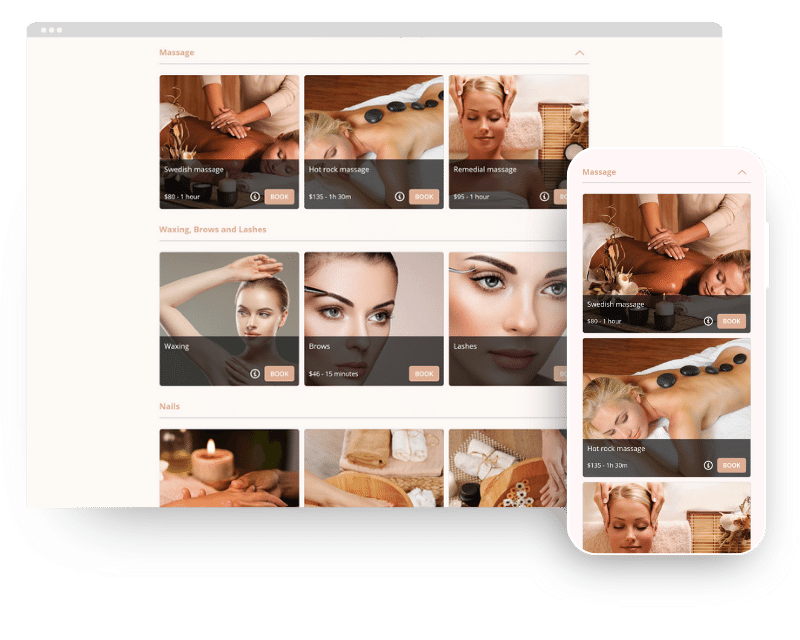
Manual coordination becomes unnecessary. Clients view open time slots, select services or add-ons, and receive instant confirmations without your involvement. Over 70% of massage therapy clinics use a booking system to make their bookings efficient.
Reduce no-shows with automated reminders
No-shows don’t just create scheduling gaps. They affect revenue, staff productivity, and your ability to serve other clients who could have filled those time slots.
Automated SMS and email appointment reminders help reduce no-shows and last-minute cancelations by managing client communication. These systems send timely, trigger-based notifications at predefined intervals before each appointment and use booking data with client communication priorities. Research shows that no-show rates can be as low as 1.8% for online bookings compared to 5.9% for offline bookings.
Accept bookings 24/7
Over 50% of customers switch after one bad experience. Small booking issues can push clients elsewhere. Research shows that many appointment requests happen outside standard working hours.
Modern massage therapy practices require clients to book appointments at any time without relying on front desk staff. Scheduling software makes 24/7 online self-booking possible through web and mobile interfaces that sync in real time with therapist calendars, treatment-room availability, and service menus.
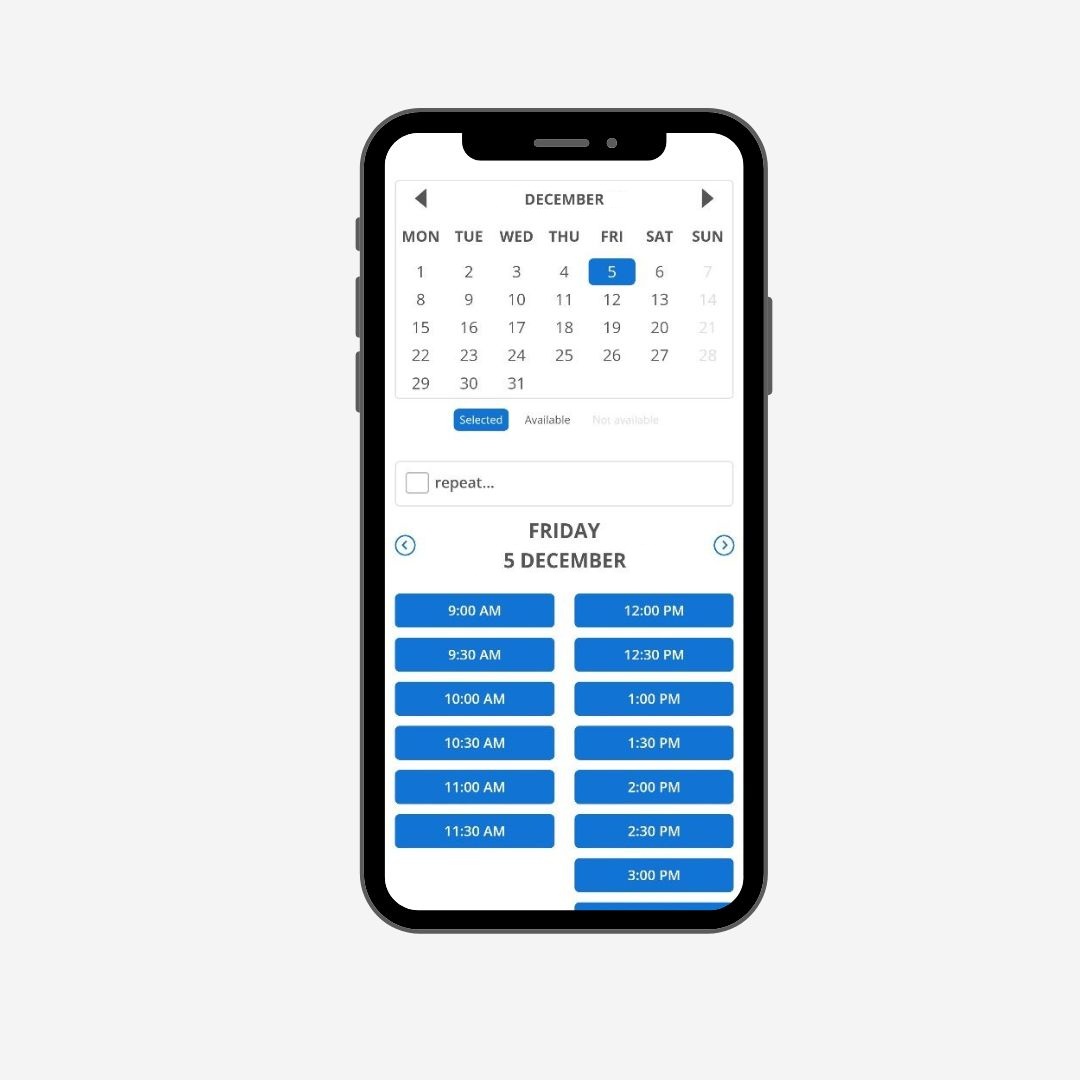
Around 70% are more likely to book when online booking is available. This accessibility eliminates the need for phone calls or email exchanges and makes the appointment booking process seamless. Your calendar fills even while you sleep.
These systems allow accurate session durations, built-in buffer times, and current availability. To cite an instance, clients see exact time slots that work for their schedule and your treatment room rotation.
Build client profiles automatically
Centralized client profiles store service history, therapist notes, intake forms, health contraindications, and contact details in one connected record tied to scheduling and checkout. This creates a documented paper trail.
Automation updates client data after each appointment and point-of-sale transaction automatically and reduces manual entry with errors. Systems allow practitioners to store and access client information with appointment history in a central location, which proves useful to track treatment progress and identify trends.
Digital intake forms complete the pre-appointment workflow. Collecting health history, contraindications, and consent before a session saves clinical time.
The administrative load can quietly consume hours better spent with clients between answering booking questions, chasing cancelations, and maintaining client records. Choosing massage scheduling software that automates these processes becomes critical for practice efficiency.
Understand Your Massage Practice Needs First
Choosing massage scheduling software starts with understanding what your practice actually needs. Skip this step, and you risk paying for features you won’t use or missing functionality that matters daily.
Identify your appointment types and volume
How many clients you need each week depends on your financial requirements. Take your combined personal and business budgets and divide by your standard session rate to calculate the required monthly appointments. You need 60 massages per month if you need $4,500 monthly and charge $75 for a 60-minute massage. That breaks down to 15 sessions weekly.
But physical capacity matters more than math. Massage therapists have an energy ceiling that varies by individual. Some practitioners complete three massages five days a week comfortably, while others prefer two massages six days a week or five massages four days a week. Push beyond your sustainable limit, and injury or exhaustion becomes inevitable.
Session length variety creates scheduling complexity. You make it easier for clients to fit appointments into their schedules when you offer multiple durations from short 15- or 20-minute options up to 90-minute sessions. Your booking system needs to handle these variations without creating gaps or overlaps in your calendar.
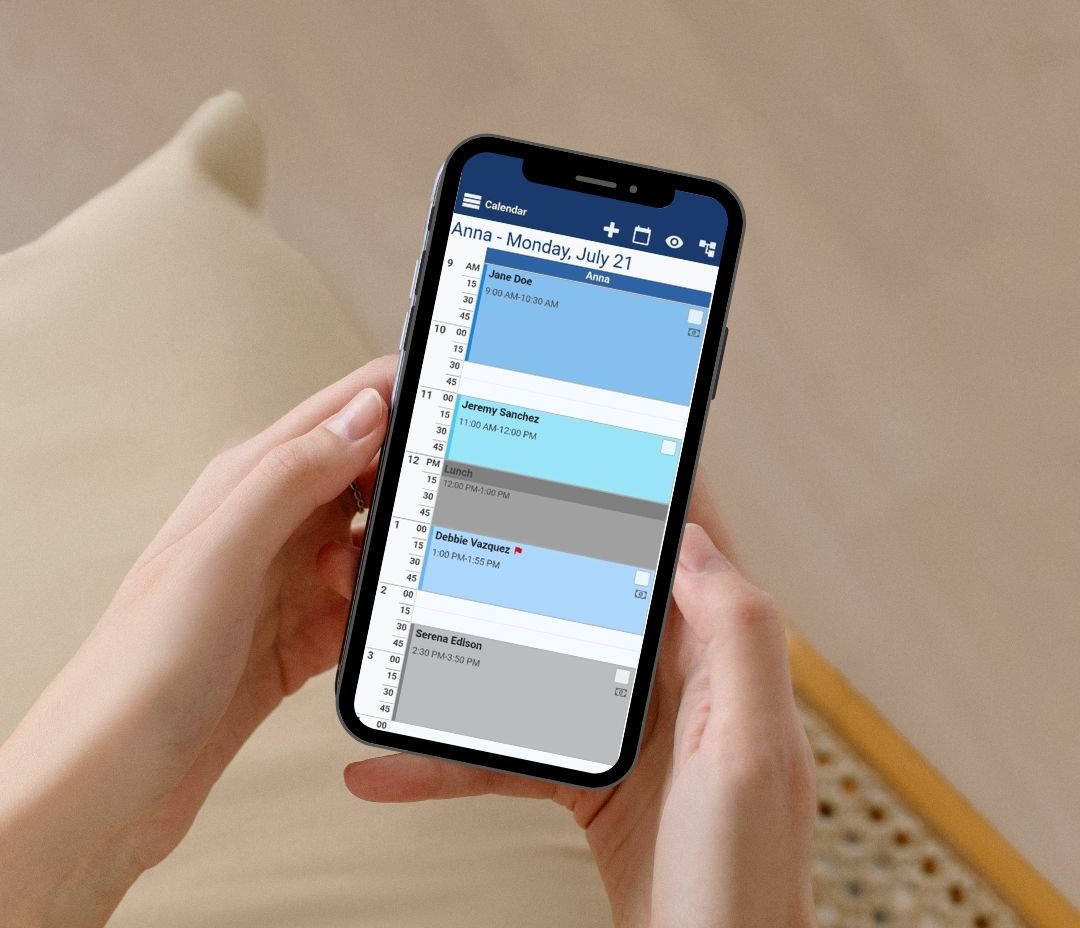
Non-bookable buffer time protects both your health and service quality. Schedule 15 minutes between sessions to maintain physical recovery and room hygiene. You cannot stop to answer the phone without ruining the client’s experience and your own flow when you’re performing a 90-minute deep tissue massage.
Resource allocation adds another layer. Appointments require more than the available therapist time. They usually also require treatment rooms. Your scheduling approach must account for these physical constraints, whether you have one room or multiple spaces.
Assess your client booking preferences
Client schedules vary widely. Most therapists find that their clients can adapt to new availability given appropriate options. You can reclaim personal time while accommodating clients who need after-work slots by working later one evening until 8:00 p.m. in exchange for leaving at 4:30 p.m. on other days.
Flexibility matters for specific demographics. Consumers with children at home are more likely to receive massage services, which underscores the importance of easy rescheduling for busy clients. You create options that fit different lifestyles when you offer lunch-hour appointments or schedule one Saturday monthly.
Clients want the freedom to adjust preferences between sessions. Provide time before each massage where they can change personalization options from prior visits without feeling locked into permanent choices.
Understanding these three dimensions of your practice creates a foundation for choosing appointment booking software that actually fits your workflow.
Essential Features for Massage Scheduling Software
Functionality separates adequate software from systems that streamline your massage practice. Certain core features determine whether the platform saves time or creates new frustrations when choosing massage scheduling software.
Online self-booking for clients
Clients should book without calling, texting, or waiting for you to reply. A well-designed booking page shows your availability live, service lengths with pricing, and location details. Clients make informed decisions without your input thanks to this transparency.
You control services, schedule rules, availability, and who can book what and when. Customization extends to your booking page appearance, including your logo, colors, and messaging. This branded experience reinforces your professional image while keeping things functional.
Buffer times between appointments protect your schedule. Setting these intervals prevents back-to-back sessions that leave no recovery time or room for preparation. Clients see only available slots that account for these gaps.

Deposit collection at booking separates serious appointments from tentative ones. This proves especially helpful for long appointments, first-time clients, and situations where no-shows carry higher costs. Payment processing integration allows full payment or partial deposits through the booking workflow.
Automated waitlists fill canceled slots without manual effort. The system notifies waitlisted clients who can claim the spot right away when an opening appears. Your calendar stays fuller even when cancelations occur.
Live calendar synchronization
Two-way calendar sync prevents the nightmare scenario of double-bookings. Your booking page blocks those hours when you mark time as busy in Google Calendar, Outlook, or iCloud. This coordination becomes critical for mobile therapists juggling travel time or practitioners receiving bookings from multiple channels.
The technology works through cloud-based servers that act as central hubs for calendar data. The change reaches this server in milliseconds when you modify your schedule on any device. The server then broadcasts the update to all connected devices and applications.
Live syncing controls APIs that enable smooth communication between different calendar applications and the central server. Push notifications deliver new information instantly as opposed to periodic checks. Conflict resolution algorithms detect and resolve scheduling issues, saving time and preventing double-bookings.
Managers spend up to 70% less time managing schedule conflicts and changes when using these systems. This reduction translates into more clinical hours or personal time recovered from administrative work.
Recurring appointment support
Many clients need ongoing massage therapy for wellness maintenance or chronic condition management. Booking systems should let clients schedule recurring sessions in one action with just a click. This functionality helps with weekly or monthly massage reservations that support ongoing client wellness plans.
To name just one example, if booking an appointment that happens every other week for eight sessions, you enter the frequency and total number of appointments once. The system creates all appointments in the series on its own. You can set recurrences based on days, weeks, or months with specific end dates or appointment counts.
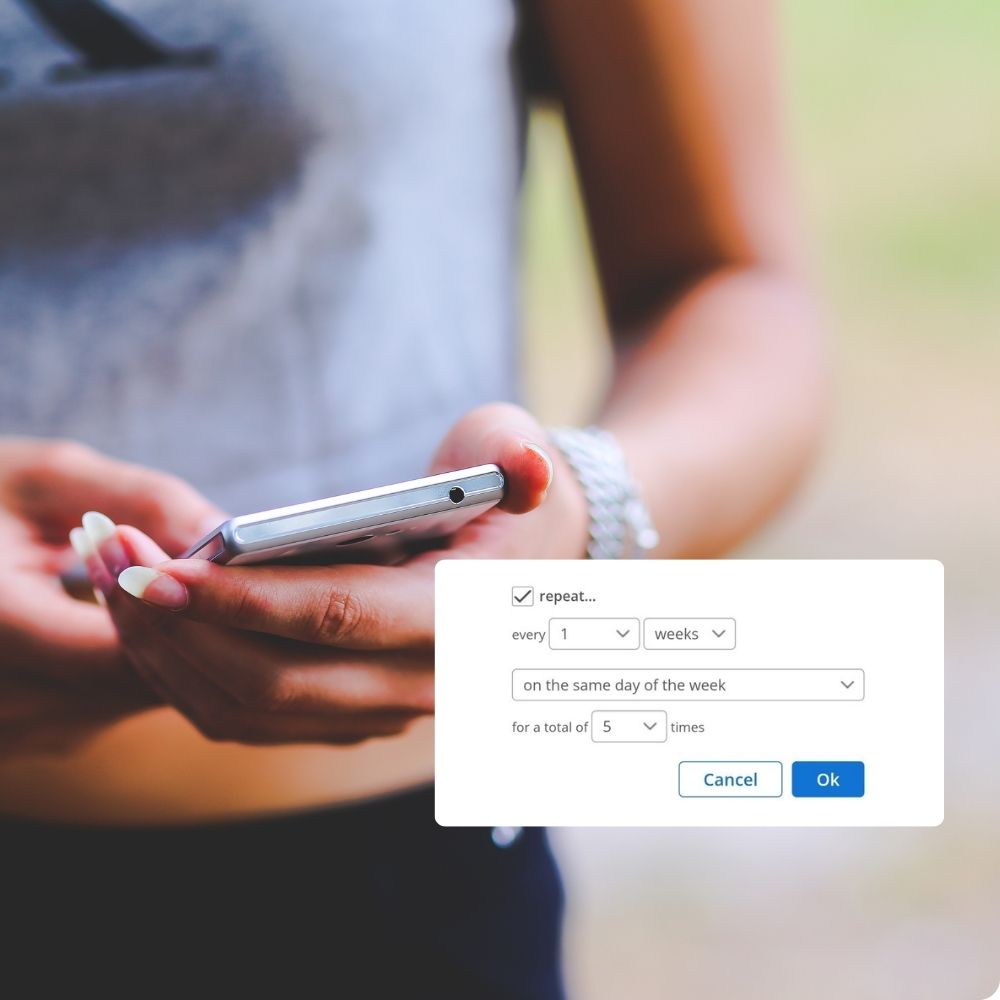
Business owners can update availability from smartphones while clients access booking pages optimized for handheld devices.
Mobile-friendly interface
The software shows a version optimized for handheld devices when clients visit a schedule with a mobile device such as an iPhone or Android. This responsive design adapts to screen sizes without needing separate apps.
Running your massage business from your pocket becomes feasible with mobile functionality. Analyze reports, sync your calendar, and make bookings on the go. Adding new sessions and time blocks on your color-coded appointment calendar works smoothly on smaller screens.
Client-facing mobile optimization matters just as much. Your booking widget integrates on websites without additional tech support. This accessibility removes friction from the booking process and makes appointments more likely to happen.
Look for Massage-Specific Functionality
Generic booking systems fall short when massage therapy demands clinical documentation. Platforms designed for restaurants or salons lack the health-tracking features your practice needs daily.
Intake forms and health questionnaires
Digital intake forms collect critical information before clients arrive. These forms capture medical conditions, treatment priorities, allergies, contraindications, and areas that need focus. Clients complete them online when booking, which saves valuable session time that would otherwise go toward paperwork.
Customization matters here. Your practice offers different modalities, and each needs specific information. Customizable forms adapt to deep tissue, prenatal, sports massage, or any specialty you provide. Forms flow directly into client documentation and create natural records without manual data transfer.
Sending forms before appointments removes the administrative burden. Clients receive a link via email to detailed questionnaires before their first visit. This allows you to review their condition and make treatment decisions in advance. Hands-on time during actual sessions gets maximized through this preparation.
Treatment note storage
Secure storage protects both your practice and client privacy. Cloud-based systems provide access from anywhere while maintaining encryption and access controls.
Client history tracking
Complete historical records sit at your fingertips. Each note connects naturally to its appointment and makes past documentation easy to find. Whether treating your first or last client of the day, you pull open notes, contraindicated conditions, and medications right from your schedule. You stay prepared without hunting through separate files within this organization.
Payment history and communication logs complete the picture. Every payment for services, gift certificates, or memberships appears under the account tab with receipts. All communication through the system is stored in one location for easy reference.
Multiple service duration options
Clients need flexibility in session length. Variable duration settings let customers choose their preferred time when booking. To name just one example, a Thai massage might default to 30 minutes with options to increase by 30-minute intervals.
You set the parameters. Units per session determine maximum bookable length, so setting three units allows bookings up to 90 minutes. Pricing multiplies according to selected duration and makes the system transparent for clients and profitable for you.
This customization reflects how your practice operates. Whether you offer 30-, 60-, or 90-minute sessions, add-ons, or therapist-specific services, good scheduling software accommodates your exact service menu. Buffer times, therapist availability, and session combinations all adjust to match your workflow.
Check Payment Processing Capabilities
Payment transaction security protects both revenue and client trust. At the time you choose massage scheduling software, get into how platforms handle money movement, store sensitive information, and enforce policies that protect your income.
Secure credit card storage
Payment processing in massage therapy software makes secure transactions, supports various payment methods, makes prepayments easier, and streamlines tracking and managing payments. Platforms integrate with reliable processors to provide convenience for both therapists and clients.
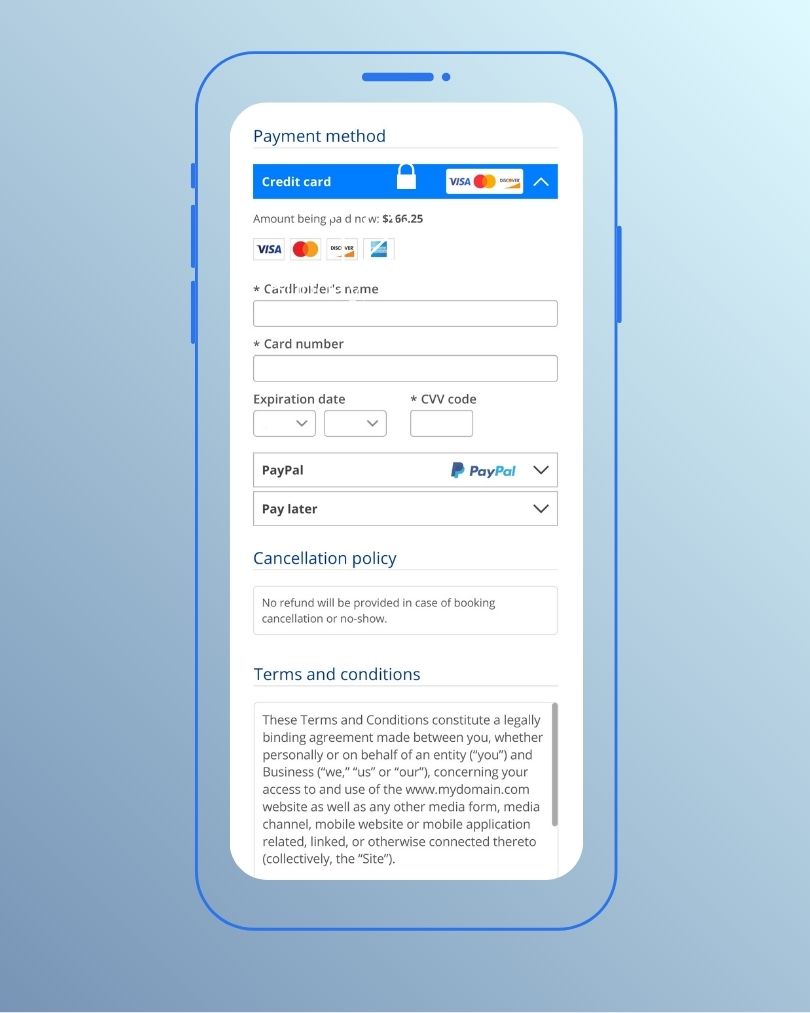
Bookeo’s online booking system connects to popular payment gateways like Stripe, Square, and PayPal to process cards online. You can capture card details to secure bookings and record payments in your calendar. This separation reduces liability and maintains compliance.
No-show and cancelation fees
Time represents your most valuable commodity. More therapists require deposits to confirm appointments, protecting income from no-shows and last-minute cancelations. The most charged deposit fee ranges from $25 to $50.
Full payment at booking offers complete protection. At the time you require full payment up front, cancelations and no-shows will not wreck your revenue. There is no chasing or waiting for clients to pay cancelation fees. No invoicing. No asking for money because the payment is already done.
Bookeo lets you control whether clients pay in full, pay a deposit, or use pay-later options. You set cancelation policies and fees to reduce no-shows. The system supports charging the same card later when your gateway supports it, streamlining follow-up billing for add-ons or late cancelations.
Multiple payment method support
Client payment priorities vary. Platforms work with U.S.-issued and most issued magstripe or chip cards bearing Visa, Mastercard, American Express, Discover, JCB, or UnionPay logos. Digital payments through Apple Pay and Google Pay provide additional convenience.
Deposit collection options
Bookeo’s massage booking software takes secure online payments and deposits right at checkout, allowing clients to reserve sessions around the clock from any device. Walk-in payments integrate with Square POS for in-person tap, dip, or swipe transactions, keeping online and on-site revenue in one system.
Payment terms adapt to your policies. This provides massage therapists with a smooth online booking and payment system featuring up-to-the-minute availability, full payment or deposit collection at booking, automated confirmations, and centralized payment records.
Test Setup Process and User Experience
Setting up scheduling software intimidates many therapists, but the reality proves nowhere near as complicated. The process breaks into manageable chunks that build on each other.
Initial setup complexity
You’ll want to configure your services and schedule first. Each treatment type needs its duration and price added. Working hours and location-specific availability come next if you operate from multiple sites or offer mobile massage. Your booking page needs branding, a short practice description, and clear service listings. The booking page should be tested as a client would before you make it live.

Online booking can go live the same day, so clients can start booking.
Customer support availability
Live human support removes technical roadblocks.
Training resources and documentation
Platforms provide structured learning tools beyond live support. Most allow CSV imports or manual uploads to transfer client contact details.
Conclusion
Right now, you have everything needed to assess massage scheduling software that fits your practice. Online booking, automated reminders, and integrated payment processing save hours weekly while reducing no-shows.
Pricing structures vary widely, so look beyond the advertised monthly fee. Transaction charges, per-practitioner costs, and feature limitations can affect your budget substantially. Test the setup process yourself. After all, software that frustrates you wastes more than money.
Start with a clear understanding of your appointment volume and client priorities. Pick a platform that matches your current reality and scales as you grow. Your administrative time deserves better than phone tag and paper calendars.