
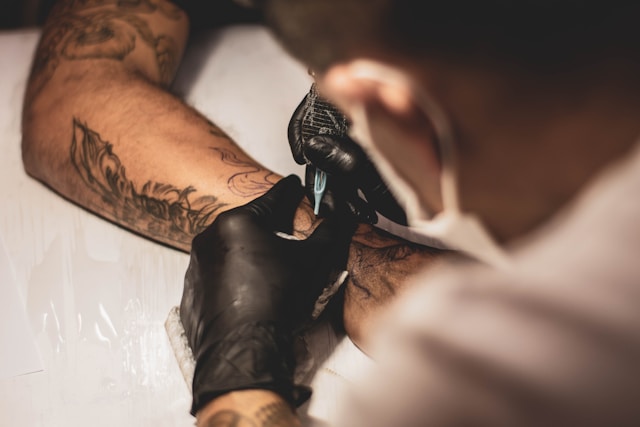
How to Choose the Best Tattoo Booking Software for Your Studio
Choosing the right tattoo booking software matters more than ever. 75% of bookings are now made online, and over one-third happen outside standard business hours. Your studio could be losing clients while you sleep.
But the right tattoo booking software does more than just fill your calendar. Automated reminders can drop no-show rates by 40-60% and save you lost revenue. Businesses save an average of 15 hours monthly in administrative work.
This piece walks you through choosing booking software that fits your studio’s specific needs.
Why Tattoo Studios Need Online Booking Software
Tattooing carries a certain mystique, but that old-school approach of fielding endless direct messages, phone calls, and emails to fill schedules creates unnecessary friction. Artists juggling notebooks and cash boxes while managing client communications end up spending more time on admin work than on their craft.
Save time on appointment management
Your inbox floods with messages. People take days to respond. Some ghosts when you mention deposits. You end up with a full-time job just keeping track of who paid, who rescheduled, and who disappeared.
Manual scheduling drains 5-10 hours weekly from each artist’s schedule. That’s time stolen from designing, tattooing or developing skills. Phone tag, half-read messages, and forgotten notes on paper lead to double-bookings and missed appointments.
Online booking software gets rid of this chaos. Clients book themselves without endless back-and-forth, trying to lock down a date. Your calendar updates right away across all connected devices.
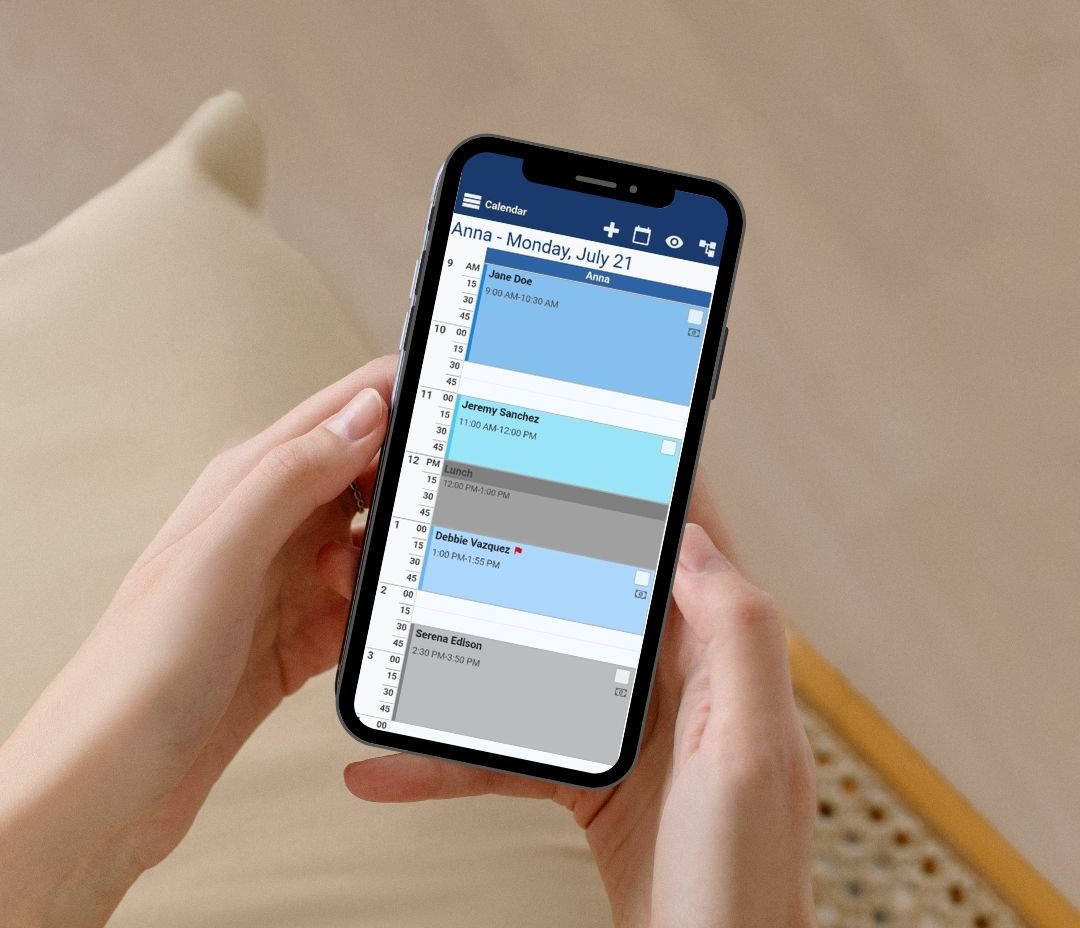
Google Cal, iCal, Outlook, and Office 365 sync automatically. You won’t need to dig through Instagram messages to remember appointment times anymore.
Automated systems handle consultations, quick sessions, half-day appointments, and full-day sessions with their own time blocks. You save specific amounts of time for each appointment type and build in breaks between clients. Artists who welcome automation save 5-10 hours per week. That frees them for additional clients or much-needed rest.
Reduce no-shows and cancelations
Empty chairs cost more than time. The average tattoo studio experiences no-show rates of 8-20%. That translates to thousands in lost monthly revenue for an artist charging $150 per hour. You can’t sell yesterday’s empty time slot tomorrow.
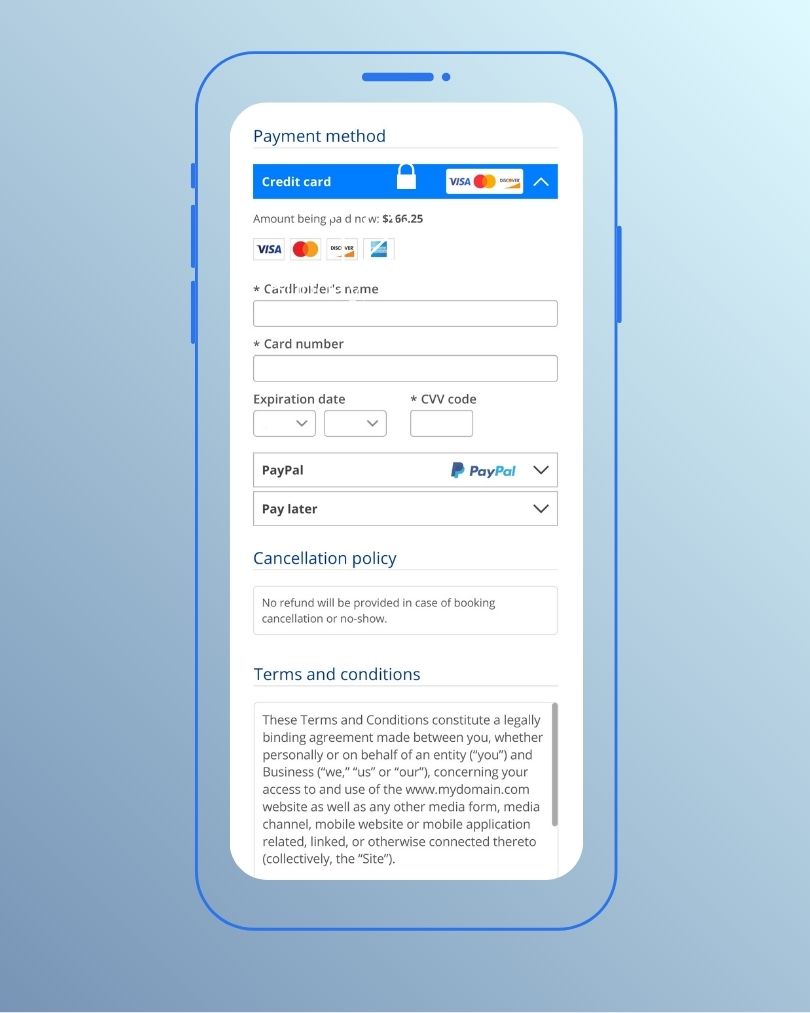
Deposits collected upfront cut no-shows substantially. Payment required to secure a calendar spot makes clients take appointments more seriously. Studios using deposit systems report drops in no-shows within the first month. One artist noted that the change alone helped guarantee client commitment.
Automated reminders serve as your strongest defense against forgetfulness, the number one cause of no-shows. Multi-touchpoint systems send reminders at strategic intervals. Seven days out gives clients time to reschedule if needed. 48 hours hits the sweet spot for final confirmation. Day-of messages provide a final touchpoint. Each reminder includes appointment details, the studio address with parking info, the artist’s name, preparation instructions, and easy rescheduling options.
Text and email notifications arrive right away when appointments get booked, rescheduled, or canceled. Both artists and clients receive real-time updates. Simple rescheduling retains business while allowing you to fill original slots. Studios using automated systems report that preventing just two no-shows weekly equals at least $1,200 in monthly revenue that would otherwise vanish.
Improve client experience and retention
Professionalism and clarity often decide whether a client chooses one artist over another. Online booking provides 24/7 access and captures appointments outside business hours when clients have time to think about their next tattoo.
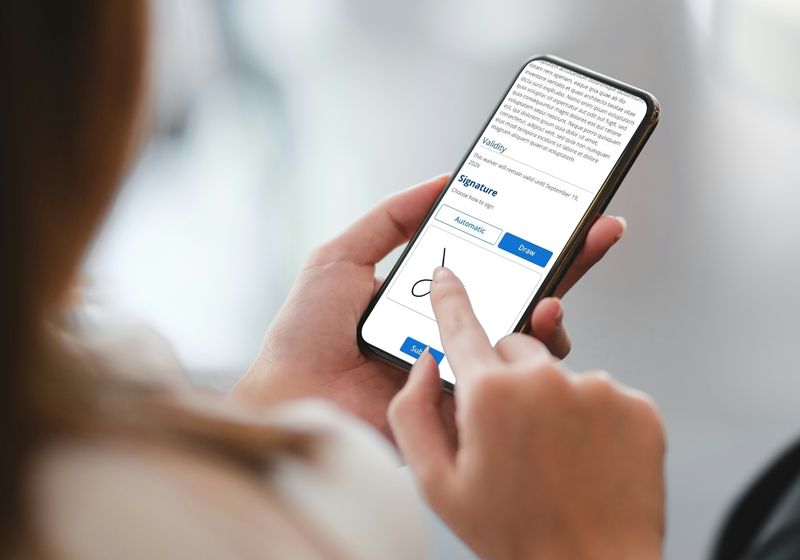
Clients see clear pricing and policies during sign-up. Digital consent forms, health questionnaires, and waivers get rid of paper clutter. Forms with mandatory and optional fields collect necessary information without overwhelming people.
Booking confirmations arrive automatically. Clients can book, cancel, and reschedule whenever convenient. Intake forms give them space to upload reference images and share inspiration before sessions. Artists get the information needed to design custom work this way.
Online booking increases appointment volume by 15-20% by capturing after-hours requests. Better retention through systematic follow-up and personalized service increases average client lifetime value. A 10% improvement in retention can boost overall revenue by 20-30% over time.
Why Bookeo is ideal for tattoo studios
Bookeo’s online booking software gets rid of double bookings, missed appointments, and messy handwritten notes. The platform sends notifications whenever bookings get made, changed, or canceled. Real-time dashboard updates keep you on top of daily schedules.
You can customize appointment durations and pricing without hassle. Set automatic buffer time between appointments for cleaning and sterilization. Manage multiple artists with staff-specific schedules and control which appointments each team member views and manages.
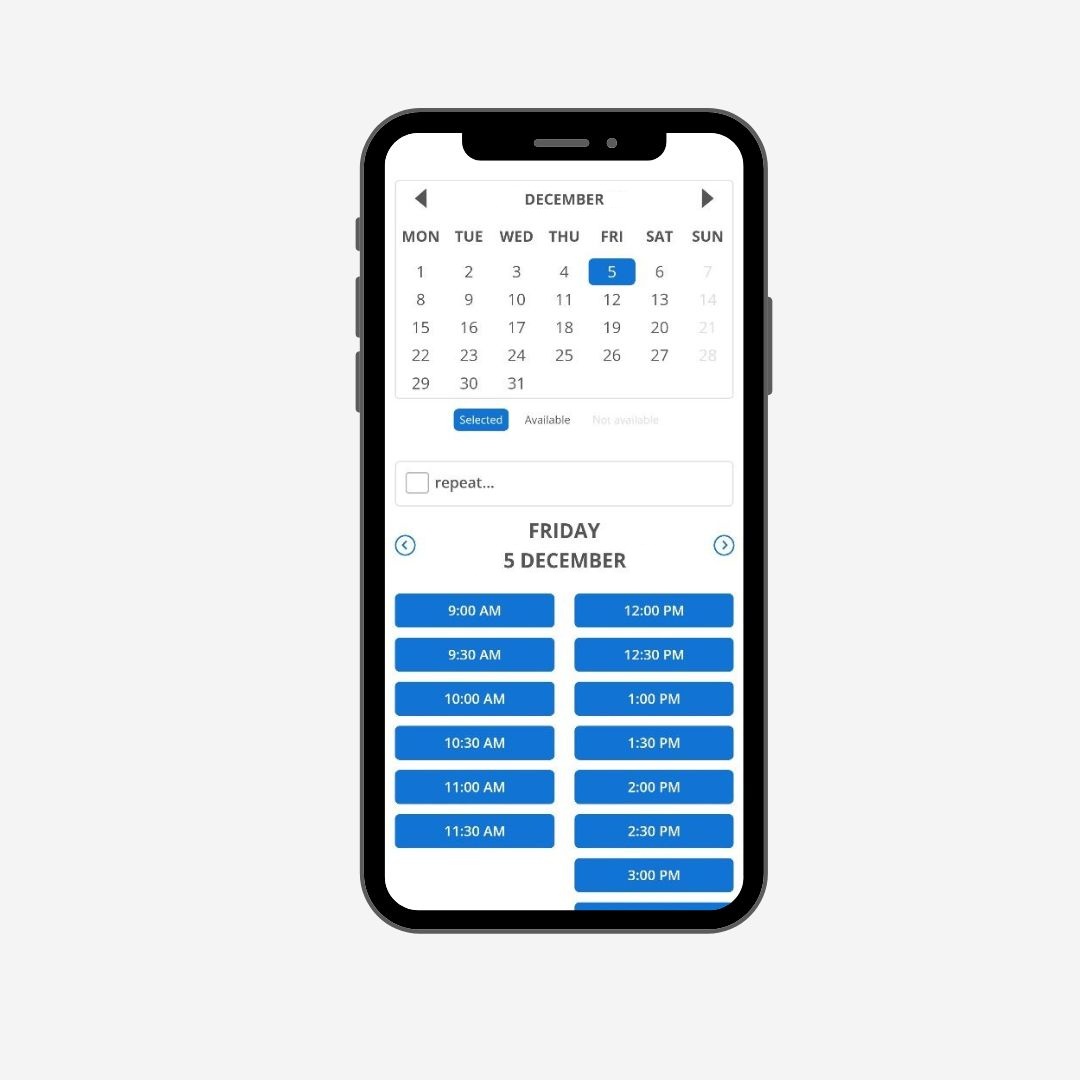
Bookeo integrates Google Reserve and lets customers book directly through Google Search and Google Maps. Those bookings appear right away on your Bookeo calendar. Automated confirmation emails go to clients, while reminder messages by email or text reduce costly no-shows.
Understanding Your Studio’s Booking Needs
You need to map out what your studio needs from tattoo booking software before you dive into features and pricing comparisons. Studios that skip this step often end up with systems that either overwhelm them with unnecessary complexity or fall short when business picks up.
Types of appointments you offer
Your appointment menu determines which scheduling capabilities matter most. Tattoo studios handle several distinct service types, and each has different time requirements and booking rules.
Consultations run short and specific. These planning sessions last 15-30 minutes and help you match clients with the right artist. Some studios charge a small fee, others give them free. Either way, your software needs to treat consultations as separate services with their own booking windows and deposit requirements.
Flash tattoos require standard time blocks. Walk-ins choosing pre-drawn designs book 30-60 minute slots. Custom work demands flexibility. A small script might take an hour, while a full sleeve spans multiple sessions over months. Healing time between sessions runs 2-4 weeks. Your booking system should accommodate variable appointment lengths without forcing every session into similar boxes.

Touch-ups add another layer. Studios include these free or discounted within a specific timeframe after the original work. So your software needs to track original appointments and flag clients eligible for complimentary follow-ups.
Walk-ins present their own challenge. Plan specific time blocks daily or weekly for walk-in availability rather than leaving this to chance. Software that lets you mark these windows keeps spontaneous clients from disrupting scheduled work.
Your team size and artist schedules
Solo artists face different scheduling demands than multi-chair studios. You need straightforward calendar management with client-facing booking options if you work alone. Your biggest problems center on preventing double-bookings and collecting deposits upfront.
Multi-artist studios require individual calendars for each team member. Clients should see which artists are available and book with their preferred person. Each artist needs their own bookable time slots and service menu. You’ll coordinate tasks manually without this separation, which defeats the purpose of booking software.
Studios should want to fill 85-90% of available slots while maintaining quality service. This target balances revenue maximization with artist well-being. Track artist workload. Data shows optimal utilization rates sit between 75-85%. Push beyond this range, and burnout becomes inevitable.
Shared workspace adds complexity. Your calendar must prevent double-booking that space, even if different artists are free when multiple artists use the same room. Software that assigns services to specific artists and rooms eliminates these conflicts.
Client booking preferences and habits
Your clients book outside business hours more often than you’d think. You capture appointments they’d otherwise abandon when you give them 24/7 access. People research tattoos late at night when they have time to think through decisions.
Booking conversion rates measure how many inquiries turn into confirmed appointments. Studios average 30-40% conversion, but requiring deposits bumps this figure higher by filtering out uncommitted prospects.
The average studio no-show rate hovers between 15-20%, though some reach 8-20% depending on their policies. Software with automated reminders helps push this metric below 5%. Your calendar reliability improves at this point and makes revenue more predictable.
Essential Features for Tattoo Booking Software
Choosing booking software boils down to matching features with actual workflow needs. The right capabilities transform administrative chaos into smooth operations. Missing features create bottlenecks that frustrate artists and clients.
Variable appointment lengths for different tattoo sessions
Tattoo work doesn’t fit into uniform time blocks. A small finger tattoo might take 30 minutes. A back piece requires multiple 6-8 hour sessions spread across months. Your booking software needs to handle this range without forcing everything into similar slots.
Customizable appointment durations let you set specific time blocks for different service types. Consultations run 15-30 minutes. Flash tattoos book at 1-2 hours. Custom work gets allocated based on complexity. Advanced platforms allow you to adjust these durations per appointment rather than locking artists into rigid schedules.
Buffer time matters more than most people realize. You need 15-30 minutes after each session for cleaning stations, sterilizing equipment, and preparing for the next client. Software that builds these gaps into your calendar prevents the domino effect of running late all day automatically.

Some systems support multi-session scheduling and let clients book several appointments at once for large projects. This feature proves extremely valuable for sleeve work or full-back pieces that span months. Both artist and client see the complete timeline upfront. This eliminates repeated scheduling conversations.
Multi-artist scheduling and calendar management
Studios with multiple artists require individual calendars for each team member. Each artist gets their own bookable schedule, permissions, and client list.
Clients should see which artists are available and book with their preferred person. Separate booking links or QR codes for each artist turn Instagram posts, TikTok videos, and website buttons into direct booking funnels. Every portfolio piece becomes a conversion chance.
Live calendar synchronization prevents double-bookings across your team. That time slot disappears from availability the moment one artist books a consultation. Shared workspace management adds another layer and blocks rooms or equipment when multiple artists might need the same physical space.
Staff access controls determine who sees what. Give your front desk permission to view all calendars while limiting individual artists to their own schedules and clients. This segmentation protects artist-client relationships while you retain control over operations.
Deposit collection at the time of booking
Deposits secure your schedule and compensate for design work that begins before the needle touches skin.
The payment happens during the booking flow, not afterward. Clients book online and pay their deposit. This eliminates chasing payments through direct messages or waiting days for confirmation.
Studios requiring non-refundable deposits see an 80% reduction in ghosted appointments. Commitment increases when clients know their deposit compensates design time and holds their slot.
You can set deposit amounts as flat fees or percentages based on tattoo size and design complexity. Flat fees communicate more clearly and are easier to track in your system. The deposit applies toward the final price. Your cancelation policy is stated clearly at checkout.
Digital consent forms and waivers
Paper forms create storage headaches and compliance risks. Modern booking platforms include digital consent forms with e-signature capability. You send forms before appointments or have clients sign on a tablet when they arrive. Forms attach to client profiles for easy retrieval automatically.
These systems collect informed consent and medical disclosures like allergies or medications. Age verification for underage clients requiring guardian consent gets handled, too. Some platforms offer a two-step process where clients complete forms online before arrival and finalize consent in the studio.

Digital storage eliminates physical clutter while creating permanent records of each client’s consent and aftercare instructions. Search features let you retrieve any waiver in seconds during audits or client inquiries. Studios save over $1,200 each year by eliminating printing costs.
Evaluating Automation and Communication Tools
Automation separates professional booking software from glorified calendars. The quality of automated communication affects your no-show rate, client satisfaction, and how much time you spend managing schedules versus tattooing.
Automated appointment reminders via SMS and email
Text messages outperform emails by wide margins. SMS reminders achieve a 98% open rate, with 90% read within three minutes of delivery. Email reminders hover around 20% open rates. Text wins every time for time-sensitive appointment reminders.
Timing determines how well reminders work. A three-step sequence works best for tattoo studios. Send the first reminder at booking as confirmation right away. Include date, time, artist name, studio address, deposit amount, and a link to your cancelation policy. This works well for pre-tattoo prep instructions like hydrating, eating a meal, and avoiding alcohol for 24 hours before the session.
The second reminder arrives 48-72 hours before the appointment. This window feels close enough that the appointment becomes real, but far enough that clients can reschedule without forfeiting their deposit. Include all the same details, plus a simple call to action asking clients to confirm or call to reschedule.
The final nudge lands 1-4 hours before the session. Keep this short and friendly, confirming the time and building anticipation. Mention parking if relevant. This catches clients who forgot and can still make it.
Outside these hours, clients find messages intrusive and opt out of future communications. Automated reminders reduce missed appointments by up to 40%.
Customizable booking confirmations
Confirmation messages set expectations from the start. Clients receive notification right away when they book, including appointment details, studio address with parking information, artist name, and preparation instructions.
Customization lets you match your studio’s voice. Reference specific projects in confirmations to make messages feel personal rather than automated. Mentioning “your sleeve consult” or “your coverup session” shows clients their appointment matters.
Booking confirmations should include your cancelation policy stated clearly. Transparency prevents disputes later. On top of that, you can embed deposit payment links in confirmation messages, streamlining the entire booking flow.
Follow-up messages after sessions
Post-appointment communication keeps clients engaged and sets up future bookings. Send aftercare instructions a few hours after the appointment, reinforcing proper care and showing you remain invested in results. Schedule check-ins a few days later to monitor healing progress.
Follow up around day 30 to remind clients about complimentary touch-ups before they expire. Request healed photos and let them know you’re available for their next tattoo idea. These touchpoints feel personal and thoughtful rather than pushy.
Touch-up reminders prove especially valuable since many tattoos benefit from a session 4-6 weeks after healing. Automated prompts help clients book this follow-up without you tracking dates manually.
Managing cancelations and no-show policies
Policy enforcement becomes consistent through automation. Set cancelation windows that match your business needs. When clients cancel, the system applies your policy automatically, processing refunds or transferring deposits according to your rules.
Clients can cancel or reschedule through the same platform they used for booking. Deposits shift to new appointments if they reschedule within your allowed notice period. This removes awkwardness from enforcement while treating everyone fairly.
For no-shows, reach out within 24 hours with a neutral tone. Emergencies happen. A straightforward message acknowledging the missed appointment, confirming deposit forfeiture per policy, and offering to rebook with a new deposit maintains the relationship without being confrontational.
Repeat offenders require adjusted booking privileges. Require full prepayment for future appointments or block them from online booking, requiring direct calls instead. This creates a chance for conversation before accepting another deposit.
Integration Capabilities to Look For
Booking software functions as a hub that connects different business systems. Disconnected tools create data silos and double work. Strong integration capabilities eliminate manual data transfers between platforms.
Payment processor integrations
Square and Stripe dominate payment processing for tattoo studios. Square integration places bookings and point-of-sale systems in one ecosystem.
Stripe integration lets clients pay deposits and balances through their preferred payment method. Accept every major card type and digital wallets like Apple Pay and Google Pay.

Payment systems handle both deposits during booking and final checkout after sessions. Prepayment policies enforce card-on-file requirements and cancelation fees automatically.
Client management and record keeping
Client profiles store contact information, session history, and priorities available from any device.
Accurate records reveal client demographics for targeted marketing strategies. Custom intake forms collect exactly what you need upfront and feed information into client projects directly. Answers sync with customer profiles and preference notes.
Reporting and analytics tools
Financial reports track studio performance in multiple dimensions. Monitor artist productivity, peak booking times and revenue trends. Generate reports for accountants without pulling data manually.
User Experience Considerations
User experience determines whether booking software gets used or abandoned. The interface affects everyone: clients navigating your booking page, artists managing schedules on the go, and front desk staff processing walk-ins.
Mobile-friendly booking interface
Most tattoo bookings happen through phones or social media messages. Mobile optimization matters more than desktop perfection. Test the mobile experience first. Check how notifications appear and how forms render on small screens.

Artists manage and update schedules anytime through mobile interfaces. Platforms automatically resize to any device screen without requiring app downloads. Syncing happens immediately across unlimited devices and keeps you connected to your schedule wherever you are. You can handle last-minute changes while grabbing coffee or between sessions.
Easy navigation for clients
Clients want to book themselves without confusion. They see availability immediately, schedule appointments, and make payments from any device. The booking flow should feel straightforward: pick a service, choose an artist, select a time, pay a deposit, done.
Standalone booking pages let clients schedule 24/7 without waiting for business hours. Clients browse tattoo designs and secure appointments immediately after hours. This accessibility captures bookings you’d otherwise lose to competitors with simpler systems.
Artist dashboard usability
The dashboard provides immediate updates, so you stay on top of daily schedules. Color-code services to know at a glance what’s booked. Drag and drop appointments, assign specific stations, and view all artists’ calendars in a single interface.
Clean interfaces reduce learning curves. Artists should book clients within hours of setup, not days. Calendar management shouldn’t require training sessions. Simple tools feel natural from the start.
Customization to match your studio branding
Personalize your booking page to match your tattoo studio’s vibe. Customize colors, add your logo, and set your hours. Adjust payment options for a smooth client experience.
Your booking page becomes an extension of your portfolio. Professional customization builds trust before clients ever walk through your door. Branding consistency across social media, websites, and booking pages reinforces your studio’s image and attracts clients who value professionalism alongside artistic talent.
How to Evaluate Your Options
Shopping for tattoo booking software requires more scrutiny than comparing homepage prices. Platforms that look cheapest often cost the most once you add what studios need.
Questions to ask before committing
Identify your studio’s pain points first. No-shows that drain revenue mean you should focus on testing reminder workflows. Client paperwork that consumes hours means you should dig into forms and intake flows. Ask about support quality before signing up.
Check scalability before committing. Your solo operation might add artists next year. Software that handles one calendar well might buckle under multi-artist scheduling.
Testing the software with free trials
Trials run 14-30 days in most cases. Set up your real services, pricing, and availability rather than sample data. Book test sessions end-to-end the way clients experience it. Run through checkout with real or test payments. Check how the system handles your most common edge cases: cancelations, deposits, and multi-session bookings.
Loop your staff in during trials. Their feedback on daily usability matters as much as yours. Send a real question to customer support. Response speed and answer quality reveal what post-signup support looks like.
Understanding pricing models and hidden costs
Monthly subscriptions tell maybe 40% of the actual cost story. Some booking systems advertise a very low rate, but essential features sit behind paywalls.
Payment fees apply per transaction as percentages plus fixed amounts. The fixed per-transaction portion matters more for studios taking frequent small deposits.
Common Mistakes to Avoid When Choosing Booking Software
Mistakes during software selection cost more than money. They waste months of implementation time and frustrate your team.
Not training your whole team
Team buy-in determines success. Schedule training sessions, create reference guides, and designate someone to troubleshoot issues. Start with core features before advanced capabilities. Staff who don’t understand the system revert to manual processes and defeat automation. Artists need hands-on practice booking, rescheduling, and managing their calendars before clients interact with the platform.
Going live without testing the full booking flow
Allocate 5-10 hours for setup. Configure appointment types, customize forms, and enter existing client data during slower business periods. Test deposits and cancelations with real scenarios, including multi-session bookings. Launch day surprises erode client confidence faster than poor software.
Ignoring scalability for future growth
Think over multiple locations, artist commission structures, and guest artist management. Cloud-based solutions add chairs or locations without infrastructure investments and scale with ease. Software that handles one artist well might collapse under five calendars. Plan for tomorrow while solving problems that affect your studio now.
Conclusion
You now have everything needed to select booking software that fits your tattoo studio perfectly. Focus on features that solve your biggest headaches directly: automated reminders that cut no-shows, deposit collection that secures your calendar, and multi-artist scheduling that eliminates double-bookings.
Before you commit, test platforms really well. Process actual deposits and run real bookings. Involve your whole team during trials. The right software saves you 5-10 hours weekly and protects thousands in monthly revenue.
Bookeo’s tattoo scheduling software handles tattoo studio workflows without forcing workarounds. Your clients book themselves 24/7 and your calendar stays organized. You spend more time creating art instead of chasing appointments. Act now and watch your studio operations change.