

How to Choose Small Business Booking Software That Actually Fits Your Needs
Here’s something that might surprise you: more than one-third of online bookings happen outside standard business hours. 73% of people want to schedule their own appointments. 60% of American consumers prefer booking online. That’s a significant move in customer behavior.
Understanding how to choose small business booking software isn’t about convenience anymore. It’s about meeting your customers where they are and saving yourself hours of administrative headaches. The right booking software can save you an average of 15 hours monthly and cut no-shows by up to 66%.
This piece walks you through eight steps to find the right solution for your business.
Why Choosing the Right Booking Software Matters for Small Businesses
Small business owners spend an average of 33 hours each month buried in administrative tasks. That’s a full work week lost to paperwork, phone calls, and schedule juggling. Business owners report that administrative work prevents them from focusing on their core business activities, 67% of them. Booking software that fits your needs addresses this time drain head-on.
Time and money saved with automation
Manual appointment scheduling eats up resources faster than most business owners realize. A single phone booking takes an average of 8.7 minutes to complete. Online booking processes take just 0.5 minutes. That’s 8.2 minutes saved per appointment. Businesses recover between 24 and 36 hours of staff time over a month.
The financial effect extends past labor costs. Automated systems can improve administrative efficiency by 30%. Staff members who answered phones and managed calendars can redirect their energy toward customer service and revenue-generating activities. Businesses using automation save between 5 and 10 hours weekly in administrative labor alone.
Automated reminders slash no-show rates. Text message reminders achieve a 98% read rate, and 90% of recipients read them within three minutes. This engagement translates to real savings. Automated communication can reduce missed appointments by up to 75%. Each no-show costs about $185 in healthcare. This reduction protects thousands of potential revenues each year.
Customer expectations in digital booking
Your customers have made their priorities clear. Research shows that 90% of people prefer booking their appointments online. More telling, 35% of customers want to schedule during non-business hours. Phone calls no longer fit how people manage their time. Millennials and Generation Z avoid phone calls because they’re time-consuming, 75% prefer faster communication methods.
Customer expectations go past simple online access. Real-time availability tops the list, and 95% of customers expect live calendar updates. Mobile optimization follows at 93%, while 91% demand instant confirmation. Transparent pricing and service details matter to 89% of customers, and 86% expect self-service options for cancelation or rescheduling.
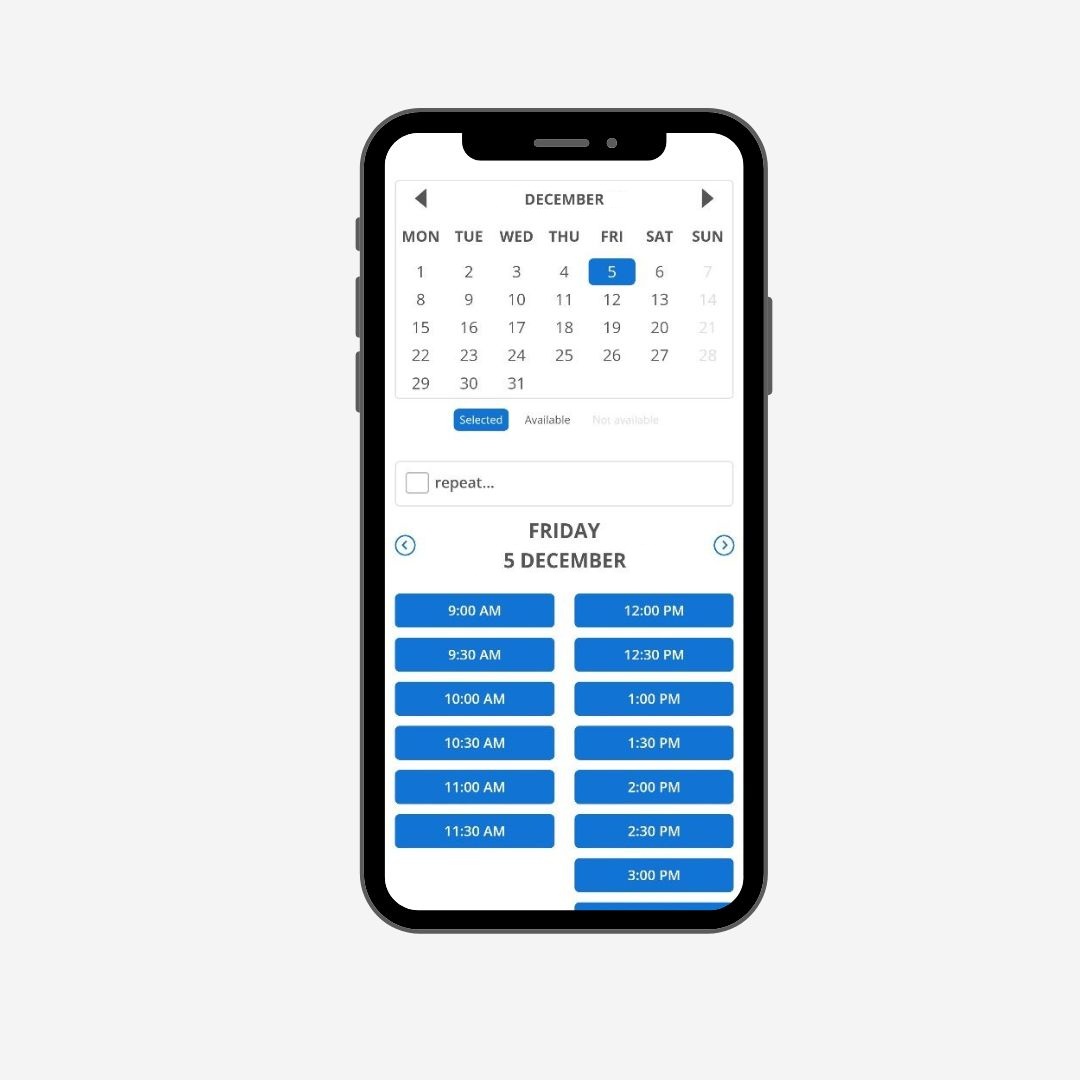
The data reveals something significant: 42% of all bookings happen after standard business hours. You’re turning away half your potential appointments without automated booking. Customers expect flexibility and control over their schedules without waiting for callbacks or email responses.
How booking software affects revenue
The revenue difference between manual and automated booking systems is stark. Businesses see their revenue jump by 37% after implementing online booking systems. The conversion numbers tell the complete story: phone-only bookings convert at 67%, while online availability boosts conversion to 94%. That’s a 40% improvement in booking conversion rates.
Monthly booking volume increases a lot. Businesses using only phone scheduling average 186 appointments monthly. Those offering online booking handle 267 appointments, representing a 44% increase in volume. Customer lifetime value rises from $342 to $478, a 40% improvement that compounds over time.
The bottom-line effect is substantial. Monthly revenue climbs from $14,200 with phone-only booking to $22,100 with online availability. That’s a 56% increase in monthly revenue. Businesses with 24/7 online booking can see up to a 37% increase in total reservations compared to manual scheduling.
Reducing no-shows creates another revenue stream. Automated systems cut no-show rates by 20% to 30% on average. A business averaging $150 per appointment with 80 monthly bookings and a 20% no-show rate recovers about $3,600 monthly with a 25% reduction in no-shows. That’s $43,200 in recovered revenue each year. SMS reminders prove effective, and 60% of clients prefer text notifications over email.
Step 1: Assess Your Business Requirements
Map out what your business needs from scheduling software before you start comparing features or pricing. This step determines whether a tool will support your operations or create new headaches. Choosing booking software works best when you match your specific requirements to the platform capabilities.

The services you offer
Your appointment scenarios shape which software features matter. Make a list of every booking type you handle. Fixed time slots work for standard appointments with set durations like 30, 45, or 60 minutes. Some businesses need custom duration options where clients pick how long they need. Recurring appointments matter if you book regular weekly or monthly sessions.
Think about whether you run single sessions or group classes. One-on-one appointments require different scheduling logic compared to group sessions, where multiple clients book the same time slot. Multi-day or all-day events add another layer since these appointments run for hours or days.
The types of services you offer determine the specific functionalities you need. Appointments require features like flexible time slots, buffer time settings between bookings, online confirmations and reminders, plus cancelation policies. Classes need scheduling with recurring sessions, capacity limits, waitlist management, and automated notifications. Rentals demand inventory management for equipment, clear availability displays, and payment processing for rental fees.
The number of appointments you handle monthly
Volume plays a bigger role than most business owners expect. Research shows appointment types affect customer satisfaction, with face-to-face appointments linked to happier customers. Too many same-day appointments can drop satisfaction rates. Pick software that supports the right mix for your business.
Monthly booking numbers reveal capacity needs and help you avoid paying for features you won’t use. High-volume businesses need reliable systems that handle hundreds of bookings without slowdowns. Lower-volume operations might prioritize simplicity over advanced capacity management.
Your team size and structure
Team size has a huge effect on productivity and scheduling. Small teams often get more done. Teams with nine or more people are nowhere near as productive as smaller groups. The International Software Benchmarking Standards Group ranks team size among the top three factors affecting productivity.

Your scheduling software should work with your team structure instead of forcing a one-size-fits-all approach. Solo practitioners need straightforward booking without complex staff assignment features. Growing teams require calendar coordination, staff-specific availability settings, and the ability to let clients book with preferred team members. Staff may work different hours or specialize in certain services, so software must handle these variations smoothly.
Single or multiple locations
Running multiple locations brings extra challenges. Businesses with several sites need scheduling software that handles each location’s availability and resources separately but manages everything from one place. This becomes more critical as your business grows.
Multi-location appointment management is a critical challenge faced by growing companies striving to deliver a seamless booking experience at every branch. Staff often split time between locations. Services vary by site. Hours and rules change by location. Phone, web, and walk-in bookings all compete for the same slots.
You see operational pain when your booking tool isn’t built for multiple locations. Double-booked staff happens because one tool doesn’t understand who is available where. Wrong location confirmations mean customers show up at the wrong place while your team scrambles. Services aren’t the same everywhere. Your downtown location might offer advanced services while suburban branches focus on simpler options. Software should let you define services once, then assign them to locations and staff.
Step 2: Identify Must-Have Booking Features
Once you know your business requirements, focus on the core features that separate functional booking software from tools that actually accelerate. The right feature set turns choosing booking software from guesswork into strategic decision-making.
Online self-scheduling capabilities
Your customers want control over their appointments. Studies show 73% of people prefer to schedule their own appointments rather than call. Self-service booking extends beyond convenience. Clients can browse available times, compare service options, and complete bookings without phone tag or waiting for callbacks.
Self-scheduling that works needs a clean booking page that displays your services and up-to-the-minute availability. Customers should access this page from your website, social media, or direct links you share. The system must handle appointment requests instantly and sync with your calendar the moment someone books.
Up-to-the-minute availability updates
Double bookings damage credibility faster than anything else. Up-to-the-minute availability updates solve this by showing only genuinely open time slots. That slot disappears from your calendar the moment one client books an appointment. This prevents conflicts and eliminates the awkward conversations that follow scheduling mistakes.
Systems with up-to-the-minute updates track inventory and resources across all booking channels. Everyone sees the same accurate availability whether clients book through your website, walk in, or call. This coordination maximizes revenue potential since you can fill slots efficiently without risking overbookings.
Mobile-friendly booking interface
Responsive design adapts your booking page to any screen size. Buttons and links need to be large enough to tap easily without errors. Forms should minimize required fields and use autofill options wherever possible. The less time someone needs to complete a mobile booking, the less likely they’ll abandon the process.
Mobile optimization has secure payment processing on smartphones. Support for digital wallets like Apple Pay and Google Pay matters since these methods let customers pay quickly without typing credit card numbers. Mobile bookings happen fast, so friction at any step costs you appointments.
Payment processing options
Integrated payment processing handles transactions within your booking system rather than requiring separate tools. Top platforms connect with payment processors like Stripe, Square, or PayPal and let you choose what works for your business. These integrations collect payment when appointments are made.
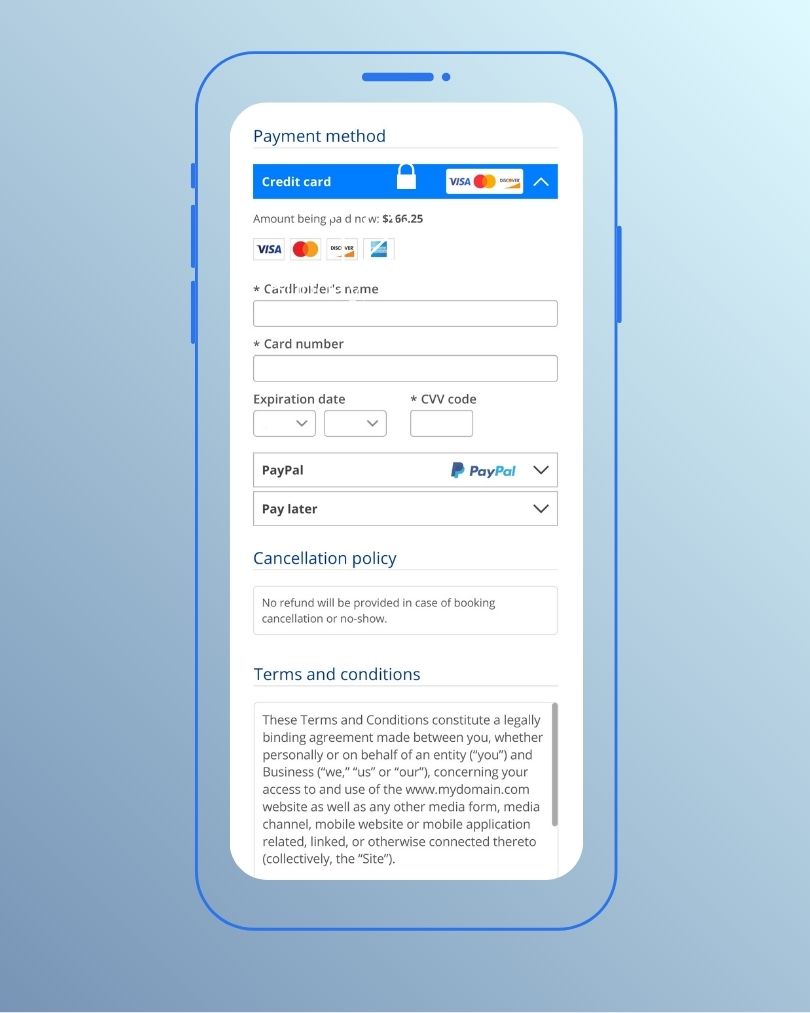
You can require full payment upfront, collect deposits, or accept payment on arrival. Payment flexibility reduces no-shows since clients with financial commitment show up more often. The system should support credit cards, debit cards, and digital wallets to match customer priorities.
Automated reminders and confirmations
Automated reminders cut no-shows by up to 75%. Text messages work especially well, with 98% of recipients opening them and 90% reading within three minutes. Email reminders provide another channel, and some systems offer voice call options.
Customization matters here. You should control when reminders go out, from three days to one hour before appointments. Message templates need to reflect your brand voice and have relevant details. Clients should be able to cancel or reschedule from reminder messages.
Calendar syncing across platforms
Two-way calendar sync prevents conflicts between your booking system and personal calendars. Those appointments appear on your Google Calendar or Outlook when clients book. Personal events you add to your calendar block that time from booking availability. This bidirectional flow happens in real time, so your availability always reflects reality.
You can connect multiple calendars at once and keep work and personal commitments coordinated. Calendar syncing eliminates double-booking scenarios. Setup requires just a few clicks to authorize access and select which calendars to sync.
Step 3: Check Integration With Your Existing Tools
Software that operates in isolation creates more work instead of less. Your booking system should connect with the tools you already use for payments, marketing, accounting, and client communication. You’ll spend hours transferring data between platforms if it doesn’t.
Payment gateway connections
Payment integration determines whether customers complete their bookings or abandon them. Payment is the final point of trust when a customer books a service. The booking fails if that process feels slow or confusing. A good payment system connects to your booking tool. Customers can pay securely without leaving the page.
Payment data can flow into your CRM or analytics tools when combined with API integration. You see revenue insights by booking source, season, or service type. This helps you make faster, evidence-based decisions. Payment gateway integrations remove friction. They improve conversion and give customers a simple, reliable way to complete their booking.
Email and marketing platforms
A booking is only complete when the customer shows up. Missed appointments cost time and revenue. Booking confirmations go out right away. Reminders arrive at the right time. Follow-ups happen without you lifting a finger.
Email integration cuts no-shows by up to 30% through timely reminders. It builds trust with automatic confirmations. Follow-up messages after service encourage reviews and repeat bookings. Audience segmentation by booking type delivers relevant promotions.

This connection is more than a reminder system. Your software pulls actual booking data and triggers each message. You can personalize emails based on service type. New customer details collected by your booking system are added to your preferred mailing list. This keeps your CRM current without manual data entry.
Accounting software compatibility
All invoicing can be automated when you integrate accounting with your online booking software. This saves time and eliminates errors. Two-way sync functions live. A new contact appears in Xero whenever a new customer is created in your booking system. You don’t have to input data on both systems.
A trigger communicates to Xero that a new purchase occurred as a customer books their appointment through your system. The booking information adds to the contact’s profile. Xero then creates a sales invoice with all the transaction details you need.
Video conferencing for virtual appointments
Video conferencing integration creates virtual meetings for businesses offering remote services. Platforms like Zoom and Google Meet connect to your booking account. Select the appointment types where you want to use video conferencing after connecting your video conferencing provider.
The system generates a video conference meeting link for both you and your client. Each appointment receives a unique video link. Clients can join meetings from computers using any email address. This removes the work of creating and sharing meeting links for every virtual appointment.

Step 4: Assess Ease of Use and Setup
Complicated software sits unused. An easy setup and easy-to-use interface reduce time investment and often eliminate the need for additional training. Both staff and customers benefit when the booking process feels straightforward.
Simple interface for staff and clients
A great scheduler makes life easier rather than adding complexity. Setup should take minutes instead of hours, and both staff and customers should find navigation easy. The booking process needs as few steps as possible while still collecting the information you need. If customers need instructions to complete a booking, the software fails its simple job.
Clear calendar views matter. Staff should see daily or weekly schedules at a glance without clicking through multiple screens. Clients need obvious buttons for selecting services, choosing times, and confirming appointments. Then businesses lose bookings when the interface confuses people or requires too many clicks.
Look for platforms where the default booking page appears slick and professional without customization. Test the customer experience yourself. Book a sample appointment on your phone and computer. Count the clicks required and note any confusing moments. If you struggle, your customers will abandon the process halfway through.
Quick setup without technical skills
Technical expertise should never be a barrier. No technical expertise is required when platforms provide clear documentation and templates. Copy an iframe widget code from your account and paste it wherever you want on your website. That’s the level of simplicity you should expect.
Connect your calendar, set available hours, and define services. Systems block booked slots to prevent double bookings and keep everything organized without extra effort. The whole process should feel guided rather than overwhelming.
Tutorials and support areas ease onboarding. Email support should respond quickly and helpfully, as confirmed by user reviews. Day-to-day use remains straightforward for both staff and customers once configured.
Customization options for your brand
Your scheduler should adapt to your business instead of forcing a one-size-fits-all approach. Brand consistency builds trust with customers. A booking system that mirrors your branding conveys professionalism and reliability.
Add your logo, brand colors, and background images to booking pages. Custom text introduces your company and shares what customers need before scheduling. Social media links give customers multiple ways to connect with you. Therefore, these elements create a cohesive booking experience by matching the color palette of your booking page to your website.
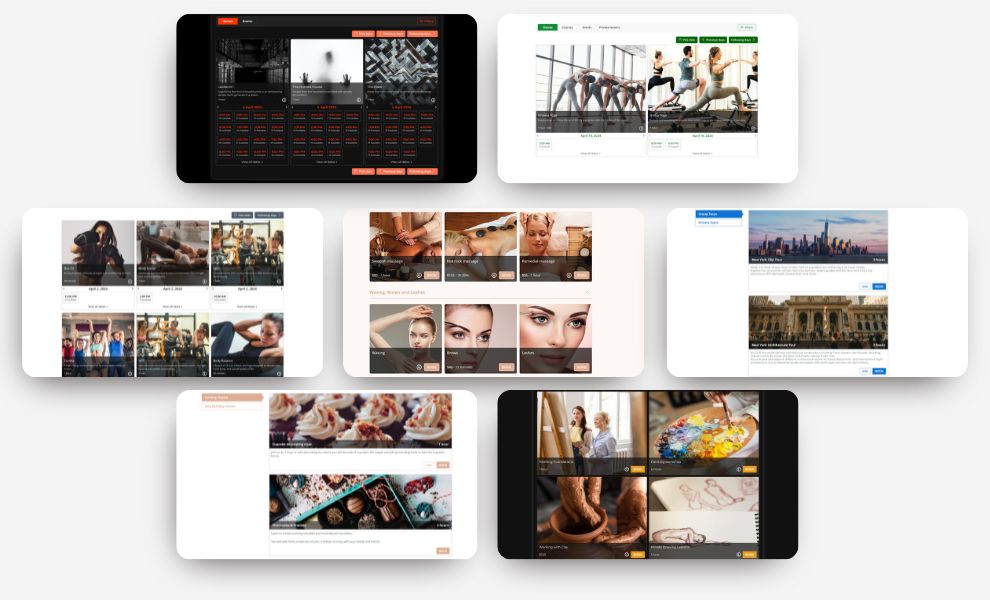
Platforms offer either standalone booking pages or direct website integration through customizable widgets. Booking forms that integrate well feel natural to customers, reinforcing your brand and avoiding jarring redirects. Your booking page can function as a standalone website with a custom URL, showcasing your service menu, availability, and prices.
Step 5: Review Automation and Communication Tools
Automation separates good booking software from exceptional systems. The right communication tools handle routine tasks while you focus on delivering services. Booking software with strong automation capabilities affects your bottom line through reduced no-shows and recovered revenue.
SMS and email reminder systems
Automated reminders produce an average 34% relative reduction in non-attendance. SMS reminders deliver even stronger results, with a 38% lower no-show rate than no reminder at all. The read rates explain this effectiveness. Text messages achieve a 98% read rate, with 90% of recipients reading them within three minutes.
Timing matters a lot. The optimal approach sends confirmations at booking and reminders 24-48 hours before. A final nudge 1-2 hours prior completes the sequence.
Customization adds power to these systems. You control delivery timing from three days to one hour before appointments. Messages should include your brand voice and relevant details.
Follow-up message capabilities
Post-appointment communication drives repeat bookings and reviews. Automated follow-up messages involve customers after they receive quotes or complete services. This automation maintains contact without manual effort and improves conversion rates.
No-show and cancelation policies
Automated penalty charging eliminates manual intervention and saves time. You set cancelation cutoff times and late cancelation periods. The system then charges fees automatically. This maintains policy integrity without staff involvement.
The system runs daily checks to calculate fees and provides a waiting period for manual waivers if needed. Policies stay consistent as a result, while giving you control over exceptions.
Waitlist management
Waitlist systems recover between 30% and 50% of canceled appointment slots. Automated notifications go to queued customers when cancelations occur. A study found that 11% of waitlist offers were accepted, moving patients up by a median of 14 days and recovering an estimated $3 million in professional fees over 9 months.
Up-to-the-minute monitoring identifies backfill opportunities automatically. First-come confirmation logic fills openings quickly without manual coordination.
Step 6: Analyze Reporting and Business Insights
Data without insights wastes time. Reporting features transform raw booking numbers into practical business intelligence. The best systems reveal patterns you’d never spot manually.

Track appointment trends
Appointment volume over time shows which days bring the most bookings and which periods run slower. Average conversion rates across industries reach 3.3%, but the real value comes from identifying where prospects abandon your booking process. Payment page abandonment occurs at 25-40% higher rates than other funnel stages, for example.
Peak booking hours concentrate between 10 AM and 2 PM in local time zones. Seasonal patterns vary by industry. Fitness bookings spike in January and September. These patterns let you adjust staff availability during busy periods and plan marketing around slower months.
Popular meeting times and in-demand service types guide targeted campaigns. Appointment type analysis reveals customer flexibility and needs. Meeting duration data helps you find ideal time slots for different services.
Revenue and performance reports
Daily, monthly, and annual revenue breakdowns provide a complete financial picture. You can track which locations bring the most revenue and compare branch performance to support location-specific campaigns. Staff performance reports identify top earners, reveal training opportunities, and support employee recognition programs.
Revenue per booking should increase 8-12% each year through strategic methods. Monitor these metrics across custom timeframes to detect performance shifts quickly.
Step 7: Think Over Scalability and Support
Your business won’t stay the same size forever. Picking booking software means you need a platform that grows with your operations without requiring a complete system replacement down the road.
Growing from solo to team
Flexible booking systems handle increasing volumes of users and bookings without compromising performance or user experience. The software should accommodate multiple staff calendars, skill-based assignments, and individual availability settings when you add team members. Systems designed for the growth process can handle higher volumes of bookings, customers, and transactions with ease.
Adding new locations or services
Multi-location scheduling software allows you to create and manage appointments across multiple locations from one solution. Configure hours for each site. Staff working at multiple business locations can be enabled from their profile. Set hours of availability for each location. Each location receives a distinct booking URL while you maintain centralized control.

Customer support availability
Support quality becomes critical when your operations expand. Platforms offering 24/7 support address challenges and maintain consistent uptime. Enterprise-level support designed for global companies provides dedicated assistance to businesses with multiple locations.
Pricing flexibility when you expand
Growth-oriented pricing models attract new customers while revenue increases naturally over time from existing customers who spend more. Tiered pricing structures make entry-level options available without capping potential revenue and provide clear upgrade paths for growing businesses.

Step 8: Compare Top Options and Make Your Decision
Armed with your requirements and feature priorities, narrow down your options systematically. Compare platforms and look beyond base pricing. Check what’s included in each plan, whether there’s a free tier, and the cost for add-ons you’ll use.
Create a comparison checklist
Map out your must-haves beforehand so you don’t waste time setting everything up only to realize a key component is missing. Focus on your business model, team size, and daily scheduling demands. Which features simplify your operations the most? Pricing matters, but a little research into what’s included in each plan prevents surprises later.
Test with free trials
Hands-on testing reveals what spreadsheets can’t. Try a few options for free to find what works for your business. Sign up, create your booking page, and walk through the customer experience on both mobile and desktop. Test the setup process and check how reminders work. See if the interface feels natural.
Read reviews from similar businesses
Reviews offer insights from current users facing challenges like yours. Look for feedback from businesses of your size in your industry.
Why Bookeo works for small businesses
Online booking software Bookeo simplifies appointment scheduling with features designed for small business needs. This small business booking software handles bookings, reminders, and customer management without complexity.

Conclusion
You now have a complete roadmap to choose booking software that fits your business. The right system saves you hours weekly, cuts no-shows, and helps you capture bookings around the clock.
Test platforms that match your specific requirements. Walk through the customer experience yourself and see how reminders work. Verify integrations with your existing tools.
The software you choose should simplify operations, not complicate them. Look for systems offering up-to-the-minute availability and automated communication that can scale with your growth. Free trials let you find what clicks with your workflow. Your ideal booking solution is out there waiting.