

How to Choose Spa Booking Software That Actually Grows Your Business
Good spa booking software streamlines your operations and saves time. It creates a smooth experience that keeps clients coming back. The wrong choice? You’ll waste money and frustrate both your team and customers.
Appointment booking software is one of your critical business decisions. This piece walks you through reviewing options, avoiding common mistakes, and selecting the perfect fit for your spa.
What Is Spa Booking Software?
Spa booking software coordinates multiple moving parts that make your business run. This specialized platform manages treatment rooms, therapist schedules, service durations, client profiles, automated reminders, and payment processing in a single connected system.
How Spa Booking Software Works
Your spa operates on resource allocation, not time-slot reservations. Each appointment requires both a qualified provider and a treatment room. The software must verify that provider credentials, room equipment, and service requirements align at the time of booking.
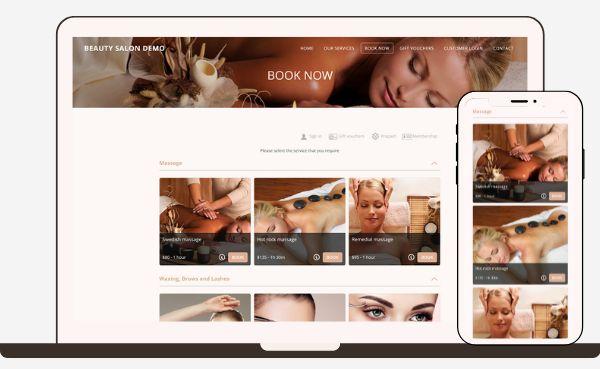
A client books a hot stone massage. The system reserves two things at once: the therapist qualified for that treatment, and the room equipped with a stone warmer. This multi-dimensional coordination prevents operational chaos before it starts.
The workflow connects every stage of the appointment lifecycle:
- 24/7 online self-booking synced to therapist and room availability
- Automated SMS and email reminders sent before appointments
- Client profile management with service history and priorities
- Point-of-sale integration connected to completed bookings
Spas operate on tightly timed services with variable treatment lengths and high-value appointments. Your scheduling infrastructure must coordinate staff, rooms, and payments in one workflow to protect revenue and utilization. Booking, reminders, and checkout connect to maintain consistent room turnover, reduce idle capacity, and forecast revenue with greater accuracy.
Up-to-the-minute visibility across all resources stops problems before they escalate. Multiple staff members access the system, and everyone sees updates instantly. This synchronization eliminates the nightmare of double-booked providers or treatment rooms.
The system handles intake forms digitally and processes payments without human intervention. Your front desk staff stops juggling phone calls, checking multiple calendars, and coordinating therapist schedules manually.
Why Generic Scheduling Tools Fall Short
Generic scheduling tools like simple calendar applications seem sufficient until you understand the difference between time-based and resource-based scheduling.
Service-based scheduling builds appointments around services and their required time, not generic time blocks. The system matches clients to available, qualified providers while reserving treatment rooms alongside staff.
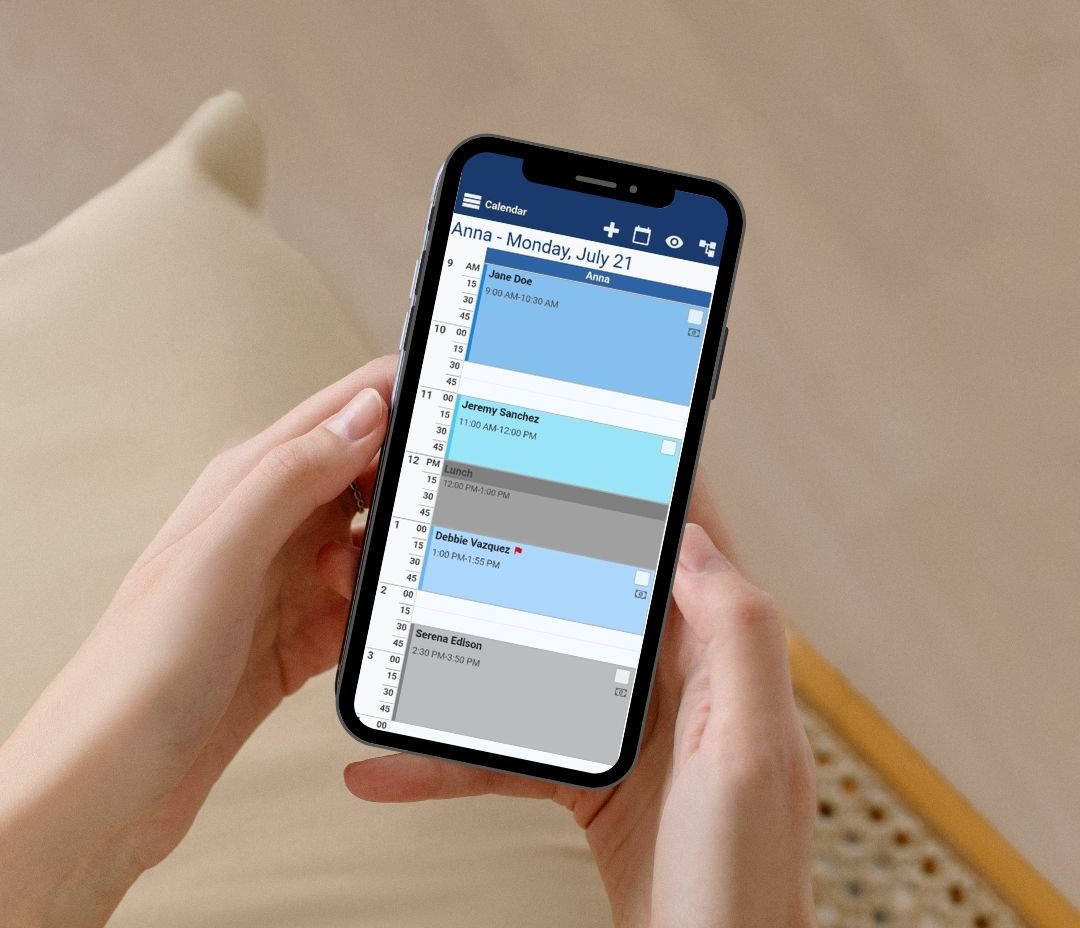
Manual scheduling or disconnected systems create escalating breakdowns: double-booked providers, idle rooms from cancelation gaps, no-shows without automated reminder workflows, manual rebooking efforts, and disconnected checkout that loses track of completed services.
Your spa needs software designed for the complexity of wellness services: longer customized treatments, multiple services per appointment, room dependence, and packages spanning multiple visits. Generic appointment tools lack the allocation systems required for these operations.
Why Spa Owners Need Dedicated Booking Software
Manual appointment management drains resources that could optimize revenue. Staff productivity suffers when administrative tasks consume hours each day.
Reduces Administrative Workload
Spa owners using dedicated booking software save 10+ hours per week on administrative tasks. That’s an entire workday reclaimed for activities that grow your business.
Phone calls create constant interruptions that prevent your front desk from focusing on in-person guests. Online self-booking eliminates this friction. Clients schedule themselves outside business hours, and your team handles walk-ins without juggling ringing phones.

Automation removes repetitive work from your daily operations. Manual reminder calls, confirmation emails, appointment cards, and cancelation coordination all disappear. The system handles routine communications on its own. Your receptionist stops playing calendar Tetris with multiple therapist schedules.
Think over what happens without automation: someone calls to book, you check therapist availability, verify room equipment, write down priorities, call back to confirm, send a reminder text the day before, and manually update the calendar if they reschedule. One appointment generates at least six separate tasks. Multiply that by 30 appointments daily, and you’ve created a full-time job that produces zero revenue.
Dedicated software compresses that workflow into a single automated sequence.
Improves Client Experience from First Contact
Your booking process creates the first impression. A complicated scheduling experience signals disorganization before a client ever walks through your door.
Three in every five bookings now happen online. Clients want to book appointments after work hours, during lunch breaks, or late at night when inspiration strikes. Missing evening and weekend booking requests means losing clients to competitors with 24/7 availability.
Modern spa clients expect specific touchpoints: easy online booking on any device, immediate appointment confirmation, timely reminders, and customized service based on their history. Missing any single element weakens their confidence in your professionalism.
Convenience shapes perception. When clients book themselves in seconds rather than playing phone tag, they assume the spa experience will be smooth. That assumption drives referrals and repeat visits.
Your software should store detailed profiles with contact information, service history, priorities, and treatment notes. This data enables personalized follow-ups and helps therapists customize treatments based on past allergies or priorities.
Increases Revenue and Reduces No-Shows
Empty treatment rooms represent direct revenue loss. An empty slot means your therapist sits idle while being paid, and another client who wanted that time couldn’t book it.
The financial effect adds up fast. Two missed appointments per week at $150 each cost $15,600 a year. A salon with 200 monthly appointments averaging $85 can lose $2,550 to $5,100 every month from no-shows alone. For many spas, that’s enough to fund a marketing budget or hire additional staff.
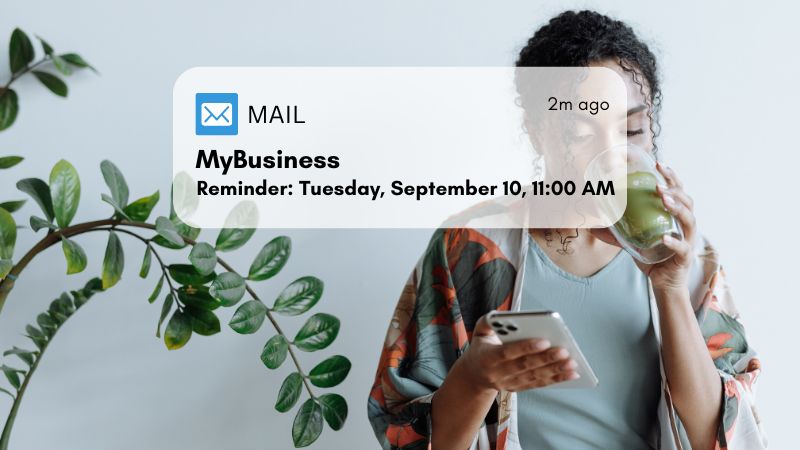
Automated reminders reduce this problem. Text message reminders improved appointment attendance rates by 14% in systematic research. Combining automated SMS and email reminders with easy rescheduling options reduces no-shows by 70%.
Deposit requirements create commitment. Even small deposits drop no-show rates by 70%, bringing well-run practices under 3%. The deposit doesn’t punish anyone; it moves the appointment from optional to confirmed in the client’s mind.
Waitlist automation recovers revenue from cancelations. When someone cancels, the system notifies waiting clients right away. Salons report that automated waitlists recover 60-70% of last-minute cancelations. That’s found money that would otherwise vanish.
Gives Better Business Insights
Guessing doesn’t work for business strategy. You need data on what’s performing and what’s draining resources.
Immediate visibility shows which marketing efforts drive bookings, how therapists match for performance, and where operational adjustments could boost efficiency. You can identify your most profitable services, optimal staffing levels for different days and which treatments pair well together.
Without this visibility, you’re running your spa blind. You might overschedule staff during slow periods or understaff during rushes. You can’t optimize what you can’t measure.
Essential Features in Spa Booking Software
Choosing spa booking software means evaluating specific technical capabilities that separate professional platforms from simple schedulers. The features below are the foundations of high-performing spas.
Online Self-Booking for Clients
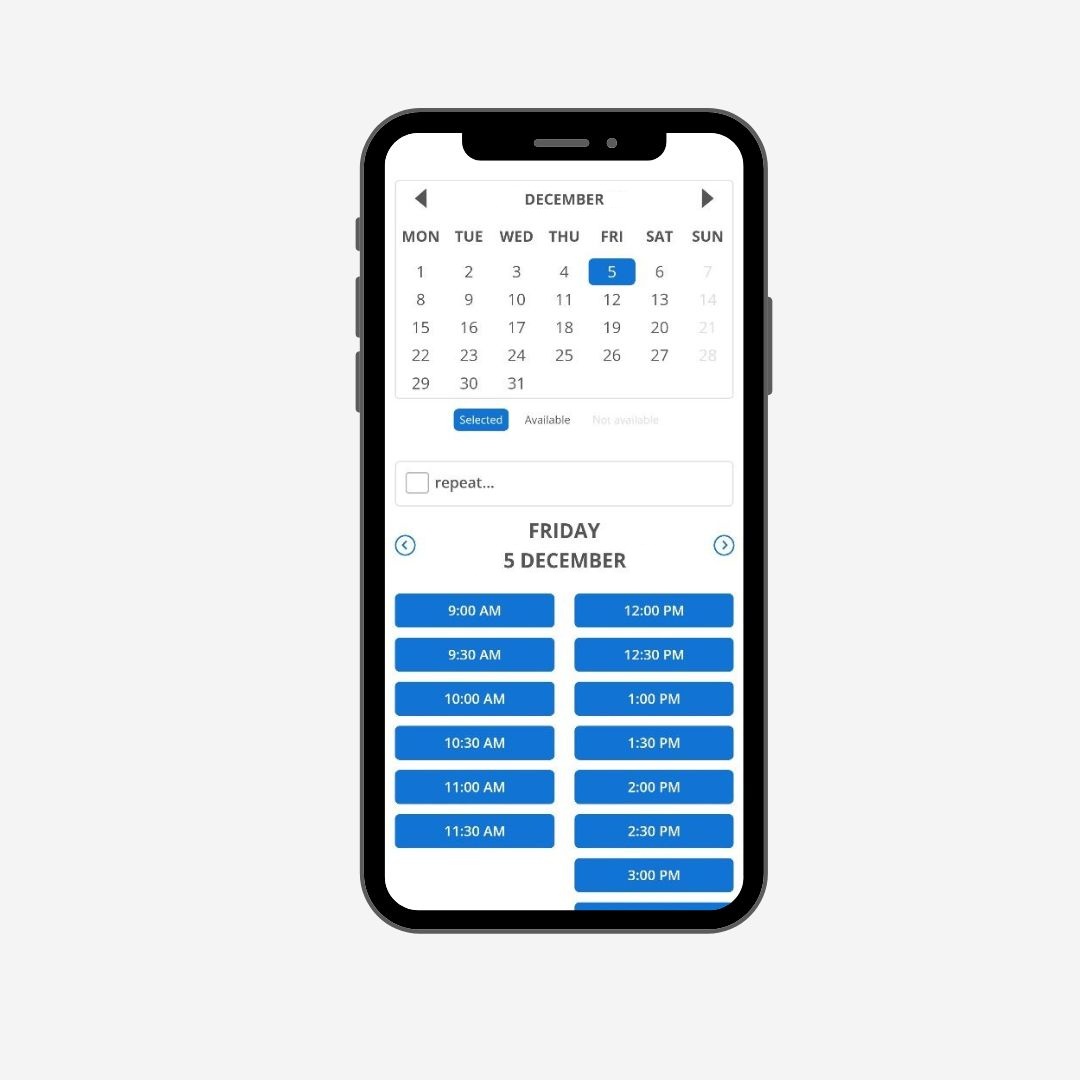
Your clients book appointments when it suits them, not when your phone lines open. Self-booking systems connect immediate provider calendars with treatment room availability and service menus. The platform accounts for provider credentials, room requirements, variable treatment lengths, and required transition time between services automatically.
Clients view open time slots and select services or add-ons. They receive instant confirmations without manual coordination. The system syncs across mobile and desktop interfaces. Phone tag gets eliminated entirely while the system captures bookings during evening and weekend hours when your front desk is closed.
The booking widget embeds directly into your existing website. Custom booking pages display service descriptions and pricing structures tailored to your business.
Automated Appointment Reminders
Reminder automation sends email and text notifications at predefined intervals before appointments. You control when reminders go out, anywhere from 1 to 7 days before the appointment. The system can send multiple alerts to reduce forgotten appointments.
Clients choose their preferred method during account setup. This preference-based approach prevents unwanted communications that create negative associations. Reminders include tailored information like the client’s name and customized messages about their upcoming visit.
Integrated Payment Processing
Payment integration centralizes transactions onto one platform. Clients pay in-person, online, or on mobile devices. The system accepts credit cards, debit cards, Apple Pay, Google Pay, and tap-to-pay.
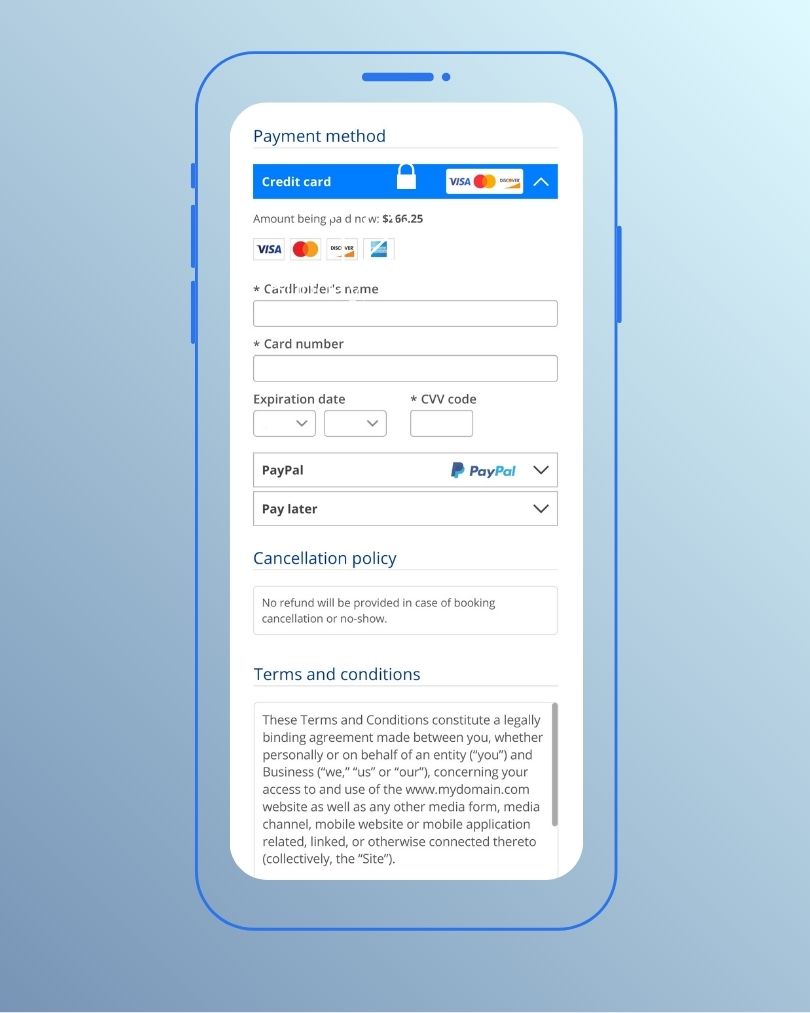
Payment gateways like Stripe handle card-on-file charges for guests who prefer to settle at checkout. Network tokens update automatically and protect client payment data while improving transaction reliability.
The checkout process supports gratuity tracking, gift card sales and redemption, package management, and memberships. Deposits secure bookings at the time of reservation. This capability charges no-show fees when clients miss appointments.
Recurring billing automation handles monthly, quarterly, or annual memberships. The system retries failed transactions and maintains consistent billing cycles. Encryption and tokenization protect transaction information.
Client Management and Form Handling
Digital intake forms collect client information before appointments arrive. Custom forms capture medical histories, allergies, consent, waivers, and massage pressure priorities.
Clients automatically receive notifications with embedded form links when appointments are booked online.

Client profiles store contact details, appointment history, service priorities, treatment notes, and skin types. This data updates profiles automatically. Therapists access information before appointments to provide consistent, tailored service.
Staff Scheduling and Calendar Management
Visual calendars manage multiple treatment rooms and therapists at once. Drag-and-drop scheduling lets you reschedule appointments instantly. Resource tagging prevents double-bookings.
The system assigns buffer times between treatments. Color-coded views display schedules by staff member, room, or service category.
Staff scheduling matches clients with qualified specialists by considering certifications and treatment requirements. Clients choose their preferred therapist during online booking. Updates occur immediately as appointments are confirmed, moved, or canceled.
Individual staff portals give team members tailored schedule access.
Reporting and Analytics Tools
Dashboards display performance indicators immediately. Revenue reports track daily, weekly, and monthly trends. Service category performance comparisons reveal which treatments drive profit. Reports are downloadable and formatted for quick analysis.
Multi-location spas gain deeper visibility into operations and growth trends.
How to Evaluate Spa Booking Software Options
Selecting the right platform requires structured analysis, not impulse decisions based on flashy demos or discounted first months.
Assess Your Specific Business Needs
Start by clarifying what you operate. A massage-focused day spa scheduling 10 appointments weekly needs different capabilities than a full-service facility managing 100+ weekly bookings across multiple treatment rooms. Your business type drives software priorities.
Solo practitioners require simple scheduling and reminders. Multi-location spas demand staff management across facilities.
Ask yourself where your business stands in two years. Choose software that scales without requiring migration if you plan additional locations, expanded service menus, or more staff. Understanding these differences prevents investing in systems you’ll outgrow within 18 months.
Compare Pricing and Value
Pricing models vary. Flat monthly fees provide predictable costs for single-location spas with stable team sizes. Per-user pricing scales with your team, but expenses climb as you grow. Per-transaction fees charge percentages on bookings processed through the platform. Tiered plans offer different feature sets at different price points.

Focus on measurable operational changes to estimate ROI. Calculate weekly hours spent on rescheduling, reminder calls, and manual confirmations. Track whether automated SMS and email reminders change your no-show rate over 4 to 8 weeks. Note that results depend on client mix, policies, and reminder timing.
Request clear breakdowns of included features versus extra costs for additional locations, SMS fees, and payment processing before signing contracts. Confirm you can export data in usable formats if switching becomes necessary.
Test User-Friendliness for Staff and Clients
Get hands-on with software before committing. Assess from three perspectives: staff navigation ease, client booking flow simplicity, and admin report generation. Your team will resist using it if booking an appointment takes 15 clicks.
Test the client booking experience. Can customers complete bookings in under 2 minutes? Most platforms offer free trials or demos. Use them and involve your team in the evaluation since they’ll use the system daily.
Check Mobile Accessibility
Your business continues when you leave the facility. Mobile functionality lets you review schedules while running errands, check daily revenue between appointments, and respond to booking requests.
Three in five online transactions now occur on mobile devices. Clients want to book, reschedule, and manage appointments from their phones. Clients go elsewhere if your system complicates mobile booking.
Immediate push notifications keep staff updated on schedule changes, new bookings, and cancelations without constant manual checking.
Verify Data Security Measures
Clients share credit card information, phone numbers, and health details, trusting you’ll protect them. Your platform must secure this sensitive data. Complete security requires end-to-end encryption that scrambles data so stolen information becomes useless. Access controls limit data visibility to authorized personnel only.
PCI DSS compliance is required by law for businesses handling card payments. Multi-factor authentication adds extra security layers requiring two or more verification methods. Audit trails record all actions with timestamps and user details, helping spot problems early.
Questions to Ask Before Choosing Appointment Booking Software
Ask vendors specific questions before signing contracts. The answers reveal whether the platform fits your operational reality or creates expensive problems down the road.
Does It Integrate with Your Existing Tools?
Software that operates in isolation creates more work, not less. Your spa booking platform must connect with tools you already rely on. Payment processors like Stripe, Square, and PayPal should integrate without manual reconciliation.
Ask vendors for concrete integration capabilities. Property management systems matter for hotel and resort spas where guest profiles and room charges need synchronization. Accounting software connections eliminate duplicate data entry for financial reporting. Marketing platforms should link with client databases to segment audiences and track campaign performance.
Verify whether integrations cost extra. Some providers charge fees depending on property size and existing contracts. Know upfront which connections come standard and which require premium tiers.
Can It Scale as Your Spa Grows?
Your business won’t stay the same size forever. Ask hard questions about expansion scenarios. What happens when you hire your fifth team member or open a second location? Can the system handle multiple service menus, price tiers, or membership levels?

Per-user pricing models increase costs as you grow. Calculate those monthly charges if you operate with three staff members and plan to expand to six. Multi-location support varies between platforms. Some handle unlimited locations with centralized reporting and shared client profiles. Others charge per-location fees that escalate quickly.
Contract terms matter just as much. Long-term contracts lock you into platforms you might outgrow within 18 months. Month-to-month agreements may cost more upfront but save thousands if the platform underperforms. Choose systems that grow with your ambitions rather than ones you’ll need to replace.
What Level of Customer Support Is Provided?
Customer support becomes your lifeline when your booking system fails during peak hours. Ask what kind of support the company has and whether it’s part of your package or requires payment. These cost factors into your software budget.
Check the company’s customer service reputation before committing. Read reviews on sites like Capterra to see what peers say about response quality.
Response timing matters. Support available only weekdays 9-5 won’t help when you need it most if your spa is busiest evenings and weekends. Test their responsiveness by sending an inquiry before purchasing. Average response speed reveals operational priorities right away.
Company longevity indicates stability. Providers operating for years demonstrate proven track records. Newer companies carry the risk of discontinuation and could leave you with outdated software or force disruptive migrations.
Are There Hidden Fees or Limitations?
Advertised prices rarely reflect actual costs. The anatomy of true software expenses has payment processing fees, per-seat licensing, add-on proliferation, setup charges, and cancelation penalties.
Payment processing rates and payout timing vary between providers. Premium features might require costly upgrades.
Confirm data portability before signing anything. What happens to your client list, appointment history and treatment notes if you switch platforms? Verify you can export data in usable formats. Some providers charge data migration fees or control your website and make departure expensive. Cancelation fees indicate low confidence in product quality.
Common Mistakes When Choosing Spa Booking Software
Most spas make preventable errors during software selection that cost thousands in wasted subscriptions, lost productivity and client frustration.
Focusing Only on Price
Choosing booking software based on the lowest advertised price creates expensive complications down the road. The original monthly fee tells you almost nothing about actual costs.
Calculate the total cost of ownership instead. This has implementation expenses, ongoing maintenance, integration with other systems, and training costs. Integration expenses accumulate over time, especially when you need upgrades or additional applications.

Hidden fees appear after you commit. SMS reminder charges, payment processing percentages, additional user seats, and premium feature upgrades inflate that attractive base price. Ask vendors for complete cost breakdowns before signing anything.
Overlooking Staff Training Requirements
Software only works when your team knows how to use it. Training that falls short creates problems that eliminate any technology benefits.
Not every employee feels comfortable with new systems. But training that’s good enough fixes this challenge. Don’t reduce training time even if productivity dips at first. Staff who don’t understand the platform will bypass it and perform critical functions manually instead.
Ignoring Client-Facing Features
Your clients interact with your booking system as much as your staff does. Think about their experience when evaluating platforms.
Clients book from phones. You’ll lose appointments to competitors if mobile booking feels clunky or slow. Test the mobile experience yourself before committing. Young clientele expects technology ease, especially.
Client-facing features like online appointment scheduling and digital payment options make their experience smooth and hassle-free. Your revenue depends on this convenience.
Choosing Software Without a Trial Period
Signing contracts without testing the platform firsthand invites disaster. Request free trials before purchasing. Use the software for several days on a trial run if possible.
You might find that you’ll only use limited functions and don’t need the capabilities you’re paying for. The system might neglect several critical business areas, on the other hand.
Twelve or twenty-four-month commitments sound reasonable until the software doesn’t fit your workflow. Month-to-month options may cost a bit more but save thousands if you need to switch. Your front desk team uses this daily. Adoption fails if they find it confusing, whatever impressive features it has.
Implementation Tips for New Booking Software
A structured rollout prevents disruptions and protects your existing bookings. You don’t need weeks of downtime or complicated transitions for implementation.
Plan Your Migration Timeline
A well-laid-out migration takes 3-5 days and causes zero client-facing disruption. The process follows five sequential steps:
- On Day 1, you export your full client list from your current platform
- On Days 2-3, you import client data and configure services, pricing, and the booking page
- On Day 4, you run both platforms in parallel and keep old appointments active while directing new bookings to the new system
- On Day 4, you notify active clients with your new booking link
- You deactivate the old platform after all existing appointments pass
Your go-live date should be during low-volume periods to minimize operational stress. Don’t switch during your busy season when staff already handle high appointment volumes.
Train Your Team Really Well
Staff orientation determines whether your team adopts or resists new systems. Role-specific training sessions that address different responsibilities should be organized. Front desk staff need detailed training on daily booking operations, while managers focus on up-to-the-minute data analysis features.

Role-specific instructions that cater to each team member’s responsibilities within the booking process should be created. This allows coordination among front desk staff, therapists, and technicians during daily operations. Open communication channels where employees ask questions about challenges they face should be promoted.
Communicate Changes to Existing Clients
Your new booking system should be announced through multiple channels. Email newsletters highlight ease and convenience. Social media posts demonstrate how the system works. In-store signage catches walk-in attention.
Messaging should be simple: “We have upgraded our booking system. Use this new link to schedule your next visit”. Most clients care only that the booking works smoothly.
Monitor Performance in First Month
System performance, user feedback, and technical issues should be tracked closely during the original rollout. A dedicated team member should be assigned to handle questions and solve problems quickly. Staff should be encouraged to share feedback about workflow challenges.
A regular performance review identifies optimization opportunities.
Why Bookeo Is the Best Spa Booking Software for Busy Owners
Easy Setup and Accessible Interface
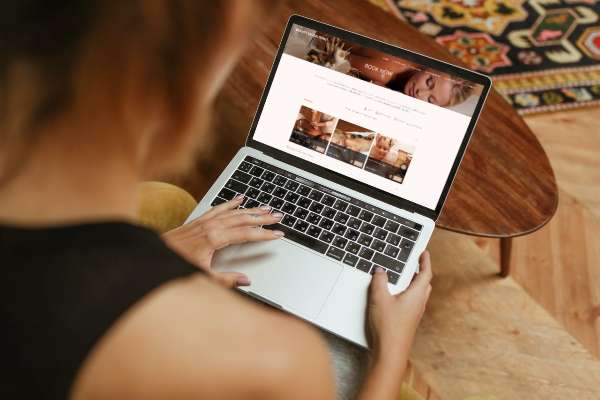
Bookeo offers three specialized booking systems designed for different business types. Bookeo Appointments serves spas and service providers. Setup takes minutes. Add business details, services, and staff information, then customize your booking page with brand elements. Clients book directly through your website using an embedded widget without popups or overlays.
Customer Support and Resources
Bookeo’s appointment scheduling software provides a 30-day free trial without requiring credit card information. A 30-day money-back guarantee after subscribing gives you 60 days to test the platform risk-free.
Conclusion
Right now, you have everything you need to select the perfect spa booking software for your business. The right platform saves you 10+ hours weekly and reduces no-shows by 71%. It creates a smooth client experience that drives repeat bookings.
Take time to assess your specific needs and test platforms. Ask vendors the hard questions. Your choice affects daily operations and revenue for years to come.
Bookeo offers a 30-day free trial with no credit card required. Test this spa booking platform risk-free and see how automated booking changes your spa operations. Take action today. Watch your administrative burden disappear while client satisfaction soars.