SEO Marketing for Small Business: The Essential Guide That Actually Works
Organic search accounts for 53% of all online traffic and contributes to 44% of the revenue share. SEO marketing for small businesses is one of your most powerful growth tools. Google dominates with 89.62% of internet queries, and only 0.63% of users click results on the second page. Your small business website seo strategy determines whether potential customers find you or your competitors.
This piece walks you through search engine optimization for small businesses, from foundation setup to content creation and performance tracking. You’ll learn practical seo optimization for small businesses that brings traffic without draining your budget.
What is SEO marketing for small business
Understanding search engine optimization basics
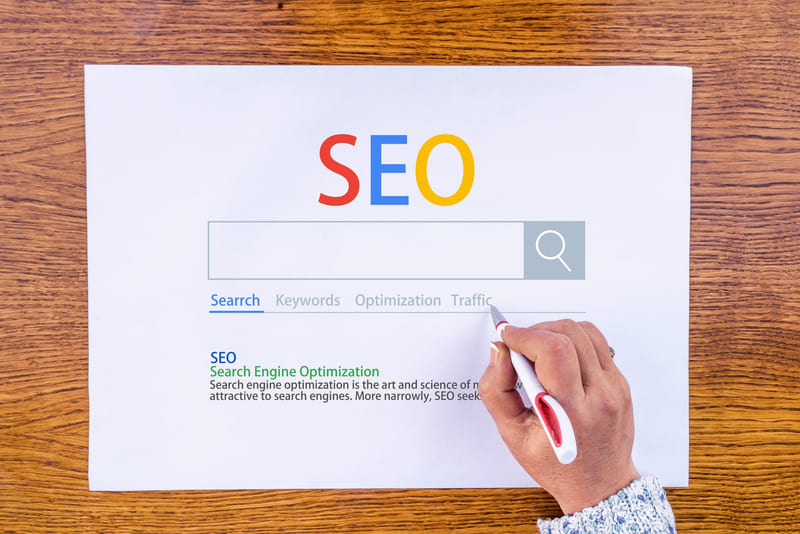
Search engine optimization is the process of improving your website’s visibility on search engines like Google, Yahoo, and Bing. Automated programs called crawlers explore websites constantly and gather information about each page. Your site’s structure, content, and links get analyzed by these crawlers.
Search engines index this information in a massive database after crawling. Think of indexing as creating a catalog of every web page online. Algorithms review indexed pages and determine which ones best match the query when someone searches. How useful search engines deem your content for specific searches determines your rankings.
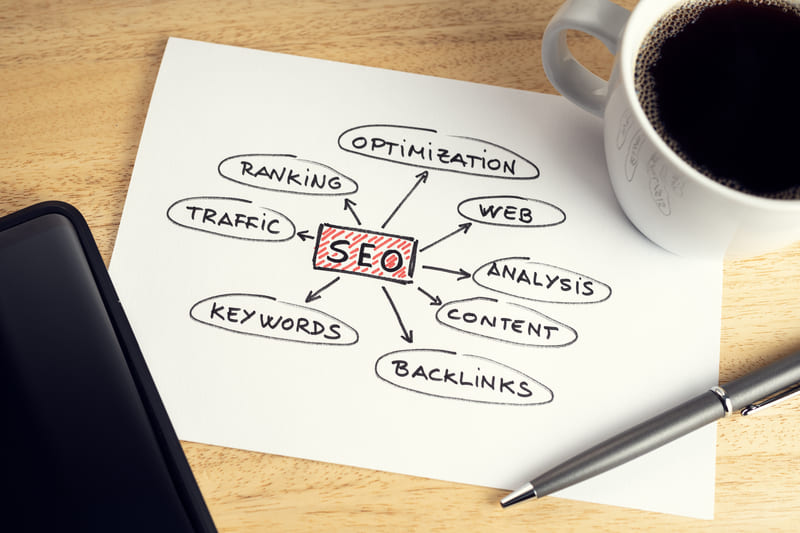
Multiple components make up SEO for small businesses. Keyword research identifies terms your customers use when searching. Content optimization means you incorporate these keywords into your pages naturally while providing genuine value. Site speed, mobile-friendliness, and secure connections fall under technical optimization. User experience improves, and authority gets distributed across your site through internal linking. External links from trusted sources signal credibility to search engines.
Local SEO is different from general SEO because it focuses on geographical areas. Businesses with physical locations can drive both web traffic and foot traffic through local optimization. Optimizing for local search involves creating a Google Business Profile, gathering reviews, and maintaining consistent information across online directories.
How SEO is different from paid advertising
SEO generates free organic traffic once your content ranks, unlike paid advertising, where you pay for each click. Paid search delivers immediate visibility but requires continuous investment. Your visibility disappears the moment you stop paying. SEO takes longer to show results, but builds lasting assets.
Organic search generates 8.5 clicks for every one click on paid results. Research shows 70-80% of users skip paid advertisements and click organic results instead. Users see websites ranking high in organic search as more trustworthy. Paid ads may be seen as promotional, while organic rankings signal authority and relevance.
Cost differences are substantial. SEO requires upfront time and resource investment, but costs drop as your strategy matures. Paid advertising demands ongoing spend to maintain traffic. Businesses earn an average of over $22 for every dollar spent on SEO. SEO often takes 4-6 months before showing meaningful results. Then it functions as a medium-to-long-term strategy with the highest long-term ROI among digital marketing channels.
Control also varies. Paid ads let you target specific audiences and timing. SEO depends more on search engine algorithms. But SEO content continues performing months or years after creation. Paid campaigns stop generating leads the second you pause your budget.
Why small businesses need SEO in 2026
Small businesses gain the most important advantages through SEO. Google processes over 8.5 billion searches daily. Your potential customers already search for products or services you offer. You just need to make sure they find your business in the results.
SEO provides customer access 24/7. People search for solutions at all hours. Your business generates leads around the clock with an optimized presence. This builds recognition and credibility over time.
Studies indicate 70% of small and medium-sized companies report SEO delivers the highest return among marketing channels. To cite an instance, 60% of marketers state their highest quality leads come from customers who participate in SEO. These users search for solutions actively, and ranking high fulfills their needs.
Small businesses can compete against larger companies through SEO. Proper SEO delivers high ROI compared to other marketing types. Your competitors already use SEO in their strategies. Not adopting SEO means you miss potential leads that go directly to competitors.
You can future-proof your business by investing in SEO now. The longer you maintain an optimized website, the better you respond to algorithm changes. SEO remains available and inexpensive to implement. Beyond hiring costs or tool subscriptions, actual implementation requires no ad spend.
Core benefits of SEO for small businesses
SEO optimization for small business delivers measurable advantages that compound over time. Your investment today builds assets that generate returns for years.
Increased organic traffic and visibility
Organic search drives 53.3% of all web traffic. Rank on Google’s first page and position your business where customers look for solutions. Climbing to the top spot almost doubles your click-through rate over the second position.

Featured Snippets offer another advantage. These top-of-page elements let you jump over the number one ranking and potentially add a second entry point to your website. Google’s first organic result achieves an average click-through rate of 28.5%. The number-10 result receives ten times fewer clicks. Moving up just one spot improves your click-through rate by 2.8%.
Search engine optimization for small businesses targets users who already want what you offer. Then, 60% of marketers report their highest quality leads come from SEO-involved customers. These visitors search for specific solutions, and your presence fulfills their needs right away.
Building long-term brand credibility
Ranking high in search results sends multiple trust signals at once. Google’s algorithm assesses expertise, experience, authoritativeness, and trustworthiness when determining rankings. High positions indicate Google has vetted your content as credible.
Repeated exposure in search results creates familiarity. This mere-exposure effect from behavioral psychology means people trust what they see often. Customers notice websites ranking organically as more reliable than paid advertisements.
SEO’s technical elements strengthen credibility beyond visibility. Fast page speeds, security measures, and quality backlinks demonstrate professionalism. Users trust you based on how your website functions. Brand mentions across trusted sites reinforce your authority, coupled with consistent content. Even unlinked mentions count as credibility signals when Google finds references to your business in blogs or reviews.
Budget-friendly customer acquisition
SEO delivers exceptional returns compared to other marketing channels. Businesses earn an average return of $22 for every dollar spent. SEO generates an average ROI of 748%, translating to $7.48 returned per dollar invested. Inbound leads from SEO cost 61% less than outbound leads.
Organic channels avoid ongoing costs associated with pay-per-click advertising. Paid traffic disappears the moment you stop funding campaigns. SEO requires upfront investment, but costs decrease as your strategy matures. Companies that increased SEO traffic by a lot over paid search saw customer acquisition costs drop by around 60%.

Your website continues attracting organic traffic without advertising expenditures once it achieves favorable rankings. This evergreen nature means a single optimized piece of content generates traffic for years with minimal upkeep. Your blog articles live on for months or years and bring new visitors without constant ad spending.
Competing with larger companies
Search engines prioritize relevance and usefulness, not company size. Small businesses compete by targeting what larger competitors overlook. Local SEO becomes your strongest advantage. You can dominate local search results, Google Maps, and directory listings where big brands spread resources thin.
Long-tail keywords offer another competitive edge. Target phrases like “best online accounting services for small business in the northwest” instead of generic terms. These specific variations generate less traffic but rank nowhere near as hard as competitive short keywords. Each ranking builds awareness and authority that lifts your position for broader terms.
Small businesses move faster than large corporations when creating targeted content. This agility lets you respond to search trends and customer needs. Furthermore, 72% of consumers who conducted a local search visited a store within 5 miles. Local visibility converts to foot traffic and sales in ways national brands struggle to achieve.
Essential SEO terms every small business owner should know
Grasping SEO terminology transforms confusion into clarity. These terms are the foundations of search engine optimization for small businesses.
Keywords and search intent
Keywords are words or phrases people type into search engines when looking for information, products, or services. Your prospects search using specific terms. Optimizing your website for those keywords helps you appear in their results. Search intent represents the purpose behind someone’s search. What users actually want determines whether your content satisfies their needs.
Four main types of search intent exist. Users want to learn something with informational intent, often using phrases like “how to” or “what is”. Someone seeks a specific website with navigational intent and uses Google as a shortcut. Commercial intent sits between learning and buying, where users research options and compare products. Someone is ready to take action with transactional intent, typically purchasing or signing up.

Content that matches search intent matters more than keyword stuffing. Google’s algorithms decode user goals and match queries with suitable content. Searching “best laptops” shows comparison articles, not individual product pages, because Google recognizes the research phase. This is just one example.
Organic rankings and SERPs
SERP stands for search engine results page. Every time you search on Google, Yahoo, or Bing, you see a SERP displaying relevant results. These pages contain two types of content: organic results and paid advertisements.
Search engine algorithms determine organic results, which are unpaid listings. Ranking factors have keyword relevance, backlinks, content quality, and site speed. Position on the SERP affects traffic dramatically. Research shows 96.6% of all clicks go to results on the first page. Page two receives less than 1% of clicks. Page three gets virtually zero traffic.
Backlinks and domain authority
Backlinks are links from other websites pointing to your site. Search engines view these as votes of confidence. More backlinks from reputable sources signal that your content offers value. Quality matters more than quantity. A single link from an authoritative industry website carries more weight than dozens from low-quality directories.
Domain Authority is a score from 1 to 100 developed by Moz that predicts how your website ranks in search results. Higher scores indicate greater ranking ability. The calculation uses dozens of factors and focuses on backlink data, including the number and quality of linking domains. DA isn’t a Google ranking factor, but it helps you compare your site against competitors.
The score uses a logarithmic scale. Improvements become harder as you climb. Moving from 20 to 30 is easier than growing from 70 to 80. New websites start at 1 and build authority over time through quality content and link acquisition.
Local SEO vs general SEO
Local SEO targets customers in specific geographic areas, while general SEO aims for national or international audiences. The core difference is audience scope. Local businesses serving customers face-to-face need local optimization.
Local SEO has everything in general SEO, plus additional tactics. You must optimize your Google Business Profile, manage customer reviews, and build local citations. Businesses need a physical address and must serve customers in person to qualify for local listings. Competition is substantially lower because you only compete with businesses in your area.
Technical SEO fundamentals
Technical SEO optimizes your website’s infrastructure so search engines can crawl, render, index, and cite your content. This foundation determines whether pages appear in search results at all. Search engines follow links to discover pages through crawling. Crawled content gets analyzed and stored in the search engine’s database through indexing.
XML sitemaps list important pages and help search engines find content. Robots.txt files control which pages search engines can access. Canonical tags identify the original version when duplicate content exists. Technical issues prevent indexing, so addressing these fundamentals comes first before other optimization work.
Step 1: Set up your SEO foundation
Building your SEO foundation requires four critical setup steps that determine whether search engines can find, understand, and rank your website. Skip these, and you’re invisible online.
Create or audit your business website
Your website serves as the hub for all search engine optimization efforts for small businesses. Before you launch any SEO campaigns, document everything on your current site. Record all URLs, including every page, PDF, and important image file. Capture SEO elements like title tags, meta descriptions, and header tags for each key page. Account for all valuable content, especially on high-performing pages. Identify existing redirects and broken pages that need attention.

Crawl your site using tools and export this data into a permanent record. This baseline prevents valuable pages and SEO elements from disappearing during updates. Your site structure tells search engines how content is organized. Group content into clear categories. Keep URLs short and readable. Make important pages reachable within 2-3 clicks.
Set up Google Search Console
Google Search Console gives you direct access to how Google views your website. The tool shows problems, errors, and spam issues that need fixing. It even alerts you if someone hacks your site.
You’ll need to verify site ownership for the setup. You have two property options: domain or URL-prefix. Choose the domain option and track all subdomains and protocols associated with your domain in one place. This connects Search Console to every aspect of your site. The URL-prefix option creates a property for only one URL prefix, which may not give you accurate data.
Copy the TXT record Google gives you for domain verification. Log in to your domain registrar’s account and go to DNS records. Add a new TXT record with the @ symbol under “Host” and paste Google’s TXT record into the “TXT Value” field. Return to Search Console and select “Verify.” DNS updates can take up to 72 hours, so check back if ownership isn’t verified right away.
Submit your sitemap after verification and speed up site discovery. Monitor the Index coverage report and see which pages Google indexed or tried to index. The Search performance report shows traffic from Google Search, including breakdowns by queries, pages, and countries. Check your account monthly or when you make content changes.
Set up Google Analytics
Google Analytics reveals audience behavior and traffic sources. Sign in using your Google account and create an Analytics account by selecting “Start Measuring.” Give your account name, business details like industry and time zone.
Add your property by entering your website URL. Set up a data stream for your property, which replaces the old “views” concept. Toggle enhanced measurements on and automatically track actions like file downloads and video views.
Install the tracking code on every page you want to track. Copy your measurement ID and GA4 configuration tag. Add this code through Google Tag Manager or a CMS plugin. Verify the setup works by visiting the Realtime section while you browse your website on another browser tab. You should see at least one active user.

Connect Google Analytics to Search Console for richer data. This integration combines Search Console’s indexing insights with Analytics’ behavior tracking and gives you complete visibility into your small business website seo performance.
Claim your Google Business Profile
Google Business Profile determines whether your business appears on Google Maps and local searches. According to research, 64% of consumers have used Google Business Profiles to find contact information.
Visit business.google.com and begin. Enter your business name and address. If your business already appears on Google Maps but you haven’t claimed it, search for your business name, select the correct listing, and tap “Claim this business.” Choose “I own or manage this business” and select a verification option.
If someone else claimed your listing, request ownership by entering your business information and selecting “Request Access.” The current owner receives an email and has 3 days to respond. If they don’t respond, you may claim the profile yourself.
Verification takes about a week through postcard, phone, or email, depending on your business type. Service-area businesses without physical locations can also claim profiles and gain SEO value while responding to reviews.
Step 2: Research and target the right keywords
Keyword research reveals the exact phrases your customers type into Google when searching for what you offer. This step determines whether your SEO optimization for small business targets terms people use or wastes effort on phrases nobody searches.
Understanding what your customers search for
Put yourself in your customers’ position. What words describe their problems? What questions do they ask before finding your business? Write down phrases you would search to find services like yours. Ask friends, family, or existing customers what they would type into Google.
Check Google Search Console for terms that bring visitors to your site already. Go to the Performance tab and filter by queries. Look for searches with high impressions but low clicks. These represent opportunities where you’re visible but not compelling enough yet. Identify patterns in how customers phrase their needs.
Scan online communities where your audience gathers. Reddit, Quora, and industry forums reveal recurring questions and pain points. People use different language than marketers expect. Capture these authentic phrases for your keyword list.
Using free keyword research tools
Free tools provide substantial data without subscription costs. Google Keyword Planner shows search volume and competition levels for unlimited searches. Access it through a free Google Ads account without running campaigns. The tool displays average monthly searches and trending data.
Google Trends compares keyword popularity over time. Use it to avoid declining topics and catch seasonal spikes before competitors notice. Google Autocomplete shows predictions based on real searches. Start typing your seed keyword and record the suggestions that appear.
WordStream’s Free Keyword Tool generates hundreds of related keywords plus competition levels and estimated cost-per-click data. Ubersuggest offers a keyword overview with monthly volume, SEO difficulty, and content ideas pulled from ranking results. You get three searches daily on the free plan. KWFinder provides five daily searches with keyword difficulty scores and SERP analysis showing current ranking pages.
Focusing on long-tail keywords
Long-tail keywords contain three or more words with high specificity. Someone searching “accounting software” browses options. Someone searching “cloud accounting software for small retail businesses” knows exactly what they need and will purchase it soon.
Long-tail keywords comprise 70% of all search traffic. These phrases attract fewer searches but face lower competition. You can rank for long-tail terms within weeks instead of months. Visitors arriving through specific searches convert better because your content matches their precise intent.
Balancing search volume with competition
Search volume indicates monthly searches for a keyword. High volume means more potential traffic but higher competition. Keyword difficulty scores predict ranking challenge on a scale from 1-100. Target keywords with difficulty scores below 40 for easier wins.
Find keywords that balance decent volume with achievable difficulty. A term with 500 monthly searches and low competition outperforms one with 10,000 searches you’ll never rank for. Align keywords with search intent. Commercial and transactional keywords drive revenue better than informational terms for small business website seo.
Step 3: Optimize your website content and structure
Once you’ve identified target keywords, implementation determines whether search engine optimization for small businesses produces results. Research transforms into rankings through on-page optimization.
Compelling title tags and meta descriptions
Title tags appear as clickable headlines in search results and browser tabs. Keep titles between 50-60 characters to avoid truncation. Place your target keyword near the beginning, where it carries more weight. Each page needs a different title that describes its content.

Meta descriptions provide summaries below title tags in search results. Want to hit 120-156 characters. Meta descriptions don’t affect rankings, but they influence click-through rates. Google uses CTR to determine whether you’re a good result. Write in active voice and include a call to action. Insert your focus keyword. Make descriptions match actual page content, as Google will find attempts to trick visitors.
Correct use of header tags
Headers structure content for readers and search engines. Use one H1 tag for your main topic. H4 headings divide text into main sections, and H5 tags create subsections under H4s. Never skip heading levels by jumping from H1 to H5. This disrupts logical structure for screen readers and search engines. Break up long text blocks with relevant subheadings to improve readability.
Quality content that answers questions
Search engines now function as answer engines and deliver direct responses instead of link lists. That shift means ranking a page no longer guarantees a business gets seen, so pairing this strategy with a Google AI Overview tracker shows whether your content is actually the one being pulled into those direct responses. Pages perform better when information follows a logical flow and answers one specific question at a time. Front-load valuable information at the beginning, where users and AI systems access it. Anticipate the sequence of questions users have as they deepen their understanding.
Image optimization with alt text
Alt text describes images for screen readers and search engines. Google uses alt text with computer vision algorithms and page contents to understand image subject matter. Write descriptive alt text that’s rich in information and uses keywords. Avoid keyword stuffing, which creates a negative user experience. Keep alt text under 125 characters, as screen readers stop reading beyond this point.
Better site speed and mobile experience
Fast-loading pages rank higher and reduce bounce rates. Images often contribute most to page size. Compress images before uploading. Choose WebP for photos and PNG for transparent graphics. Mobile responsiveness becomes paramount with over 60% of web traffic from mobile devices. Test your site across smartphone and tablet sizes. Make clickable buttons suitable for touchscreens, especially call-to-action elements.
Step 4: Build local SEO presence
Local searches dominate mobile queries, with 72% of consumers visiting stores within 5 miles after searching. Your Google Business Profile is the lifeblood of local visibility.
Optimizing your Google Business Profile completely
Fill every field in your profile. Accurate business name, address, and phone number establish trust. Add high-quality photos of your storefront, products, and services. Write a detailed business description and incorporate relevant local keywords. Choose your primary category with care, as it determines local search visibility. Add up to nine secondary categories highlighting additional services. Enable messaging so customers can contact you from search results. Keep business hours updated, including holiday schedules.
Getting customer reviews and responding to them
Reviews influence both rankings and consumer trust a lot. 98% of U.S. consumers read online reviews of local businesses at least sometimes, with 76% doing so often. Request reviews from satisfied customers through your Google Business Profile link. Respond to every review, positive or negative. Thank customers by name for positive feedback. Address negative reviews with professionalism and show you value feedback. Quick responses demonstrate customer care.

Building local citations and directory listings
Your business name, address, and phone number must remain consistent across all platforms. Search engines get confused by inconsistent information, and rankings suffer. Target major directories like Yelp, Apple Maps, and Bing Places. Add your business to industry-specific directories relevant to your field. Local chamber of commerce websites provide valuable citations.
Creating location-specific content
Weave local keywords throughout your website. Mention your town and neighboring areas in headings and your About Us section. Blog about local events, news, or industry topics relevant to your area. This strategy drives organic traffic from people searching for local happenings.
Step 5: Create an ongoing content strategy
Consistent content creation separates businesses that rank from those that disappear. Publishing schedules depend on your goals and resources, not arbitrary rules.
Helpful blog posts published on schedule
Publishing 1-4 blog posts monthly gets consistent traffic for most small businesses. Quality trumps quantity. Several high-quality posts published weekly at the start build momentum. Bloggers who publish 2-6 times weekly are 50% more likely to achieve positive results. Prioritize content that answers real questions over hitting publication quotas.
Frequently asked questions answered
FAQ pages convert website visitors into customers. Identify questions from your customer service team, support tickets, and competitor websites. Write questions from your customer’s view and use their vocabulary. Keep answers under 100 words. FAQ content can earn featured snippets in search results.
Videos and visual content
Video content appears in 26% of Google search results. Videos increase dwell time, which search engines interpret as high-value content. Add captions for accessibility and silent viewing. How-to videos and customer testimonials build trust while improving rankings.
Old content updated to stay relevant
Bloggers who update old posts are 2.5 times more likely to report strong results. Some businesses see traffic increases up to 213% after refreshing content. Update statistics and fix broken links while adding new sections that address current trends. Submit updated URLs through Google Search Console for faster re-indexing.
Add Online Booking to Your Website
Add a booking system with website booking integration so interested visitors can take action the moment they are ready. For small businesses, SEO should not only bring more people to the website; it should also make it easy for them to become leads or customers.

If you offer appointments, consultations, demos, or service calls, connect your site to a dedicated small business booking tool like Bookeo. Place clear booking buttons on important pages like your homepage, service pages, local landing pages, and blog posts that attract high-intent traffic. This reduces friction, shortens the customer journey, and helps turn organic search visitors into real business opportunities.
Tracking your SEO results and making improvements
Measurement separates guesswork from strategy. Track specific metrics monthly to understand your SEO performance.
Key metrics to monitor monthly
Organic traffic shows visitors arriving from search engines. Google Analytics displays this under Acquisition reports. Organic conversions measure how many visitors complete desired actions like purchases or sign-ups. Keyword rankings reveal your position for target terms. Click-through rate indicates how compelling your search listings appear. Average engagement time reflects content quality. Track these to identify trends.
Using Google Search Console data
Search Console shows performance data from Google. The Performance report displays total clicks, impressions and average position. Filter by queries to see which searches drive traffic. Review the Pages tab to identify top performers. Check Index coverage each week to catch crawl errors before they damage rankings.
Understanding what’s working and what’s not
Low CTR with high impressions means your meta descriptions need improvement. High bounce rates signal content misalignment with search intent. A drop in organic traffic percentage may require strategy adjustments. Compare performance month-over-month to spot patterns.
When to hire SEO help vs doing it yourself
Your decision depends on goals, resources, and team skillset. DIY works when targeting local audiences with SEO knowledge in-house. Professionals make sense for competitive industries requiring technical expertise. Therefore, a hybrid approach lets you handle content creation while outsourcing technical SEO.
Conclusion
Search engine optimization for small businesses delivers results when you follow these fundamentals consistently. Set up Google Search Console and Analytics to build your foundation. Research keywords your customers use. Optimize your website content and structure for both users and search engines. Build your local presence through Google Business Profile and customer reviews. Create helpful content on a regular schedule.
SEO takes time, but the payoff compounds over months. Most businesses see meaningful results within 4-6 months. Track your metrics monthly to understand what works and adjust your strategy based on real data, not assumptions. Your competitors already invest in SEO. The question isn’t whether you can afford to start but whether you can afford to wait.