

Gain insight with booking analytics

Analyze your business like a pro with Bookeo’s appointment system with analytics. Compare data on bookings and revenues to see how your business is going and focus on what’s working best.

For 30 days. No credit card required.

Powerful reporting and insights

Easy reporting with advanced capabilities

Easily create powerful and detailed reports for regulation compliance or internal use with our appointment system with analytics.

Detailed statistics

Analyze and compare past months’ revenue, customers, preferences, appointments, staff, and resource utilization.

Charts

View up-to-date performance of your business at a glance with statistics, integrated in Bookeo’s booking analytics solution.

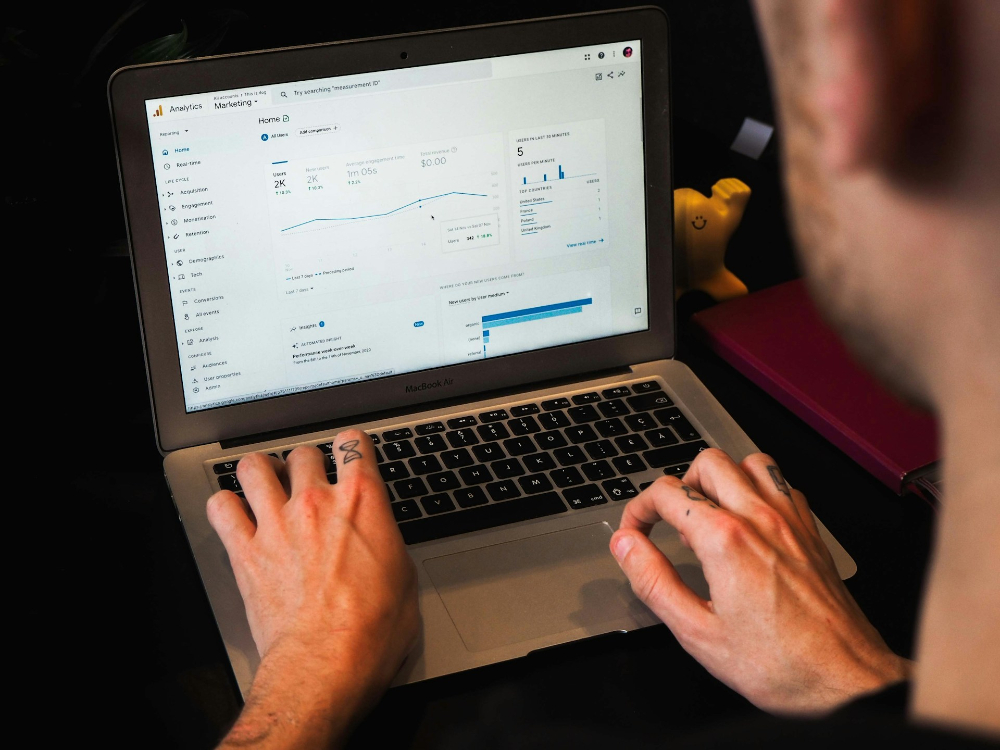
Optimize marketing with seamless analytics integrations

Integrate with Google Analytics

See where your customers are coming from and how much each marketing campaign is generating with Bookeo’s Google Analytics/Adwords integration.

Integrate with your custom analytics software

Integrate with our appointment booking system your custom analytics software to see how your campaigns are doing. Track traffic, origination, revenue sources and conversions.

FAQ

With Bookeo’s appointment system with analytics, you can track the booking data that helps you understand how your business is performing and where appointments are coming from. Bookeo’s reports let you review bookings by appointment date or by the day they were made. You can also filter reports by details such as service, resource, promotion, and booking status, including normal, canceled, no-show, and pending payment bookings.

Our booking analytics also help you monitor revenue, booked value, payments, outstanding balances, customer activity, coupons, gift vouchers, prepaid credits, schedules, and waivers. You can also track the source of bookings by adding a source parameter to booking links or widgets, making it easier to see which campaigns or channels generate appointments. With Bookeo’s appointment booking system, businesses can use this data to compare bookings, revenue, customers, preferences, staff, and resource utilization, then make more informed decisions.

Booking data in Bookeo is updated instantly as activity happens in your account, so our appointment system with analytics reflects the latest information available when you generate a report or review your calendar. For example, when a booking is created, canceled, marked as a no-show, updated with a payment status, or assigned a custom booking status, that information becomes part of the data you can use in Bookeo’s reports and dashboard.

Our booking analytics are not limited to a fixed monthly snapshot. You can generate reports for the date range and filters you need, such as bookings by appointment date, bookings by the date they were made, service, resource, promotion, booking status, payments, customer details, and more. Bookeo also updates booking status visibility in real time for other users logged into the account, ensuring teams always have access to the latest appointment information throughout the day.

Yes. With Bookeo’s appointment system with analytics, you can review booking trends across the time periods that matter to your business. Our reporting tools let you generate booking reports for a selected date range, so you can view appointment activity by day, compare one week to another, and review performance.

Bookeo also lets you filter booking analytics by details such as appointment date, date booked, service, resource, promotion, and booking status. This makes it easier to see when customers are booking, which services are generating demand, and how appointment volume changes over time. For deeper trend analysis, Bookeo reports can be downloaded as Excel spreadsheets.

Yes. Bookeo lets you export booking reports so you can review, organize, and analyze appointment data outside the booking software. In our appointment system with analytics, reports can be viewed on screen and downloaded as Excel spreadsheets, giving your team more flexibility.

With Bookeo, you can generate booking reports from Marketing > Reports > Bookings, choose the date range and filters you want to apply, and download the report as an .xls file. Exported reports can help you examine booking activity, payment details, outstanding balances, taxes, customer trends, and other appointment data in a format that is easy to sort, filter, or use for charts. Bookeo also supports exporting booking data to a spreadsheet for use with accounting tools outside our built-in Xero and QuickBooks integrations.

Yes. Bookeo’s appointment system with analytics lets you track revenue-related data from your bookings using booking and payment reports. In our booking software, you can generate reports for a selected date range and review details such as bookings, payments, balances due, taxes, coupons, and gift vouchers. This helps your team understand not just how many appointments are being made, but also how those bookings contribute to business activity.

Bookeo’s booking analytics can also help you separate paid bookings from bookings with outstanding balances. For example, booking reports can show balances due, while payment reports can be used to review total payments received. Reports are visible on screen and can be downloaded as Excel spreadsheets, making it easier to sort, filter, and analyze booking revenue for accounting, forecasting or internal performance reviews.

Yes. Bookeo’s appointment system with analytics lets you track repeat customers through customer reports and booking data. When a new customer makes a booking, Bookeo can create a customer profile in the Customers section of your dashboard, using the customer’s email address to identify the profile. This helps our booking software keep customer details and appointment history connected over time.

With Bookeo’s booking analytics, you can generate customer reports to review repeat customers and better understand how many people return to make additional bookings. This can help your business look beyond one-time appointment volume and focus on customer retention, loyalty, and ongoing demand. You can also use Bookeo reports alongside booking, payment, and service data to see how returning customers contribute to overall appointment activity and business performance.

Yes. Bookeo’s appointment system with analytics can help you track which marketing campaigns drive bookings. Our booking software lets you add a source parameter to booking links, gift voucher links, or booking widgets, so you can identify where a customer came from when they make an appointment. For example, you can use different source names for email campaigns, social media posts, ads, partner pages, or other promotional channels.

When customers book through those links or widgets, the source can appear in the booking details and in the Source column of your booking report. This makes Bookeo’s booking analytics useful for comparing campaign performance and understanding which channels generate appointments. Bookeo also supports Google Analytics 4 and Google Ads integration so that businesses can track booking-related events and conversions alongside their wider marketing data.