

Fill your schedule in a snap with Bookeo’s appointment calendar

Put your appointment book online 24/7. Bookeo’s appointment calendar software will automatically update your schedule in real time. Get booked and paid faster without scribbled notes, double bookings, or lost time on the phone.

For 30 days. No credit card required.

Your schedule, always at your fingertips

24/7 access for you and your staff

Access your Bookeo appointment calendar solution anywhere, anytime. View your appointment schedule, workshop rosters and payments. Easily set what each member of your staff can see.

Customize your appointment calendar

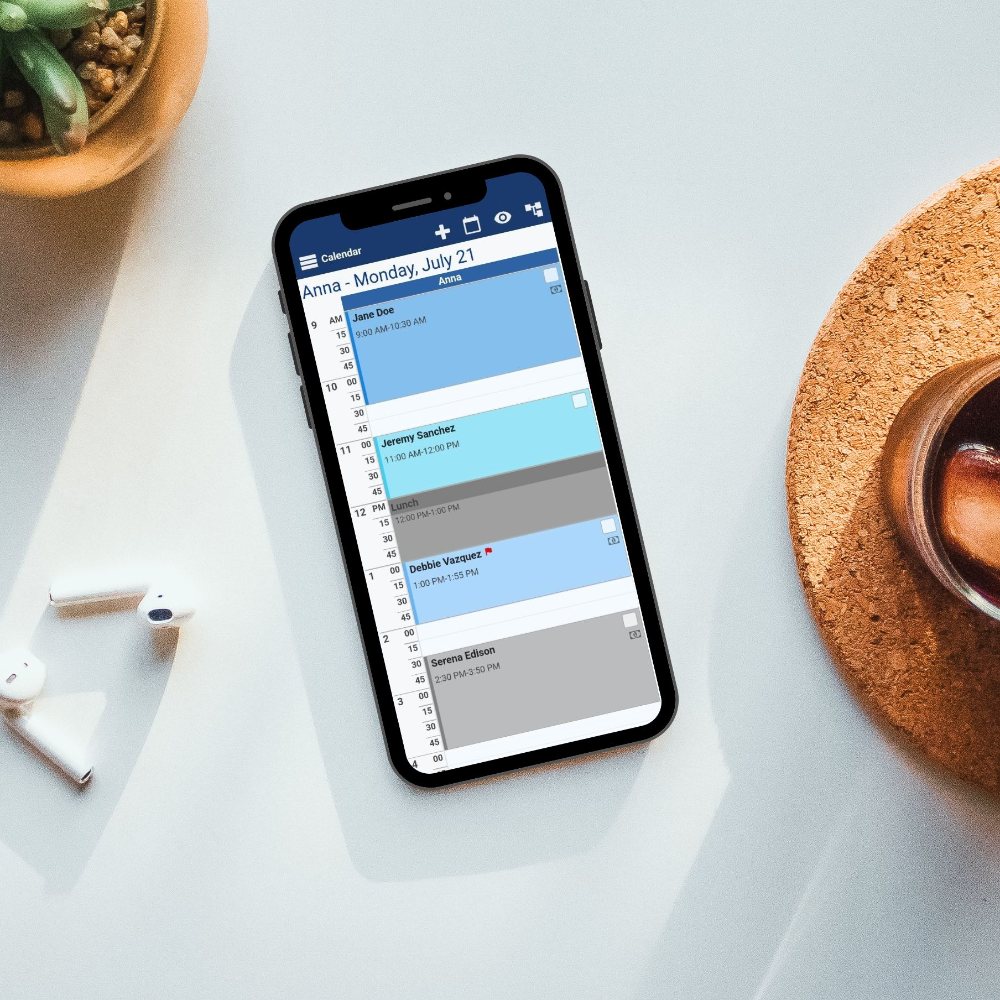
Color-code your services to know at a glance what’s being booked. Set your business hours, specific schedules for staffers and appointment lengths.

Go mobile with your online reservation system

View and manage your online appointment calendar from any mobile device. No need to download another app: Bookeo’s appointment calendar solution automatically resizes to any device screen size and shape for you and your clients.
Always in the loop with email and txt notifications

Stay up to date with Email/TXT

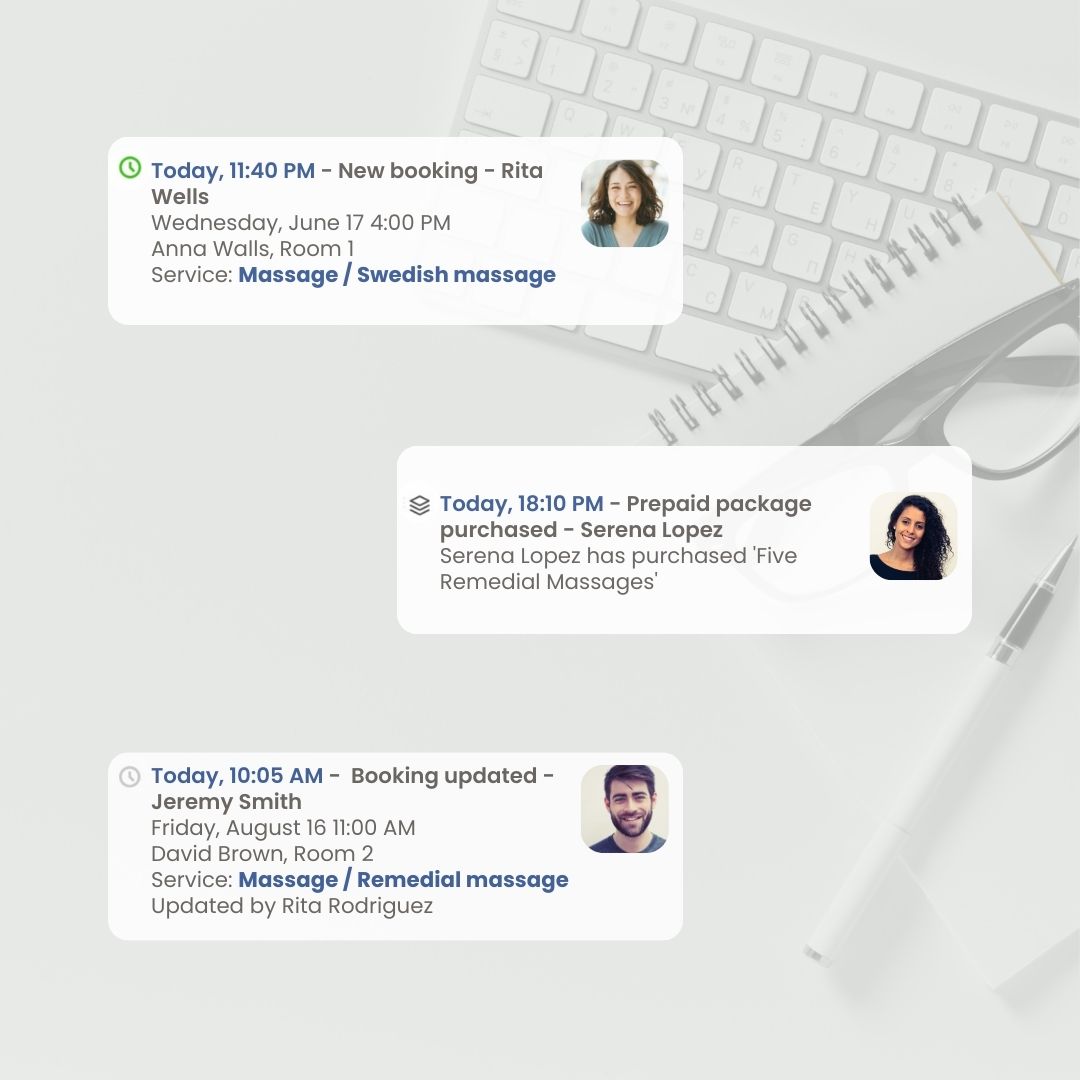
Keep your staff up to date with automatic email and TXT notifications so they instantly know about new, rescheduled, or cancelled appointments – even when they’re on the go.

Send automatic notifications and reminders

Bookeo’s appointment calendar software sends automatic booking confirmation emails to your clients. Our online scheduling software also helps you reduce costly no-shows, automatically reminding clients of their bookings – by email or TXT.

Streamline check-ins with arrival times

Enhance your check-in process by displaying the suggested arrival time at your shop on the booking confirmation page following checkout, as well as in the confirmation and reminder emails.

Know every detail. Track every booking.

Track all reservation steps

Get instant updates of new and rescheduled bookings, or cancellations. You can easily see when someone cancelled, rescheduled, or booked their appointments. Automatically track the use of gift vouchers, prepaid credits, and promotional discounts.

Track appointment attendance

No more endless copying, checking and rechecking. Track appointment attendance, no-shows and cancellations, and easily see them in your reports.

Print detailed calendar schedule

Easily print your appointment schedule and rosters with client details, amounts paid and still owed, plus any additional options selected during reservation. Your staff will thank you!
FAQ

Yes. Our booking calendar software lets you manage your appointment calendar online 24/7, so you can check schedules, view bookings, and stay on top of changes whenever you need to. With Bookeo, your appointment calendar updates in real time, helping you avoid double bookings and ensuring your availability stays accurate throughout the day.

Our online booking calendar software is also designed for access from anywhere, so you and your staff can view appointment schedules, workshop rosters, and payments at any time.

Bookeo also works smoothly on mobile devices without requiring a separate app download, making it easier to manage bookings while away from your desk. For businesses that need flexible booking calendar software, this means your calendar is available around the clock for both day-to-day scheduling and quick updates on the go.

Yes. Our booking calendar software updates automatically in real time when clients book, reschedule, or cancel an appointment, so your schedule stays current without manual refreshes or back-and-forth updates. This helps prevent problems like double bookings and overlooked updates.

Our booking calendar software keeps your team up to date with automatic email and SMS alerts for new, rescheduled, or cancelled appointments, ensuring everyone stays aligned the moment any booking changes occur.

For businesses that rely on booking calendar software every day, this means your Bookeo calendar reflects incoming reservations as they are made, while also giving staff access to their updated schedule from anywhere. The appointment calendar is available online 24/7, works on mobile devices, and lets you view appointment schedules, workshop rosters, and payments without needing a separate app. This makes Bookeo a practical option for managing live availability and day-to-day scheduling in one place.

Yes. Our booking calendar software gives you flexible ways to organize and customize your appointment calendar by service type. In Bookeo, services can be set up with their own categories, and those categories can be used to organize how services appear on your booking page. You can also customize how services are displayed by choosing different booking page layouts, including grid and description-based views, depending on how you want clients to browse and book.

On the calendar side, Bookeo also lets you color-code services, which makes it easier to see at a glance what services are being booked and manage a busy schedule more efficiently. This means our booking calendar software can support both back-end organization for staff and a clearer booking experience for clients. For businesses that offer multiple appointment types, Bookeo makes it easier to separate services visually, manage availability, and keep the calendar easier to read throughout the day.

Yes. Our booking calendar software allows you to color-code appointments and services, making it easy to see what’s booked at a glance. In Bookeo, each service can be assigned its own calendar color, and that color is then used to identify bookings for that service inside your Bookeo calendar. This makes the schedule easier to scan during busy days, especially if you offer different appointment types.

Color-coding works alongside other calendar settings, including business hours, staff schedules, and appointment lengths, so your booking calendar software stays organized without adding extra manual steps. For businesses that need a clearer day-to-day view, Bookeo makes it easier to separate services visually, manage availability, and keep the appointment calendar readable for staff throughout the day.

Yes. Our booking calendar software lets you view and manage your appointment calendar from your phone, so you can stay on top of bookings even when you are away from your desk. Bookeo automatically resizes to fit different mobile screen sizes and shapes, which means there is no need to download a separate app to access your schedule. You can open your appointment calendar from any mobile device, check bookings, view workshop rosters and payments, and keep track of day-to-day activity wherever you are.

For businesses that rely on flexible booking calendar software, mobile access makes it easier to respond quickly to schedule changes, check availability, and manage appointments throughout the day. Bookeo provides the same admin capabilities on smartphones and tablets as it does on desktops and laptops, so your mobile workflow stays just as flexible and fully featured. Combined with real-time schedule updates, our booking calendar software helps keep your calendar accurate and accessible whenever you need it.